Best Smart Locks for Beginners (2026 UK Guide)
Best smart locks for beginners (2026, UK): Yale Linus L2, Nuki Pro 4G, Aqara U200, SwitchBot Lock Pro. With an easiest-install decision tree.
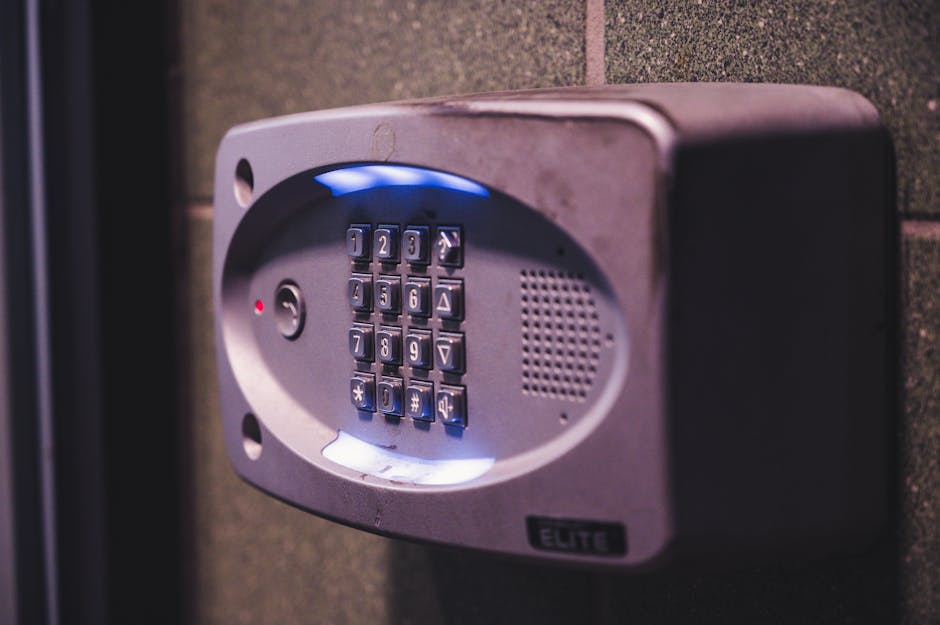

A smart lock is one of those upgrades that sounds intimidating until you've lived with one for a week. Then your old keys feel like a chore. The hard part isn't installing one - it's figuring out which one to buy. The market is split between models that bolt onto your existing deadbolt, models that replace the entire lock, and a tier of cheap options that you should probably avoid. This guide walks through what actually matters in 2026, then names three locks worth buying.
What does a smart lock actually do?
It's not magic - it's a motor and a small computer attached to your front door
A smart lock turns the deadbolt on your door electronically. Instead of (or in addition to) a metal key, you can unlock the door with a phone, a code on a keypad, your fingerprint, or - if you've integrated it with Alexa, Google, or HomeKit - your voice. Most smart locks also send a notification when someone unlocks the door, which is genuinely useful for tracking when the kids get home from school or when a delivery driver actually arrived.
Underneath, every smart lock is doing the same job: a small motor turns the bolt, a battery powers the motor, a wireless radio (Bluetooth, Wi-Fi, Z-Wave, Zigbee, or Matter/Thread) talks to your phone, and an enclosure tries to be tamper-resistant. The differences between locks are mostly about which radios they use, which platforms they integrate with, how robustly they're built, and whether they replace your existing lock or sit on top of it.
Retrofit or replacement - which is right for you?
Whether you keep your existing keys is the choice that drives everything else
Smart locks come in two physical forms. Retrofit locks (sometimes called "adaptors") fit on the inside of your door over the thumb-turn of an existing deadbolt. The outside of your door is unchanged - your existing key still works, and visitors looking at the door can't tell it's a smart lock. Replacement locks swap out the entire deadbolt, including the visible exterior hardware, and usually add a keypad, fingerprint reader, or both.
Retrofit (e.g. the August Wi-Fi Smart Lock 4th Gen) is the right pick if you rent, if you want to keep the existing aesthetic of the door, or if you want to be able to revert easily. Replacement (e.g. the Yale Assure Lock, a popular keypad smart lock from Yale Home with optional smart-home connectivity, 2) gives you the keypad most users actually want, plus a more secure overall installation - but is a bigger commitment and not always landlord-friendly.
If you're new to smart home gear in general, the first smart devices guide covers the easier wins (lights, plugs) you might want before tackling a lock. A smart lock isn't the easiest first device, but it's one of the most genuinely useful.
What does Matter support actually mean in 2026?
The single feature that future-proofs your smart lock buy
Matter is a multi-vendor standard that lets devices from different manufacturers talk to each other through any compatible hub - Alexa, Google Home, HomeKit, SmartThings, or Home Assistant, the open-source smart home automation platform,. In practice, a Matter-over-Thread smart lock will work with whatever ecosystem you have today, and whatever you switch to in three years' time. Without Matter, you're betting on the manufacturer's app and their integration roadmap.
In 2026, Matter support on smart locks is improving but not universal. The new generation (Yale Assure Lock 2 Plus, August 4th Gen Matter, Aqara U200) all support Matter properly. Older models - including the original Yale Assure Lock and the August 3rd Gen - do not, and won't be retrofitted. If you have any flexibility, buying a Matter-enabled lock is the most reliable way to keep your options open.
The deeper Matter explainer (and why "Thread" is the radio you want for battery-powered devices) is in our Matter for mere mortals piece. The short version: Matter is the API, Thread is the wireless radio, and battery-powered locks are exactly what Thread was designed for.
Why is battery life the spec that lies the most?
Manufacturer claims of 12 months almost never match reality
Battery life is where smart lock marketing gets the most aggressive. Manufacturer-claimed figures typically assume modest daily use, no Wi-Fi, no auto-unlock, and that you'll replace the batteries with the exact alkalines they tested with. In real-world use - Wi-Fi or Thread always-on, auto-unlock enabled, a household of 4 unlocking the door 6-10 times a day - most smart locks need fresh batteries every 4-8 months, not 12.
Three things meaningfully extend battery life: choosing a Thread/Zigbee lock instead of a Wi-Fi lock (Wi-Fi is the biggest battery drain), using lithium AAs instead of standard alkalines (roughly double the runtime), and disabling features you don't actually use (auto-unlock geofencing is the biggest culprit).
Watch the lock's app for the low-battery warning and don't ignore it. Locks that run completely flat tend to fail in inconvenient ways - usually with the bolt halfway out. Carry a key as a backup until you trust the battery-warning behaviour.
What should you actually worry about on security?
Smart locks aren't more or less hackable than regular locks; they're hackable in different ways
The most common smart lock concern ("can it be hacked?") is mostly the wrong concern. The far more likely failure modes are:
- Lockouts when the battery dies. Solved by either keeping a physical key (most replacement locks have a hidden cylinder) or by having a second access method (keypad code).
- Account compromise. If someone gets into your manufacturer account (e.g. through a reused password), they can unlock your door from anywhere. Use a unique strong password and enable two-factor authentication on the account. This is the most likely real-world attack.
- Lost or stolen phones. Auto-unlock features that rely on Bluetooth proximity will let anyone holding your phone in. Disable auto-unlock if your phone isn't itself locked with a strong PIN/biometric.
- Wi-Fi compromise. A poorly secured home network gives an attacker a local foothold, which is more useful than they need to attack a smart lock specifically. Hardening the wider network matters more than the lock itself - see how to secure your home Wi-Fi for the basics.
Lockpicking and brute-force attacks on smart locks happen, but they're rare relative to the number of locks deployed. The dominant attack on home security in the UK and US continues to be "break a window or kick the back door," which a smart lock doesn't change.
Which four smart locks are worth buying in 2026?
The smart-lock market has 50+ models. Most are mediocre. These four consistently come up well in independent UK and US reviewer testing for security, battery life and smart-home integration. They cover the four situations almost every UK beginner falls into: euro-cylinder front door (most modern UK builds), euro-cylinder with a premium budget, partial retrofit for a smart-home setup, and the cheapest-good-enough option for a rental or first try.
Quick context for UK readers: most UK front doors use a euro-cylinder lock, not the US-style deadbolt. That rules out the August locks (deadbolt-only) that you'll see on US-focused review sites. All four picks below work with euro-cylinder doors and are sold in the UK with UK plug adaptors and UK support contacts.
Is the Yale Linus L2 the safe beginner pick?
The Yale Linus L2 is the safest beginner pick if you live in the UK and have a typical modern front door with a euro-cylinder lock. It is retrofit-only - your existing euro cylinder stays in place, the Linus fits over the thumb-turn on the inside - so installation is screwdriver-only and reversible. Yale has been making physical locks for 180 years and the L2 carries that into smart hardware: build quality is reassuringly heavy, the motor is quiet, and the included keypad (Linus Smart Keypad 2) is one of the few in the category with a clearly readable backlit display.
Connectivity is Bluetooth as standard with a Wi-Fi or Matter bridge available separately. Matter support means it joins HomeKit, Google Home and Alexa without extra hubs. Battery life on the lock body is around 8 months on AA alkalines - Yale's own figure, and credible because the wireless link to the keypad is what does most of the work, not the lock itself.
Where the Linus L2 wins for beginners: the installation is genuinely a 15-minute screwdriver job (no drilling, no removing your existing lock), it works with most UK euro cylinders out of the box, and the auto-unlock when your phone arrives at the door is consistent and fast.
Approx price (2026): £190–230 for the lock, £60–80 for the optional keypad. Matter bridge adds ~£60.
The Nuki Smart Lock Pro, a retrofit smart lock that fits over existing European cylinders, 4G is the spec-heavy choice for beginners who expect to grow into a fuller smart-home setup. Like the Yale Linus, it retrofits over your existing euro cylinder (no door modifications), but where the Linus keeps it simple, the Pro 4G throws in Wi-Fi out of the box, an optional 4G cellular module (yes, your front door can have its own SIM card), Matter, and a more sophisticated mobile app with detailed access logs and time-limited guest keys.
It supports the full Matter spec, integrates with HomeKit, Google Home and Alexa, and works with most Home Assistant setups via the official Nuki integration. Battery life is around 6 months on the integrated rechargeable cell (you charge it like a phone, every 6 months or so).
Why pick it: the 4G fallback means the lock keeps working even if your home Wi-Fi drops, which matters if you're relying on remote unlock for a cleaner or short-term rental guest. Plus the access-log granularity is the best in the category if you want a clear record of who came in and when.
Approx price (2026): £280–340 (no separate keypad - optional Nuki Keypad 2.0 is ~£140).
Is the Aqara U200 the smart-home integration pick?
Aqara made its name with cheap, reliable Zigbee smart-home gear, and the U200 is its breakout smart lock. It's a partial-retrofit design - replaces the inside thumb-turn but keeps your existing exterior cylinder - that supports Matter over Thread out of the box, includes a separate keypad with fingerprint reader you can mount anywhere on the door frame, and undercuts the Yale and Nuki on price by 30–40%.
The build quality is genuinely good, not just "good for the price." Battery life on the lock side is excellent (the headline 8-month claim is plausible because it's Thread, not Wi-Fi). It works with HomeKit, Alexa, Google Home, SmartThings and Home Assistant - and because Aqara's smart-home ecosystem is one of the cheapest to expand into, the U200 is a particularly good starting point if you're also looking at sensors, switches and lighting.
Caveat: the keypad-with-fingerprint is the killer feature, but pair it carefully - Aqara's fingerprint module needs the lock and keypad on the same Thread network, which works fine if you have an Apple TV 4K, HomePod mini, Echo (4th gen or newer) or Google Nest Hub Max acting as a Thread Border Router. If you don't, you'll be limited to Bluetooth pairing.
Approx price (2026): £130–170 for the lock-and-keypad bundle. Cheapest viable smart lock with full Matter support.
Is the SwitchBot Lock Pro the renter-friendly pick?
The SwitchBot Lock Pro is the cheapest-good-enough option, and the easiest install of any lock in this guide. It mounts to the inside of your door with adhesive pads (no screws, no drilling), grabs your existing thumb-turn, and operates the lock by physically rotating it. Setup time is about 5 minutes. You don't even need to be remotely handy.
It connects via Bluetooth + a SwitchBot Hub Mini 2 (sold separately, ~£40) for remote access and Matter support. The optional fingerprint keypad is a separate device that adheres next to the door. Battery life is around 6 months on the included rechargeable batteries; you swap them out rather than charging via cable.
Why pick it: by far the easiest install - true 5 minutes, fully reversible, no specialist tools, perfect for renters who can't modify the door. The trade-off is that it's the least premium-feeling of the four, the SwitchBot app is slightly less polished, and you'll want the Hub 2 to get the most out of it.
Approx price (2026): £80–110 for the Lock Pro alone, £140–180 for the bundle with keypad and Hub.
Which smart lock fits your situation?
If installation difficulty is the thing actually putting you off, this is the quick decision tree:
- You rent, or your door is shared (flats, communal entrances) - go with the SwitchBot Lock Pro. Adhesive mount, 5-minute install, completely reversible, the landlord will never know.
- You own the house, want it done in 15 minutes, and have a typical UK euro-cylinder front door - go with the Yale Linus L2. Screwdriver-only, fits over the existing cylinder, no door modifications.
- You want smart-home integration above all and already have other Aqara or Matter-over-Thread devices - the Aqara U200. Partial retrofit, slightly more involved than the Linus (you replace the inside thumb-turn), but still no drilling.
- You want the most-capable option and don't mind paying for it - the Nuki Smart Lock Pro 4G. Same screwdriver-only install as the Linus, but with Wi-Fi and 4G built in so you don't need a separate bridge.
None of the four require an electrician. None require drilling. None void your landlord's tolerance for adjustments to common doors (though the keypad mounts, if used, typically do - check first).
How does installation work in plain English?
Most installations take 15-60 minutes; a few do need a locksmith
All four picks above are retrofit or partial-retrofit designs - none of them require you to remove the existing lock body, drill new holes, or replace the exterior of your door. That's deliberate. The beginner failure mode is buying a full-replacement deadbolt-style lock, discovering the existing door cutout is the wrong size, and either returning it or paying a locksmith £100–150 to fit it. Retrofit avoids that entirely.
Real-world install times: SwitchBot Lock Pro about 5 minutes (adhesive mount). Yale Linus L2 and Nuki Pro, the higher-tier Nuki retrofit smart lock with extended battery life, 4G about 15 minutes (unscrew thumb-turn, fit adapter, screw the lock body on). Aqara U200 about 20–25 minutes (the inside thumb-turn comes off, the new motor assembly screws on in its place). All four are fully reversible - you can put the original hardware back exactly as it was.
One thing to check before ordering any of them: the euro-cylinder measurement. Stand at your front door, measure from the centre of the key-hole to the outside edge of the door, then from the centre to the inside edge. Compare against the supported range listed by the lock manufacturer - Yale Linus and Nuki are tolerant of most UK sizes, but a very long cylinder (over 90mm total) can cause problems.
Frequently asked questions
Q01What's the best beginner smart lock for 2026?
Q02Do smart locks need an electrician to install?
Q03Will a smart lock work on a UK front door?
Q04Can a smart lock be hacked?
Q05How long do smart lock batteries actually last?
Q06Do I need a smart home hub to use a smart lock in 2026?
Q07Will a smart lock void my home insurance?
What's the bottom line?
Four picks for four different situations. Yale Linus L2 is the safest first smart lock if you own a UK home with a typical euro-cylinder front door - 15-minute install, Yale's build quality, BS3621 / TS007 compatible models available. Nuki Smart Lock Pro 4G if you want the most-capable lock and aren't spending money on a separate bridge. Aqara U200 if you're building a wider smart home and want Matter-over-Thread baked in. SwitchBot Lock Pro if you rent or want the simplest possible install.
All four are retrofit or partial-retrofit, so installation is a screwdriver job (or in the SwitchBot's case, an adhesive job). None requires drilling, none requires an electrician, all are reversible. Pick the one that matches the four situations above, give yourself an evening to install and pair it, and the front door is done for the next 5+ years.