Best Video Doorbells Without a Subscription in 2026
Video doorbells with local storage and no monthly fees - Reolink, Amcrest, Aqara, Eufy and Tapo - what to buy in 2026 and which features stay free.
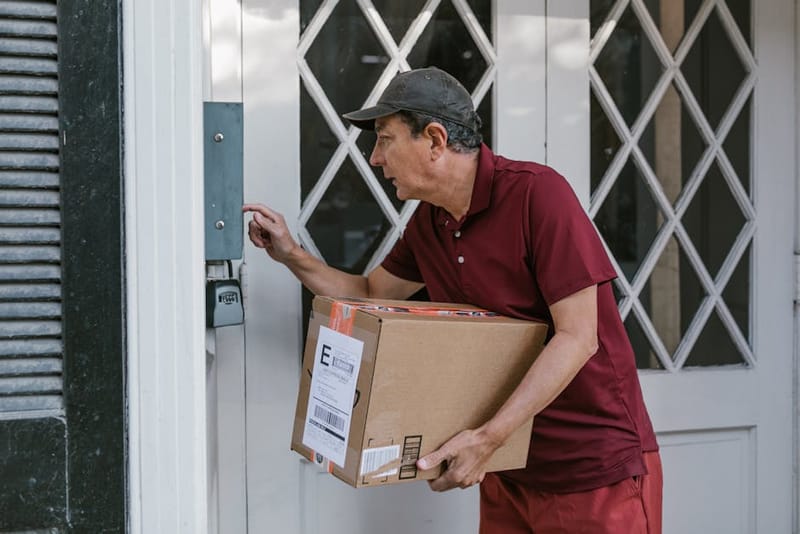

The best video doorbells without a subscription in 2026 give you the bit you actually want - recorded video of who came to the door - for the price of the doorbell itself. No £3.49-a-month plan, no 'event history is unavailable' message, no risk that the manufacturer relocks features two years later. This guide covers what 'subscription-free' actually means, the five doorbells worth buying, the ones to avoid if you hate recurring fees, and a short setup checklist that gets you to local recordings on day one.
Ring doorbell alternatives without a subscription
Direct swap-out picks for anyone leaving Ring Protect
If you've landed here because you're tired of Ring Protect, you're not alone. Ring's subscription tiers - Protect Basic (around £3.49/month, single device), Plus (around £8/month, all devices at one address) and Pro (around £20/month, with professional monitoring) - quietly creep up year by year, and most of what they unlock (event history, snapshot capture, smart alerts) is built into competing doorbells for free.
The good news: every pick further down this page is a viable Ring replacement. The bad news: there's no single best swap - it depends on what you actually used Ring for. Below is the quickest map from "the Ring thing I'll miss" to the doorbell you should buy instead. Each pick is covered in detail below the table.
| Best overall Ring replacement | Best for households with multiple Ring cameras | Best for Apple Home / HomeKit users | Best budget swap-out | Best for tinkerers / Home Assistant | |
|---|---|---|---|---|---|
| Pick | Reolink Video Doorbell (PoE or Wi-Fi) | Eufy Security Video Doorbell + HomeBase 3 | Aqara Smart Video Doorbell G4 | TP-Link Tapo D230 (or D235) | Amcrest AD410 + your own NVR |
| Why it swaps for Ring | Closest direct match on UX. Plug in, scan QR, motion alerts on your phone - the bits Ring made easy. microSD up to 256 GB gives you a rolling event history without the subscription. Optional NVR if you want 24/7. | The HomeBase becomes your new hub, storing footage from the doorbell plus any other Eufy cameras locally with on-device AI detection. Closest analogue to Ring Protect Plus's multi-device coverage. | Native HomeKit Secure Video support so recordings live in Apple iCloud (covered by your existing iCloud+ plan) and notifications use Apple's on-device face recognition. Best fit if you were already paying Apple anyway. | Cheapest credible entry point - microSD slot, free two-way audio, motion zones, app notifications. Setup is genuinely Ring-easy and the app is in English-first plain language. | RTSP and ONVIF out of the box, so you can pipe video into Frigate, Synology Surveillance Station, BlueIris or Scrypted. Replaces Ring Protect Pro's 24/7 recording angle without the monthly fee. |
| Approx price (2026) | £100–£140 | £180–£260 incl. HomeBase 3 | £100–£130 | £60–£90 | £110–£150 (doorbell alone) |
What 'subscription-free' actually means
Most cloud doorbells (Ring, Nest, Arlo) work like this: the doorbell uploads video to the manufacturer's servers, and you pay a monthly fee to play those clips back. Without the subscription, you get live view and a notification - but no recorded clip and often no person/package detection. That's the model this guide is opting out of.
A subscription-free doorbell does its recording locally - to a microSD card in the doorbell itself, to a small base station, or to a network video recorder (NVR) or Home Assistant on your home network. Detection runs on-device. Notifications are pushed via the manufacturer's app, but the video lives at your end. The result: zero monthly cost, no 'lost' recordings if you cancel, no risk of features being moved behind a paywall, and meaningfully better privacy.
You give up two things. The first is professional monitoring (a person calling the police on your behalf), which only matters if you actually want that service. The second is some of the polish - Ring and Nest spend their subscription revenue on slick apps and AI features. Subscription-free doorbells are functional rather than glossy. If recorded clips and motion alerts are what you want, the trade is well worth it.
What to look for in a no-subscription doorbell
Six features cover almost everything that matters:
- Local storage that works out of the box. A microSD slot in the doorbell, an included base station, or NVR/RTSP support. If 'local storage' is locked behind a separate purchase or a beta toggle, treat it as a half-feature.
- On-device person and package detection. The headline appeal of Ring/Nest. The good no-subscription doorbells now match it; weaker ones still send 'something moved' alerts that turn out to be a passing van.
- RTSP / ONVIF support, or a real Home Assistant integration. If you already self-host, you want the doorbell to slot into your dashboard. Reolink, Amcrest and Aqara all do this well; Eufy and Tapo are partial.
- 1080p minimum, 2K preferred. Doorbells point at faces and parcels at very close range, where extra resolution actually helps. 4K is usually overkill at this distance and chews battery.
- Wired or battery - choose deliberately. Wired doorbells (replacing your existing 12-24V chime wires, or PoE) are far more reliable. Battery models are easier to install but you will be charging them.
- HDR and a wide vertical view. Front doors are high-contrast (bright sky behind, deep porch shadows in front) and you want to see whether a parcel is on the doormat. Cheap doorbells lose either the porch detail or the parcel.
One feature that doesn't matter as much as the marketing suggests: 'AI'. Most of what's branded as AI on a doorbell - person, package, vehicle, animal - runs locally on the doorbell's chip and doesn't need a subscription. The subscription on cloud doorbells gates the storage of clips, not the detection itself.
1. Reolink Video Doorbell (PoE or Wi-Fi)
Storage: microSD up to 256 GB on-doorbell, plus optional NVR. Subscriptions: none, ever - confirmed in Reolink's published feature matrix. Best for: people running Home Assistant, Frigate, or a Reolink/Synology NVR.
The Reolink doorbell is the default recommendation for this guide. The PoE version takes a single Ethernet cable from your network closet to the front door - extremely reliable and powers the doorbell from your existing PoE switch or injector. The Wi-Fi version drops in to the existing chime wiring (12-24V AC). Both record to a microSD card by default and stream RTSP straight into any NVR or Home Assistant.
Person, vehicle and package detection run locally on the doorbell. You get a 5MP image at the PoE tier (sharper than 1080p Ring/Nest), HDR, and a tall 'parcel-friendly' aspect ratio that shows the doormat. The app is a little plain compared to Ring's, but the integration into Home Assistant via the Reolink + go2rtc setup is genuinely first-class - full event history, motion-zone editing, two-way talk, and snapshot triggers all work without any manufacturer login at all.
Two caveats. Battery isn't an option - Reolink's doorbells need wired or PoE power. And the chime is sold separately for the PoE version, so factor in another £15-25 if you want a traditional 'ding-dong' indoors.
2. Amcrest AD410 (HD Doorbell)
Storage: microSD up to 256 GB, plus full RTSP/ONVIF for any NVR. Subscriptions: none required for any core feature. Best for: existing Amcrest/Dahua/Reolink NVR owners and anyone running Frigate or Blue Iris.
The AD410 is the most NVR-friendly doorbell on the market. It speaks ONVIF cleanly, exposes its RTSP stream on a documented URL, and shows up in Frigate, Blue Iris, Synology Surveillance Station and ZoneMinder without any reverse-engineering. You can put a microSD card in for redundant local storage and run the main stream into your existing NVR. There is no Amcrest cloud-storage tier you'd need to pay for - the company is built around DIY recorders.
It runs on existing 16-24V chime wires and supports a digital or mechanical chime. Detection is on-device but a step behind Reolink - it's reliable for motion and person, weaker for package and vehicle. The Amcrest Smart Home app is functional but not a strong point; most owners drive it from their NVR's app instead. Image quality is 1080p with HDR - fine for the price (typically around £80) but visibly less detailed than the Reolink at 5MP.
3. Aqara Smart Video Doorbell G4
Storage: microSD in the chime base, plus iCloud-only via HomeKit Secure Video. Subscriptions: not required - but HomeKit Secure Video uses iCloud storage that you already pay for if you have an Apple One subscription. Best for: Apple households who want a doorbell that disappears into the Home app.
The G4 is the cleanest fit if your home runs on HomeKit. It's battery-powered (six AAs that last several months in normal use) so install is genuinely 10 minutes - no wiring, no chime to replace, the chime base plugs into a UK socket inside the house. The chime base accepts a microSD card and records all events locally without any cloud step at all.
If you also enable HomeKit Secure Video, recordings can be backed up to your iCloud Photos plan - and crucially, that storage doesn't count against your iCloud quota and doesn't cost extra beyond the iCloud tier you already have. So 'no subscription' here means 'no additional subscription'.
Detection on the G4 is decent at the price. The app is a little quirky and the video resolution (1080p) is the lowest on this list, but for an Apple-centric household with no interest in Home Assistant, the G4 is the most painless install you'll find.
4. Eufy Security Video Doorbell (with HomeBase)
Storage: built-in eMMC or HomeBase 3 with up to 16 TB. Subscriptions: none required for local recording - Eufy markets itself on this. Best for: households who want a polished out-of-box experience and don't want to touch RTSP.
Eufy's pitch - 'no monthly fees, no nonsense' - is exactly the niche this guide is in. Most current Eufy doorbells (the 2K-series, the dual-camera S330, the budget E340) record locally to either internal storage or to the HomeBase 2/3 you'll buy alongside. Person and package detection run locally and are noticeably better than Amcrest's. The app is the slickest on this list.
Two important caveats. First, Eufy did sell an optional cloud plan and was caught in 2023 sending some metadata to its servers - the company has since been more transparent and pushed an end-to-end-encrypted local mode, but if maximum privacy is your priority, the Reolink/Amcrest/Aqara picks remain ahead. Second, Eufy's RTSP support is partial: some doorbells expose the stream, some only via the HomeBase, and Home Assistant integration tends to lag the firmware. If you want the best plug-and-play experience and you trust Eufy's current behaviour, it's an excellent choice. If you want full local sovereignty, pick Reolink.
5. TP-Link Tapo D230 (or D235)
Storage: microSD up to 512 GB, plus optional Tapo HomeBase H200. Subscriptions: none required. Best for: the budget pick - under £80 in most UK retailers.
The Tapo D230 is the cheapest doorbell here that genuinely works without a subscription. It's battery-powered (one rechargeable pack, around four months between charges in low-traffic homes), 2K resolution with a wide vertical view, and uses a microSD card in the chime hub for local recordings. Person detection is on-device.
It is the simplest of the five - no RTSP, weaker Home Assistant integration (community add-on rather than first-party), and the build feels plasticky compared to the Reolink or Aqara. But for a frontdoor that just needs a doorbell with proper recording and zero ongoing cost, it's the best entry point. Many UK households end up buying this first and upgrading to a Reolink only if and when they pick up Home Assistant.
Comparison at a glance
Quick reference for the five picks above:
| Doorbell | Power | Storage | RTSP / NVR | Best for |
|---|---|---|---|---|
| Reolink Doorbell PoE | PoE or 12-24V | microSD + NVR | Yes (excellent) | Home Assistant / Frigate users |
| Amcrest AD410 | 16-24V wired | microSD + NVR | Yes (excellent) | Existing NVR owners |
| Aqara G4 | Battery (6× AA) | microSD in chime + HKSV | No (HomeKit only) | Apple households |
| Eufy Doorbell + HomeBase | Battery or wired | HomeBase storage | Partial | Polished out-of-box |
| TP-Link Tapo D230 | Battery | microSD in hub | No | Budget pick |
If you only remember one: Reolink for self-hosters, Eufy for everyone else.
Doorbells to avoid if you hate subscriptions
Three big names sell doorbells that work poorly without their plan:
Ring (Amazon). Without a Ring Protect Basic subscription (currently £3.49 / month per device) you get live view and a notification, but no recorded video clips at all. The hardware is fine; the subscription model is the entire problem. The 2024 introduction of an extra cost for some 'AI' alerts made this even worse.
Yes, Ring sells a 'Ring Alarm Pro' that includes some local storage on a Pro Power Pack, but it's bundled with the alarm system rather than the doorbells most people are shopping for, and it's a meaningful step up in cost.
Nest Doorbell (Google). Without a Nest Aware subscription, you get three hours of event-based history. That's enough to glance at a delivery you missed in the past hour, but it's not a security tool. Nest Aware is currently £6 / month and acts as the entry-level for most of the device's appeal.
Arlo. Without an Arlo Secure subscription, the doorbell loses video history altogether and most of its detection. Arlo's free tier was substantially reduced in 2023.
None of these are bad doorbells in isolation - they're optimised for a different purchase model. If you're committed to no-subscription, skip them and look at the five above instead.
Setup checklist for any local doorbell
Whichever doorbell you pick, the following gets you to recorded clips on day one:
- Decide power before you buy. Wired (PoE or 12-24V chime) doorbells are dramatically more reliable than battery - but only if you have wires or a route to lay one. Battery doorbells let you skip electrical work entirely.
- Buy a high-endurance microSD card. Doorbells write 24/7 and burn through consumer microSDs in months. Look for 'high endurance' or 'surveillance' rated cards from SanDisk, Samsung or WD.
- Set up local recording first, app second. Even before pairing the doorbell to its app, format the microSD card or HomeBase storage and confirm it's recording. This catches faulty cards immediately.
- Test motion zones from outside. Walk the path past the door at the times of day you actually use it. Most over-trigger problems come from default motion zones that include a road or pavement.
- If you run Home Assistant, add the doorbell on day one. A Reolink/Amcrest doorbell in Home Assistant lets you trigger automations from any motion event - porch light on, hallway speaker chime, mobile push - without touching the manufacturer's cloud. See getting started with Home Assistant for the install.
- Plan the chime experience. Wired doorbells with a real bell sound nicer than app push notifications. PoE doorbells need a separate plug-in chime. Battery doorbells include their own.
Where this fits in a wider no-subscription smart home
A doorbell is one piece of a no-subscription security setup. The full pattern - front-door camera, perimeter cameras, motion sensors, and local storage on a Raspberry Pi or NAS - is covered in our guide to smart home security without a monthly subscription. If you're going to add the doorbell to Home Assistant, the Home Assistant on a Raspberry Pi setup is the pre-requisite. Doorbell at the front, the rest of the no-subscription kit elsewhere - and your annual smart-home cost stops at the hardware.
Frequently asked questions
Can I use a Ring doorbell without a subscription?
Does the Reolink doorbell actually have no subscription, ever?
Is HomeKit Secure Video a subscription?
Which is more reliable - wired or battery doorbells?
Can I use any RTSP doorbell with Home Assistant?
What size microSD card do I need?
Do these doorbells need a hub?
Will any of these work with an existing UK chime?
Subscription-free doorbells in 2026 are a clear win on cost, privacy and longevity - and the polish gap that used to separate them from Ring and Nest has narrowed to almost nothing. Reolink for the self-hosters, Eufy for the plug-and-play crowd, Aqara for Apple households, Amcrest for existing NVR owners and Tapo for the budget. Pick whichever fits how you already run your home, install the doorbell, format the microSD card, and you're done - for the entire life of the hardware.
Build the rest of the no-subscription smart home
Cameras, sensors, smart locks and motion alerts - all without a monthly fee.