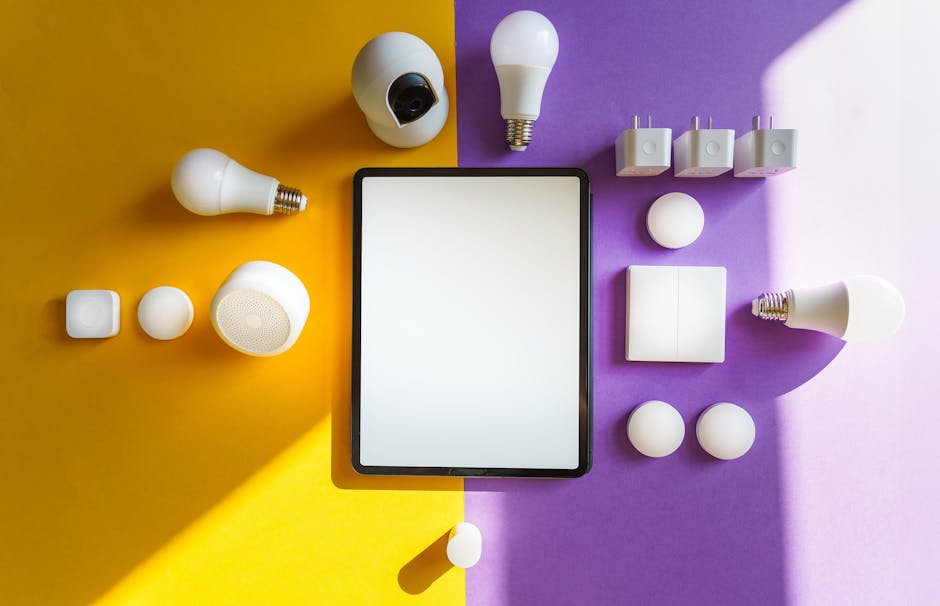
Matter vs Zigbee vs Z-Wave vs Thread — Smart Home Protocols Explained Simply
Matter vs Zigbee vs Z-Wave vs Thread — Smart Home Protocols Explained Simply
Five wireless standards, one confused shopper. Here's what each one actually does — and which you want in 2026.
Smart home protocols are the wireless languages your gadgets use to talk to each other. The big five are Matter, Zigbee, Z-Wave, Thread, and Wi-Fi. Matter is the new universal translator that ties them all together, Thread is the low-power network underneath it, and Zigbee, Z-Wave, and Wi-Fi are the older standards still running most of today's devices.
If you've ever stood in front of a shelf of smart bulbs trying to work out which one will actually work with your phone, this guide is for you. We'll go through each protocol in plain English, show you what kind of devices use it, and finish with a comparison table and a simple buying rule for 2026.
No degree in radio engineering required. By the end you'll know exactly what to look for on the box.
Why Are There So Many Protocols Anyway?
A short, slightly nerdy backstory
Smart home protocols exist because a smart bulb has very different needs to a smart camera. A bulb is mains-powered, sends tiny messages ("on", "off", "50% brightness") and would rather not chat over a giant Wi-Fi connection that drains your router. A camera, on the other hand, is shovelling video around the house and absolutely needs Wi-Fi.
Different needs led to different standards. Then, because the smart home industry grew up in the early 2010s without anyone agreeing on a single approach, every big company picked a slightly different favourite. Philips backed Zigbee. US security companies backed Z-Wave. Apple, Google and Amazon largely went with Wi-Fi for their first wave of products. The result: a shelf full of devices that didn't talk to each other.
Matter is the industry's belated apology for that mess. It doesn't replace the older protocols — it sits on top of them and lets devices speak a common language. We'll come back to that.
Wi-Fi: The One You Already Have
Familiar, simple, but a bit power-hungry
Wi-Fi is the same network that streams your Netflix and lets your phone moan about your inbox. Smart Wi-Fi devices connect directly to your home router — no extra hub required.
That's the big advantage. You can buy a Wi-Fi smart plug, plug it into your router's network using your phone, and it just works. There's nothing else to set up.
The catch is that Wi-Fi was never designed for tiny battery devices. A Wi-Fi door sensor will burn through batteries in months, not years. And every device on your network is one more thing competing with your laptop and TV for bandwidth. Most home routers happily handle 30 or 40 devices, but if you're planning to put 80+ smart things across your house, Wi-Fi alone gets crowded.
Wi-Fi smart home brands you'll recognise: TP-Link Tapo and Kasa, Meross, Ring, Wyze, Shelly, and most cameras and video doorbells.
Zigbee: The Veteran Workhorse
Low-power, mesh networking, behind half the bulbs you've ever seen
Zigbee is a wireless protocol designed for the exact opposite of Wi-Fi: small, cheap, low-power devices that don't need much bandwidth. It's been around since 2003 and powers an enormous chunk of today's smart home gear.
The clever bit is that Zigbee is a mesh network. Each mains-powered Zigbee device — a bulb, a plug, an in-wall switch — also acts as a tiny relay, passing signals along to its neighbours. So your bulb in the loft might talk to a plug on the landing, which talks to a switch in the hall, which talks to your hub downstairs. The more devices you add, the bigger and more reliable the network gets.
You'll need a Zigbee hub to translate between the mesh and your home Wi-Fi. The most common ones are the Philips Hue Bridge, Aqara M2 / M3, SmartThings Hub, and the Zigbee radio inside an Amazon Echo (4th gen) or an Echo Hub. If you run Home Assistant, a £20 USB Zigbee dongle (Sonoff or SkyConnect) gives you a hub of your own.
Zigbee strengths: cheap devices, long battery life on sensors (2–5 years on a single coin cell), self-healing mesh, no internet required for the basics. Weaknesses: you need a hub, and historically different brands had slightly different Zigbee dialects, leading to compatibility headaches. Modern Zigbee 3.0 has mostly solved that.
Z-Wave: The American Heavyweight
Used by security and pro installers, slightly fancier mesh
Z-Wave is Zigbee's quieter cousin. It does roughly the same thing — low-power mesh networking for small devices — but it runs on a different radio frequency (sub-1GHz) and has historically been more popular in North America, especially for security systems and professionally installed smart homes.
The advantage of running on sub-1GHz is range and wall penetration. A Z-Wave signal travels further through brick and plaster than a Zigbee signal, so a Z-Wave network in a big house often holds together with fewer relay devices. The disadvantage is that the frequency band is regional: a Z-Wave device bought in the US won't work in the UK and vice versa, because we use different sub-1GHz bands here. Always buy Z-Wave kit from a UK or EU retailer to be safe.
Z-Wave devices are usually a bit more expensive than Zigbee equivalents because there are fewer brands making them. You'll find the protocol in things like Yale and Schlage smart locks, Aeotec sensors, Fibaro in-wall modules, and security panels from Ring and SimpliSafe.
Hubs include SmartThings, Hubitat Elevation, the Aeotec Z-Stick for Home Assistant, and the security panels themselves.
Thread: The New Kid That Came To Replace Zigbee
Mesh networking, modern internet plumbing, designed for Matter
Thread is a low-power mesh networking protocol launched by a group including Google (Nest), Apple, and ARM in 2014. On paper it sounds a lot like Zigbee — both run on the same 2.4GHz radio band and both build self-healing meshes.
The big difference is that Thread devices speak the modern language of the internet. Each Thread device gets its own IPv6 address, exactly like a laptop or a phone. That means a Thread bulb can be addressed directly by your router, with no special translation layer in the middle. Zigbee, by contrast, has its own private addressing scheme that always needs a hub to translate.
Thread is also the network that Matter uses for low-power devices. The two technologies were designed to fit together: Matter is the language, Thread is the road. New smart home devices launching in 2026 are increasingly Thread + Matter rather than Zigbee.
To use Thread you need a Thread border router — a mains-powered device with both Thread and Wi-Fi radios that connects the mesh to the rest of your network. Good news: if you already own any of these, you've got one:
Built-in Thread border router.
Built-in Thread border router.
Built-in Thread border router.
Built-in Thread border router.
Built-in Thread border router.
Some current Eero models include Thread radios.
Thread strengths: very long battery life (often better than Zigbee thanks to newer hardware), modern security baked in, no proprietary translation needed, and direct support from every major ecosystem via Matter. Weaknesses: still fewer devices on the shelf than Zigbee in 2026, and a few early Thread devices had buggy firmware that took manufacturers a while to fix.
Matter: The Universal Translator
Not really a protocol, more an agreement
Here's where it gets interesting. Matter isn't a wireless protocol in the same way the others are. It's an application-layer standard that runs on top of Wi-Fi and Thread. The job of Matter is to make sure that, regardless of who made your smart bulb, every smart home app and hub can talk to it.
That sounds dry. In practice it means: a Matter-certified plug works with Apple HomeKit, Google Home, Amazon Alexa, and Samsung SmartThings — all four, at the same time, on the same network. You don't pick an ecosystem before you buy. You just buy the device.
Matter was launched in late 2022 and has been gradually adding device categories every six to twelve months: bulbs, plugs, sensors, locks, thermostats, then robot vacuums, fridges, ovens, washing machines, smoke alarms, cameras, doorbells, EV chargers, and energy monitors. By 2026 it covers almost every category most people care about.
If you want the deeper dive on Matter specifically — what's behind it, how to spot a Matter device, whether to wait — we wrote a full guide on it: What Is Matter and Why It Changes Everything About Smart Homes.
Smart Home Protocols Compared at a Glance
The whole picture in one table
| Feature | Best Value Wi-Fi ★★★★☆ 3.5 | Zigbee ★★★★☆ 4.2 | Z-Wave ★★★★☆ 4 | Thread ★★★★★ 4.6 | Best Overall Matter ★★★★★ 4.8 |
|---|---|---|---|---|---|
| Price | — | — | — | — | — |
| Rating | 3.5/5 | 4.2/5 | 4/5 | 4.6/5 | 4.8/5 |
| Network type | Direct to router | Mesh (2.4GHz) | Mesh (sub-1GHz) | Mesh (2.4GHz, IPv6) | Layer over Wi-Fi or Thread |
| Hub required | ✗ | ✓ | ✓ | Border router (often built-in) | A controller (HomePod, Echo, Nest Hub) |
| Battery devices | Poor (months) | Excellent (2–5 yrs) | Excellent (2–5 yrs) | Excellent (3–5+ yrs) | Depends on underlying network |
| Range per device | Whole-home from router | 10–20m, mesh extends | Better than Zigbee | Similar to Zigbee | Depends on underlying network |
| Device cost | Low | Very low | Higher than Zigbee | Mid (rising volume) | Same as non-Matter |
| Best for | Cameras, plugs, doorbells | Bulbs, sensors, plugs | Locks, security, big houses | Sensors, locks, future-proof setups | Anyone who wants choice |
| Works with Matter | Yes (Matter over Wi-Fi) | Via a Matter bridge hub | Via a Matter bridge hub | Native (Matter over Thread) | It is Matter |
Which Protocol Should You Pick in 2026?
A simple decision tree
The good news is the answer in 2026 is much simpler than it was three years ago. For almost everyone starting today, the rule is:
Buy Matter-certified whenever you can
Look for the Matter logo (a stylised three-dot shape) on the box. A Matter device works with Apple, Google, Amazon, and Samsung at the same time, so you'll never paint yourself into a corner.
If Matter isn't an option, prefer Thread or Zigbee for sensors and battery devices
Door sensors, motion sensors, leak sensors, smart locks — anything that lives on a battery should not be Wi-Fi. Thread is preferable if you've got a border router (most smart speakers count); Zigbee is the safe fallback.
Stick with Wi-Fi for cameras, doorbells, and high-bandwidth gear
Video and audio need bandwidth that Thread and Zigbee can't realistically provide. Wi-Fi (or Matter over Wi-Fi) is the right answer here.
Z-Wave only if you need its specific strengths
Big house with thick walls, professional alarm panel, or a specific Z-Wave smart lock you love? Go for it. Otherwise Zigbee or Thread will be cheaper and easier.
Honestly? For 90% of UK readers building a fresh smart home in 2026, the practical recommendation is: a Matter controller (HomePod, Echo, Nest Hub, or SmartThings) plus a mix of Matter-over-Wi-Fi and Matter-over-Thread devices, with a Zigbee hub as backup if you fall in love with a particular Zigbee bulb range. That setup ages gracefully, doesn't lock you in, and works with whatever phone you switch to next.
If you want a deeper guide on which controller to pick — Apple, Google, Alexa, or Home Assistant — we wrote one specifically for that decision: Choosing Your Smart Home Platform.
What About Bluetooth, LoRa, and Other Protocols?
The supporting cast
To keep this guide manageable we've focused on the five protocols you'll see on consumer smart home boxes. There are a few others worth a brief mention.
Bluetooth Low Energy (BLE) is used for the initial setup of many Matter and Wi-Fi devices — the bit where your phone scans the QR code and pairs the device. Once paired, the device usually moves to Wi-Fi or Thread for ongoing operation. Some very simple, very local devices (door locks you tap your phone against, low-cost trackers) run on BLE alone, but it's not really a smart home protocol in the same sense as the others.
LoRa / LoRaWAN is a long-range, ultra-low-power protocol used in industrial sensors and some city-wide deployments. It's overkill for a home and you won't run into it on retail shelves.
Proprietary protocols still exist — particularly in older alarm systems, some garage door openers, and a few legacy smart locks. They typically only work with one app and one company. We'd suggest avoiding them unless there's no alternative.
Frequently Asked Questions
The questions everyone has after reading this far
Do I need to understand all these protocols to set up a smart home?
Will my old Zigbee bulbs still work after switching to Matter?
Is Thread going to replace Zigbee?
What is a Thread border router and do I need to buy one?
Can I run multiple protocols at once?
Does any of this work without internet?
I already have a smart home. Should I switch protocols?
Is one protocol more secure than another?
The Bottom Line
What to actually do next
Smart home protocols sound intimidating, but the practical takeaway is short: look for the Matter logo on the box, prefer Thread or Zigbee for tiny battery devices, use Wi-Fi for video, and don't worry about Z-Wave unless you have a specific reason to.
If you're starting from scratch, the sequence we'd recommend is:
- Buy a Matter controller you'll actually use day-to-day (HomePod mini, Echo Dot, Nest Hub Mini, or SmartThings hub).
- Add a couple of Matter-certified smart plugs to get a feel for it.
- Once you're comfortable, expand into bulbs, sensors, and a smart lock.
- If you want serious power and tinkering, layer Home Assistant on top — it speaks every protocol on this page.
The smart home in 2026 is finally less of a minefield than it used to be. Pick Matter where you can, and you'll spend more time enjoying the lights coming on and less time reading compatibility charts.
Where to Go Next
Keep building your smart home knowledge
What Is Matter?
The full deep-dive on Matter — what it is, who's behind it, and whether to wait before buying.
Read the guideChoosing Your Smart Home Platform
Apple, Google, Alexa, or Home Assistant — which ecosystem actually fits you best?
Compare platformsGetting Started with Home Assistant
If you want to go deeper, Home Assistant is the most powerful smart home platform there is.
Start hereNew to smart homes?
Start with our beginner-friendly Smart Home 101 series — no jargon, just plain English.