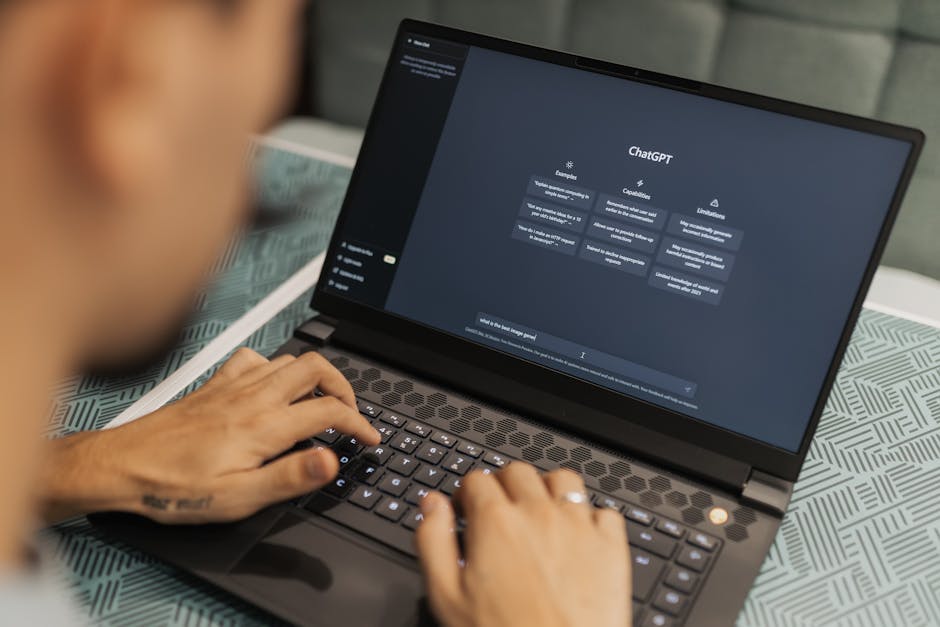
20 Actually Useful Things to Ask ChatGPT (That Aren't Writing Essays)
ChatGPT can do far more than write essays. Here are 20 practical, everyday uses — from making sense of energy bills to planning a holiday — with the exact prompts to copy.
20 Actually Useful Things to Ask ChatGPT
Forget the essay-writing hype. Here are the genuinely practical, everyday uses that save you time, money, and the faff of working it out yourself.
If you've only ever used ChatGPT to summarise an article or draft a quick email, you're using maybe 5% of what it's actually good for. The most useful things to ask ChatGPT have nothing to do with school work or content marketing — they're the small, annoying, time-consuming jobs that pile up in everyday life. The ones you'd ask a knowledgeable friend if you happened to have one on speed dial.
This guide is exactly that: a list of 20 practical prompts you can paste in right now. Each one comes with a copyable example and a note on what to expect. No technical skills required, no jargon, no marketing-speak. Just real uses for a free tool that most people are still underutilising.
If you're brand new to ChatGPT, start with our Getting Started with ChatGPT guide first — it covers signing up and the basics. Then come back here for the good stuff.
Money & Admin
The boring stuff, made faster
1. Decode an energy or phone bill
Bills are designed to be confusing. ChatGPT can compare your usage to a typical UK household, flag anything unusual, and translate the jargon (standing charges, unit rates, peak/off-peak, line rental).
Try this prompt:
I'm going to paste my energy bill below. Can you (1) summarise what I'm being charged for, (2) flag anything that looks unusually high for a 2-bedroom UK flat, and (3) explain the standing charge in plain English? Here's the bill: [paste]
Tip: Remove your account number and address before pasting. ChatGPT doesn't need them and you shouldn't share them.
2. Draft a complaint letter
Knowing what to say in a complaint — and how firmly to say it — is half the battle. ChatGPT will write a polite-but-direct letter that references the right consumer rights (in the UK, usually the Consumer Rights Act 2015 or the appropriate ombudsman).
Write a polite but firm complaint letter to [company]. The issue is: [describe]. I'd like a refund/replacement/apology. Mention the relevant UK consumer rights, but keep it under 200 words and friendly in tone.
3. Compare two products you're thinking of buying
You don't need to read 14 reviews. Paste in two product names and ChatGPT will give you a side-by-side comparison covering price, key features, common complaints, and who each is best for.
I'm choosing between [Product A] and [Product B] for [use case]. Give me a side-by-side comparison covering price, key features, common pros and cons from reviews, and which you'd recommend for someone on a budget vs someone who wants the best.
Always verify pricing and current specs on the retailer's site — ChatGPT's data isn't real-time.
4. Build a budget from a bank statement
Paste your last month's transactions (with personal details removed) and ChatGPT will categorise them, total each category, and tell you where the money actually went. It's the fastest budget you'll ever build.
I'll paste a list of transactions from last month. Categorise them (groceries, eating out, transport, subscriptions, bills, fun money, other), total each category, and tell me which category looks high for a single person living in [city].
Home & Daily Life
Meal plans, holidays, and the boring stuff that piles up
5. Build a weekly meal plan around what's in your fridge
Tell ChatGPT what's already in your fridge, freezer and cupboards, and any dietary preferences. It'll build a 7-day meal plan that uses what you've got and minimises waste, plus a shopping list for the gaps.
I have these ingredients: [list]. Plan 5 dinners for this week that use as much of this as possible. Two should be vegetarian. Give me a shopping list for anything else I'll need. Aim for under £25 of additional shopping.
6. Plan a holiday itinerary
This is one of the genuinely brilliant uses. Describe where you're going, when, who you're with, and your interests — ChatGPT builds a day-by-day itinerary with realistic timings, food suggestions, and travel tips.
Plan a 5-day itinerary for two adults visiting Edinburgh in October. We like history, good food, and bookshops, and one of us has limited mobility. Include rough timings, suggested lunch and dinner spots, and at least one rainy-day backup plan per day.
7. Explain a medical letter or test result
Used carefully, this is genuinely useful — ChatGPT can translate medical jargon into plain English. It is not a doctor. Use it to understand what your real doctor said, never to replace them.
My GP letter says [paste]. Can you explain what each medical term means in plain English, and what questions I should ask at my follow-up appointment? Don't give me medical advice — just translate.
8. Write a thank-you note, condolence card, or wedding speech
The blank-page problem is real. ChatGPT will give you a starting draft for any kind of personal message — far better than starting from nothing. Always edit so it sounds like you, not a chatbot.
Help me write a short, warm condolence message to a colleague whose father has passed away. I worked with him for 3 years but didn't know the family. About 4-5 sentences, sincere not cheesy.
Learning & Understanding
Your patient, infinitely available tutor
9. Explain something like you're 10 (or 15, or a beginner)
The single most useful prompt in the entire toolkit. Pick any concept you've never quite understood — quantum entanglement, mortgages, the offside rule, blockchain, your pension — and ask for it at the level you actually want.
Explain how a tracker mortgage works, like I'm 15. Use a real-world example with rough numbers. Then explain the main risks compared to a fixed-rate mortgage.
10. Get a step-by-step learning path for any skill
Want to learn Python, French, watercolour painting, or chess? ChatGPT will design a 4-week or 12-week curriculum tailored to your starting point and how much time you've got.
I want to learn the basics of Python. I have 30 minutes a day, 4 days a week, and I'm a complete beginner. Build me a 6-week learning plan with specific topics for each week and one tiny project to complete each weekend.
11. Decode an error message
If something on your computer or phone shows an error message, paste it in. ChatGPT will tell you what it means, what likely caused it, and the most common fixes. This single use case has saved millions of people a tech support call.
I got this error on my [device/app]: [paste exact message]. What does it mean, what likely caused it, and what should I try first to fix it? Give me the simplest fix first.
12. Summarise a long article, document or PDF
Paste in a long article, contract, or research paper and ask for a 5-bullet summary. Then ask follow-ups: 'what's the catch?', 'what does the author skip over?', 'who'd disagree with this?'. The follow-ups are where it gets genuinely useful.
Summarise this article in 5 bullet points. Then list the 3 strongest arguments and the 3 weakest. Then tell me what an informed sceptic would say in response.
Work & Communication
Faster emails, better meetings, less waffle
13. Make an email shorter and clearer
Most work emails are at least twice as long as they need to be. Paste yours in and ask for a tighter version. You'll often find it's better and more polite as well as shorter.
Rewrite this email to be 50% shorter while keeping the key information and a friendly, professional tone. Add a clear subject line. [paste email]
14. Prep for a difficult conversation or meeting
A surprisingly useful use case. Tell ChatGPT what you need to discuss and the likely objections — it'll draft talking points, anticipate counter-arguments, and suggest how to keep the tone constructive.
I need to ask my manager for a pay rise. I've been in the role 18 months, taken on extra responsibility, and the market rate has gone up. Help me prep talking points, anticipate the 3 most likely objections and how to handle each, and suggest how to open the conversation.
15. Turn meeting notes into action items
Paste your scrappy meeting notes in. ChatGPT will pull out the decisions, the action items (with owners if mentioned), and any open questions. It's a 30-second job that often takes humans 10 minutes.
Here are my notes from a project meeting. Pull out: (1) decisions made, (2) action items with owners and deadlines if mentioned, (3) open questions. Format as three bulleted lists. [paste]
16. Write a CV bullet from a vague job description
If you struggle to make your work sound impressive on a CV, describe what you actually did and ChatGPT will turn it into proper, results-focused bullet points using strong verbs.
I [describe what you did, eg. 'helped organise our team's monthly client reporting']. Turn that into 3 strong CV bullet points using results-focused language and strong verbs. Make them sound impressive but honest.
Creativity & Decisions
Brainstorming, idea generation, and choosing between options
17. Brainstorm ideas you'd never have on your own
ChatGPT is excellent at generating long lists. Want 30 birthday gift ideas for someone difficult? 20 names for a new puppy? 15 weekend project ideas under £50? Just ask. Then narrow down with follow-ups.
Give me 25 thoughtful 50th birthday gift ideas for my dad. He likes gardening, history, and proper cups of tea. He hates clutter and dislikes anything with his name printed on it. Budget £20-£60.
18. Help you decide between two options
When you're stuck on a decision, lay it out and ask for a structured comparison. Tell ChatGPT what you actually care about — it can't read your mind, but it can apply a framework once you've shared the criteria.
I'm deciding between [Option A] and [Option B]. The things I care most about are [list]. Give me a structured comparison, then a recommendation with the reasoning. Be honest if it's a close call.
19. Generate practice questions on any topic
Brilliant for revision, exam prep, or learning anything new. Ask for multiple-choice questions, short-answer questions, or 'one tricky question that tests whether I really understand'.
Generate 10 multiple-choice questions on [topic] at GCSE / A-level / undergraduate level. After I answer, mark each one and explain anything I got wrong.
20. Roleplay a conversation before you have it
Job interview, awkward chat with a neighbour, asking someone out — practising aloud is awkward, but you can rehearse with ChatGPT. Tell it to play the other person and respond realistically. Most people who try this once keep using it.
Roleplay being a hiring manager interviewing me for a [role] at [type of company]. Ask me realistic questions one at a time, then give me feedback on each answer at the end. Start with the introductions.
Tips for Getting Better Answers
Tell it who you are
Start prompts with context: 'I'm a complete beginner', 'I live in the UK', 'I'm planning a holiday with toddlers'. Specifics dramatically improve answers.
Ask for a format
Want a table? Bullet points? A 200-word summary? Three options ranked by cost? Say so. ChatGPT will follow format instructions almost perfectly.
Follow up, don't restart
If the first answer isn't quite right, reply with 'shorter', 'more practical', 'in plain English', or 'give me three more like number 4'. Conversations get better — fresh chats start from scratch.
Verify anything important
ChatGPT can confidently make things up — particularly with dates, statistics, prices, legal details, and quotes. For anything that matters, double-check with a real source.
Frequently Asked Questions
Is it safe to paste personal information into ChatGPT?
Will ChatGPT give me wrong answers?
Which is best: ChatGPT, Claude, or Gemini?
Can ChatGPT browse the web?
What's the best way to learn to use ChatGPT well?
Where to Go Next
Once you've tried five or six of these prompts, you'll start spotting your own use cases — the things you do every week that ChatGPT can shave time off. That's when it stops feeling like a novelty and starts feeling like a genuinely useful tool.
If you want a deeper foundation, our What Is AI, Actually? explainer covers how these tools work under the bonnet (in plain English, no maths). And our Getting Started with ChatGPT guide walks through the signup and account setup if you haven't already.
The whole point of AI for normal people is exactly this: not magic, not the future of work, just a slightly faster way to do the bits of life you'd rather not spend an hour on. Use it for the boring stuff. Save your hour.
New to AI tools?
Start with our beginner-friendly guide to ChatGPT — signup, settings, and your first useful prompts.