SwitchBot Hub 2 Review: Matter Bridge + IR Blaster

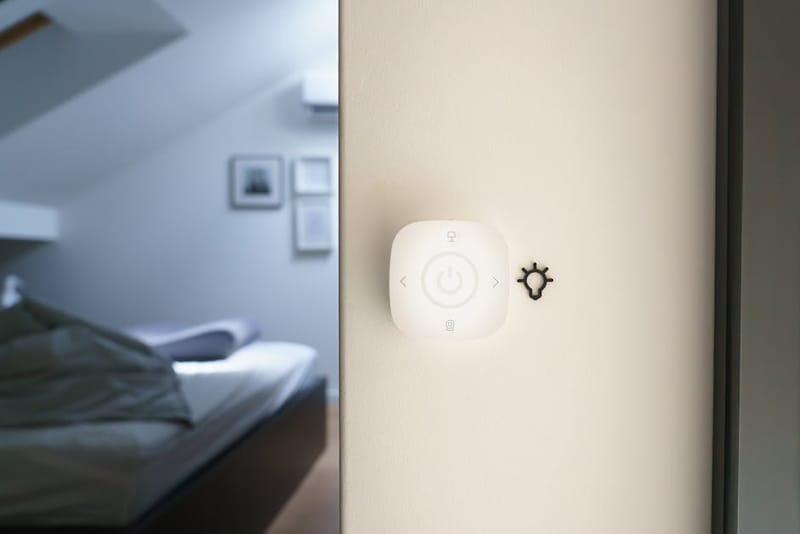
The SwitchBot Hub 2 sits in an unusual position in the UK smart-home market: a hub that genuinely combines three useful functions (Matter bridging, IR blasting, and environmental sensing) in one £79 unit. The catch - and it's a real one - is that the Matter bridging is restricted to SwitchBot devices, which makes the Hub 2 a specialised accessory for households already in the SwitchBot ecosystem rather than a general-purpose Matter controller.
What the Hub 2 actually does
Three distinct functions in one unit:
1. Matter bridge for SwitchBot devices
The Hub 2's headline feature: it exposes paired SwitchBot devices to any Matter-compatible smart-home platform. A SwitchBot Curtain motor that was previously locked to the SwitchBot app becomes a controllable window covering in Apple Home, Google Home, or Amazon Alexa. The same applies to contact sensors, motion sensors, smart locks, and the original SwitchBot "bot" finger-press accessories. This is genuinely useful - it pulls a popular but ecosystem-locked product line into the platform you actually use.
The crucial constraint: it bridges SwitchBot devices, not third-party Matter devices. A Philips Hue bulb won't suddenly appear in your app because you bought a Hub 2. For broader Matter controller capability, see best Matter hubs of 2026.
2. IR blaster
This is the function that quietly differentiates the Hub 2 from nearly every other modern smart-home hub on the UK market. Infrared was the universal remote standard for AV equipment for thirty years and most TVs, air conditioners, soundbars, and audio receivers manufactured before 2022 still rely on it exclusively. Mainstream Matter hubs (Apple TV, Google Nest Hub, Aqara M3) don't do IR. The Hub 2 does - with a pre-loaded code library covering most major brands and a learning mode for unknown remotes.
For households that haven't replaced their AV gear in the last few years, this single feature is the strongest reason to choose the Hub 2 over a more capable but IR-less alternative.
3. Temperature and humidity sensor
The third built-in function: a calibrated temperature and humidity sensor that exposes its readings into the smart-home app as a regular sensor entity. This is the kind of utility-data automation enabler that's worth a Christmas-cracker £8 standalone sensor on its own. Combined into the hub, it removes a separate device from the network.
What it doesn't do
- No Thread border-router. Thread is the low-power mesh that's increasingly important for sensors and locks. The Hub 2 doesn't run Thread, so Thread devices need a separate border-router (Apple TV 4K, Google Nest Hub Max, Aqara M3, Eero Pro 6E).
- No Zigbee bridge. If you own Hue or Aqara Zigbee devices, the Hub 2 doesn't bridge them. SwitchBot's own devices mostly use Bluetooth.
- No general Matter controller role. It bridges OUT (SwitchBot → Matter); it doesn't act as a Matter controller for non-SwitchBot devices.
For users who want to understand which devices need which hub, the what is Matter guide covers the controller-vs-bridge distinction in detail.
Setup and reliability
Setup is straightforward by smart-home-hub standards. Plug in via USB-C, open the SwitchBot app on a phone, scan the QR code on the bottom of the unit, follow the Wi-Fi pairing flow. Adding existing SwitchBot devices typically takes another 2-3 minutes per device. The Matter pairing step (linking the Hub 2 into Apple Home or Google Home) follows the standard Matter QR-code workflow that anyone who's set up a recent smart bulb will recognise.
Reliability over the past two years of independent reviews has been broadly positive - Wi-Fi disconnections are rare and the Matter bridging holds state through router reboots. The IR blaster's effective range is around 8 metres line-of-sight, which covers most UK living rooms but isn't ideal for devices across a large open-plan space.
How it compares to alternatives
| Hub | Matter role | IR blaster | Thread border-router | Price |
|---|---|---|---|---|
| SwitchBot Hub 2 | Bridge (SwitchBot only) | Yes | No | ~£79 |
| Aqara M3 | Controller (general) | Yes | Yes | ~£120 |
| Apple TV 4K | Controller (general, Apple Home only) | No | Yes | ~£169 |
| Google Nest Hub Max | Controller (general, Google Home only) | No | Yes | ~£219 |
| Eero Pro 6E | None (Wi-Fi router only) | No | Yes | ~£299 |
The cleanest framing: the Hub 2 is the cheapest way to bridge SwitchBot devices into a smart-home platform AND keep IR control of legacy AV gear AND get a temperature/humidity sensor - three useful functions in one product. As a general-purpose Matter controller it's not the right choice; for that, the Aqara M3 covered in detail in its dedicated review is a more capable alternative.
Who the Hub 2 is and isn't for
Strong fit for:
- Households already running SwitchBot curtain motors, contact sensors, smart locks, or the SwitchBot "bot" finger-press accessories
- Homes with older AV equipment (pre-2022 TVs, air-con units, audio receivers) that need IR remote control
- Users who want a single device handling Matter bridging, IR control, and environmental sensing rather than three separate gadgets
Not the right product for:
- Households without any existing SwitchBot devices - the Matter bridging has nothing to bridge
- Users who need a general-purpose Matter controller for mixed-brand smart-home devices
- Setups built around Thread sensors and locks (no Thread radio in the Hub 2)
- Households running all-modern AV gear with Wi-Fi or Bluetooth control (the IR feature isn't needed)
Frequently asked questions
Does the Hub 2 work with Apple Home / HomeKit?
Can I use the Hub 2 to control non-SwitchBot devices via Matter?
Does it replace my existing TV remote?
Is there an Ethernet option?
How does the IR range compare to a proper universal remote?
Check current Hub 2 price
Often discounted on Amazon UK and the SwitchBot store during seasonal sales - worth comparing both before buying.