10 ChatGPT Prompts to Run Your Smart Home Smarter (2026)
10 ChatGPT prompts that make a smart home easier to run: morning briefings, YAML debugging, automation rules, colour-temp picks, product comparisons.
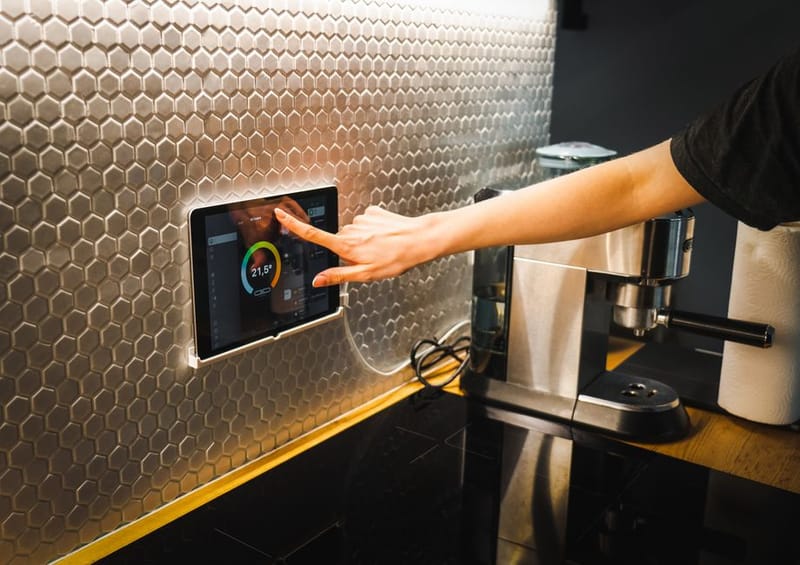

ChatGPT is genuinely useful for running a smart home, but only for specific tasks. The 'natural language voice assistant for everything' framing oversells it. The 'pattern recognition + boilerplate generation' framing undersells it. The reality sits between: for ten specific tasks, ChatGPT (or any modern LLM - Claude, Gemini, Copilot work equally well for these) materially speeds up smart-home work. For everything else, voice assistants and the existing Home Assistant, the open-source smart home automation platform, UI are still faster.
This is a list of ten prompts that have actually saved time in real UK smart-home setups, with the why behind each one. Copy them, adapt them to your house and devices, and they will land more often than they miss.
What ChatGPT is actually good at for smart homes
Three categories where the LLM genuinely outperforms a Google search or the Home Assistant docs alone.
- Natural language to YAML / Node-RED conversion - describe what you want in English, get a working draft you can refine.
- Error message interpretation - paste a stack trace or YAML validation error, get plain-English explanation plus the likely fix.
- Cross-domain decisions - 'should I run Frigate on this hardware?', 'which bulb fits this fitting?', 'is this automation the right approach for this scenario?'
What it is not good at: real-time control (use Home Assistant voice for that), persistent automations (the LLM forgets between sessions), or anything safety-critical (door lock automations, smoke alarms, child safety). Treat it as a fast junior engineer, not a system controller.
Prompt 1: Morning briefing from overnight events
Paste your overnight Home Assistant logbook (the last 12 hours) and ask: Summarise the last 12 hours of my smart home activity in 5 bullet points. Flag anything unusual.
What this is good for: catching motion events from cameras, unexpected device wake-ups, automation runs that fired when they shouldn't have. ChatGPT is genuinely better than the raw Home Assistant logbook at pulling signal from 200+ events. It will flag 'your front door sensor reported 3 events between 02:00 and 03:00' in a way that a flat log won't.
Power tip: combine with a Home Assistant automation that exports the logbook to a markdown file you can paste from your phone first thing in the morning.
Prompt 2: Debug Home Assistant YAML errors
Paste the YAML and the validation error and ask: This Home Assistant configuration is throwing this error. What is wrong and how do I fix it? Explain the YAML structure issue in plain English.
YAML indentation, list-vs-dict confusion, and quoting rules are where new Home Assistant users lose the most time. ChatGPT is unusually good at this because it has seen thousands of Home Assistant YAML examples and the patterns are predictable. It will catch missing dashes, wrong indentation levels, and quoting issues in seconds.
This is the single highest-value smart-home prompt in this list for new users. Use it freely.
Prompt 3: Convert plain English to a working automation
Describe the automation in English: I want a Home Assistant automation that turns the hallway lights on at 30% brightness when the front door opens after sunset, but only if nobody is already home. Give me the YAML.
The output is a draft you will need to verify - entity IDs need to match yours, device names will be wrong, person tracking varies by setup. But the structure (trigger / condition / action), the time-based logic, the state machine, will all be roughly right. Faster than writing it from scratch, much faster than searching the Home Assistant forum for a similar example.
Prompt 4: Pick colour temperatures for each room
What colour temperature (in Kelvin) should I use for the [kitchen / living room / bedroom / bathroom / office] in the [morning / afternoon / evening / night]? Explain the reasoning briefly.
This is one of the rare cases where you can get a useful answer without pasting any context. The lighting research is well-established (cool white in the morning, warm white in the evening, bias toward cooler in work spaces) and ChatGPT gives consistent answers. Use it to set the colour-temperature presets in your adaptive lighting setup.
Prompt 5: Decide between two products
I'm choosing between [Product A] and [Product B] for [specific use case]. My setup is [brief context]. Which fits better and why?
The output here is genuinely useful as a starting point because ChatGPT will surface trade-offs you might miss (one product needs a hub, the other doesn't; one has better Home Assistant integration; one is cheaper but louder, etc.). Always verify the specific claims (model numbers and features change fast), but the trade-off framing usually holds.
Honest disclosure: for product reviews specifically, this comparison post is generated content - it is faster for our readers to look at our own comparison pages directly. Use the ChatGPT prompt for products we have not covered.
Prompt 6: Debug Node-RED flows
Export the Node-RED flow as JSON, paste it, describe what it should do, describe what it actually does. This Node-RED flow is supposed to [behaviour]. It actually does [observed behaviour]. Where is the bug?
Node-RED's visual nature makes paste-and-debug harder than Home Assistant YAML, but the JSON export is enough for ChatGPT to follow the logic. Works best for moderately complex flows (5-15 nodes). For 50+ node flows, it struggles - break the problem down to the specific sub-flow that is misbehaving.
Prompt 7: Generate Lovelace dashboard configurations
Generate a Home Assistant Lovelace dashboard YAML for [room / view] with [card types: entities, glance, light, climate, etc.]. My entities are [paste entity names].
Dashboard YAML is verbose and ChatGPT is good at the boilerplate. The output will need cosmetic tuning (custom themes, exact card variants), but the structure and entity references will be ready to paste. Saves 20-30 minutes per dashboard view compared to copying from the docs.
Prompt 8: Explain a Home Assistant integration in plain English
Explain what the [integration name] integration does in Home Assistant. What entities does it create? What automations does it enable? What are the common gotchas?
Integration docs assume you know what the integration is for; ChatGPT will explain it as if you don't. Useful when you are evaluating whether to install a new integration and the docs feel impenetrable. Less useful for very obscure integrations where ChatGPT may have weaker training data.
Prompt 9: Suggest energy-saving automations from a device list
Paste your device list (or just describe it) and ask: Suggest 5 energy-saving Home Assistant automations I could set up given these devices and a typical UK home with [specific energy concerns]. Estimate the annual saving for each.
The estimates will be rough but the ideas are useful as a brainstorm. Common useful suggestions include radiator TRV scheduling tied to room presence, smart plug monitoring on always-on devices, and dimming triggers on stand-by power.
Prompt 10: Plan a weekend automation project
I have a free weekend and want to do one meaningful smart-home project. My current setup is [paste]. Suggest 3 weekend-sized projects and which one would have the highest impact.
This is the prompt for when you have time but no specific idea. ChatGPT is good at proposing projects scoped to the time you have (rather than the multi-week 'build a custom integration' suggestions that usually come from forum threads). Use the projects as starting points and validate with the relevant docs before starting.