Claude Design: Anthropic's Take on Design AI
Anthropic shipped Claude Design for mockups, decks and prototypes by non-designers. Here's what it does, who it's for, and what it isn't.
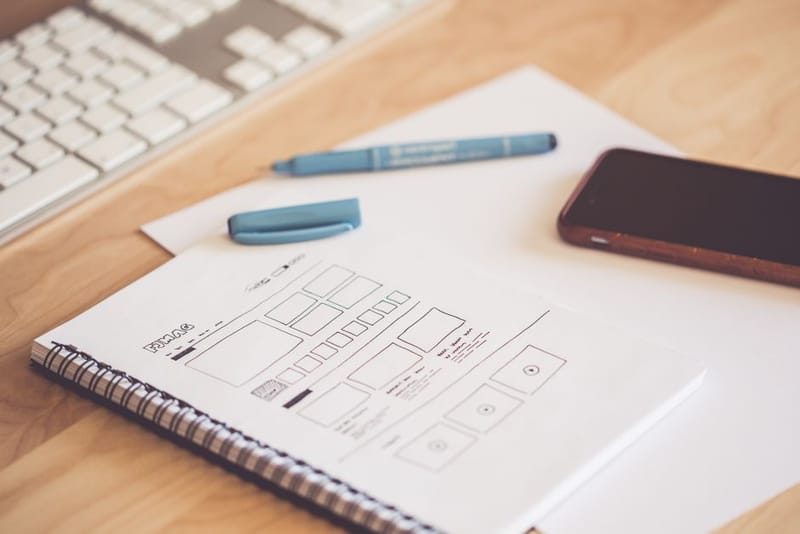

If you've ever needed to put together a pitch deck, sketch a wireframe, or mock up a quick screen for a meeting, and you weren't already a designer, you know the trough that opens up: Canva templates that all look the same, Figma's learning curve, or PowerPoint's clip-art aesthetic. Anthropic's Claude Design is a serious attempt to fill that trough with a chat-shaped tool that produces work you wouldn't be embarrassed to show. Whether it's the right fit depends on what you're using it for.
What does Claude Design actually do?
You type or describe what you want; Claude produces a draft. From there you iterate the way you would with the chat-Claude you already know - comments, direct edits, conversational refinements, and a set of sliders for adjusting attributes (style, density, colour weight). The output is structured design work rather than a flat image, so you can edit elements directly afterwards.
Outputs split across four formats: prototypes and wireframes for app/website work, pitch decks and presentations, social-media assets, and "design explorations" (mood boards, style options). All exportable to Canva, PDF, PowerPoint, or standalone HTML. A nice touch: completed designs can be handed off directly to Claude Code, which means a wireframe becomes a real codebase without a separate import step.
Per the launch coverage, the brand-context features are the genuinely interesting bit. Claude Design accepts your brand assets (logos, fonts, colour tokens) and a web-capture tool that pulls visual elements from your existing website. That means the output looks like YOUR brand from the first attempt, not generic stock styling. For anyone who's had to nudge ChatGPT or Midjourney towards "on brand" output, that step alone saves hours.
Who is it actually for?
Three audiences are clearly in scope. The first is the non-designer who needs decent-looking output without learning a design tool. Founders writing investor decks, marketers spinning up landing-page mocks, product managers documenting a feature for engineering. The bar is "good enough to share with stakeholders"; Claude Design clears it without you opening Figma.
The second is the developer who needs a wireframe to point at while building. The Claude Code handoff is the differentiator here: you sketch the screen in Claude Design, push it to Claude Code, and the model writes the matching React/Astro/HTML. The round-trip is faster than wiring a Figma-to-code path manually.
The third is the brand-conscious solo operator. The asset-integration features mean an indie consultant or small business owner can produce repeated work (social posts, sales decks, product walkthroughs) that consistently matches their brand without paying for a full design subscription. The cost story matters here - Claude Design is included with a Claude Pro subscription you may already have.
Who it's NOT for: working designers. The launch positioning is explicit about this; Claude Design is not a Figma replacement. The work it produces is competent rather than novel, the brand-asset integration is shallower than a proper design system, and the export paths assume your downstream tool is Canva or PowerPoint, not Figma. If you already have design skills, this is at best a faster way to do the boring bits.
How does it compare to the alternatives?
Three real competitors, each with a different value proposition.
Canva (with AI features)
The mass-market default. Cheaper for individual users (or free for basic use), much better template library, weaker brand-asset integration. If you mostly need polished decks and social posts, Canva remains the easier starting point. Claude Design wins on outputs that need bespoke shapes rather than templates.
Figma + Make / AI plugins
The professional tool. Best for anything that needs to ship as a real interface, has a real design system, or be handed off to a real design team. Steepest learning curve. Claude Design isn't trying to compete with Figma; it's trying to be the alternative for people who don't want to learn Figma.
Galileo or Uizard
AI-first wireframe tools that pre-dated Claude Design. Galileo in particular pioneered the "text-to-design" prompt. Claude Design has the advantage of integrating into your existing Claude workflow (and the Pro subscription you already have); the dedicated tools have more design-specific polish. For a hobbyist already on Claude Pro, Claude Design is the obvious place to start.
Should I try it today?
If you're already paying for Claude Pro (£15-ish a month at UK pricing), yes, automatically. It's included; there's no extra cost. Even occasional use replaces a Canva subscription if you'd otherwise pay for one, and the brand-asset features make the output noticeably more your own than a template-based tool.
If you're on the Claude free tier, Claude Design isn't included. The decision becomes "upgrade to Pro mainly for this" which is harder to justify for occasional design work; Canva's free tier is more generous for the same casual use cases.
If you're a designer or design-adjacent professional, treat it as a fast wireframing tool for the early stages of a project, then move to your real design tool for production work. Don't expect it to replace anything in your existing stack; do expect it to compress the "napkin sketch" phase from days to minutes.

Free AI Tools You Should Be Using in 2026

20 Actually Useful Things to Ask ChatGPT