Is AI Safe? An Honest, Non-Scary Guide for Beginners
Worried AI might steal your data, your job, or take over the world? An honest guide to which AI risks are real, which are overhyped, and how to stay safe.
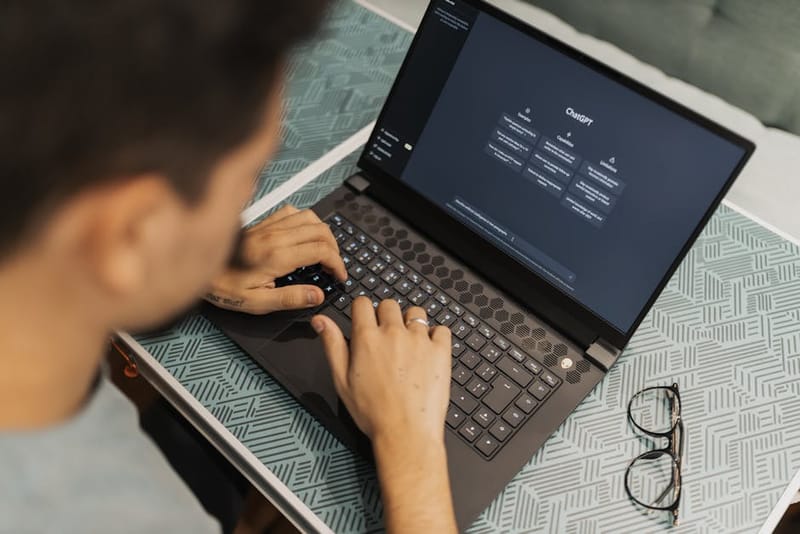

Is AI safe? It's the question almost every beginner asks before they actually try ChatGPT or Claude or Gemini for the first time - and honestly, it's a fair one. The headlines are wild. Half of them claim AI is going to cure cancer; the other half say it'll wipe out humanity by Tuesday. The reality, predictably, is much more boring and much more useful.
This is an honest guide for regular people. Not a sales pitch (we're not trying to convince you AI is wonderful) and not a doom story (we're not trying to scare you). Just the actual risks worth caring about, the ones that are mostly overhyped, and the practical things you can do to use AI tools safely without becoming a hermit who refuses to type anything into a search box ever again.
The risks that are actually real
Let's start with what you should genuinely think about. None of these are reasons to avoid AI entirely - they're reasons to use it thoughtfully, the same way you wouldn't email your bank password to a stranger but you still happily use email.
1. Your data leaving your computer
When you type something into ChatGPT, Claude, Gemini, or Copilot, that text gets sent to the company's servers. By default, free-tier conversations on most major services may be reviewed by humans for safety auditing or used to train future models. Paid and enterprise tiers usually offer stricter privacy guarantees, but the free version is essentially "you, talking to a server, with no expectation of privacy."
What this means in practice: don't paste anything into an AI chatbot that you wouldn't be comfortable seeing on a billboard. That includes:
- Bank account numbers, passwords, NHS numbers, National Insurance numbers
- Confidential work documents, client data, contracts you've signed an NDA on
- Other people's personal information (their address, medical history, etc.)
- Anything you'd be embarrassed by if it leaked
Most of what people actually use AI for - "explain this concept," "draft me an email," "plan a week of meals" - has none of this in it. Just be aware of the line.
2. Confident wrong answers (the hallucination problem)
AI chatbots will sometimes state things confidently that are completely made up. They'll invent a court case, a research paper, a quote, a statistic, a person's biography - all in the same authoritative tone they use for true things. This is called hallucination, and it's a fundamental property of how these systems work, not a bug that's about to be fixed.
The risk isn't that the AI lies maliciously. The risk is that you trust an answer that sounds plausible without checking. People have had embarrassing professional disasters because they cited a fabricated case in a court filing or a fake study in a report. Two simple rules avoid 95% of this:
- If the answer matters (legal, medical, financial, or factual claims you'll repeat publicly), verify it from a primary source.
- If you can't verify it, don't repeat it as fact. "According to ChatGPT" is not a citation any reasonable person should accept, including you.
3. AI-powered scams
This is the risk that's growing fastest, and it has nothing to do with AI being dangerous in itself. It's that scammers now have free tools to write much better phishing emails, clone voices from a few seconds of audio, and generate fake images convincingly. The basic shape of scams hasn't changed ("urgent - your bank account is locked, click here") but the production quality has gone up enormously.
Counter-measures are pretty much what they always were, just applied more carefully:
- Be sceptical of any "urgent" message asking for money or credentials, especially if it pressures you to act fast.
- If a family member calls in distress asking for money, hang up and call them back on the number you already have for them.
- Don't trust voice or video alone for anything financial - voice cloning is now trivial.
4. Job impact (the realistic version)
Here's the honest take: AI is changing some jobs significantly, eliminating a small number entirely, and being wildly overstated for most of the rest. Translators, copywriters writing generic marketing fluff, and paralegals doing first-pass document review are seeing real disruption. Doctors, plumbers, teachers, and nurses are not being replaced by ChatGPT, despite what LinkedIn would have you believe.
The most useful framing isn't "will AI take my job?" - it's "how does AI change the most boring 30% of my job, and can I be the person who uses it well?" The people in trouble are the ones refusing to learn the tools at all, not the ones quietly using them to skip the tedious bits.
5. Deepfakes and misinformation at scale
It's now genuinely cheap to generate a realistic-looking photo, a believable fake video, or a convincing fake quote attributed to a real person. This affects you in two ways: you might see one and believe it, and someone might make one of you. Both are worth taking seriously.
The defence is media literacy, not technical wizardry. Treat anything emotionally activating that you see on social media - especially political - with healthy suspicion until you've seen it confirmed by a source you'd trust on a normal day. Reverse image search exists. Snopes exists. A pause exists.
The risks that are mostly overhyped
Now the other side. These are the AI fears that get wall-to-wall coverage but matter very little in your actual day-to-day life.
The robot uprising
The idea that a chatbot is going to wake up, become self-aware, and decide to enslave humanity is - to put it gently - not on the cards based on how these systems actually work. They're statistical pattern-matchers trained to predict the next word. They have no goals, no continuous memory between conversations, and no ability to act in the world unless you give them tools to do so. "Sentient AI" is a fascinating philosophical conversation; it's also not in the top 100 things you should worry about this year.
"AI will replace all jobs by 2025"
You've seen this headline. It hasn't happened, isn't happening, and isn't going to happen at the timeline pundits keep promising. Productivity tools change work; they rarely vaporise entire professions overnight. Email didn't replace meetings. Spreadsheets didn't replace accountants. Search didn't replace librarians. AI is on the same arc - significant but gradual, and your career has time to adjust.
"AI is reading my mind"
It isn't. It's predicting the most likely next word based on patterns in its training data and what you typed. The reason it feels uncannily personal is because human language is itself fairly predictable, and you're the one supplying the context. There's no spooky understanding behind the curtain - just a very, very large autocomplete.
"All AI is biased and therefore unusable"
AI does reflect biases in its training data - that's documented and worth understanding. But the leap from "this tool has known limitations" to "therefore I should never use it" is the same logic that would have you avoid Wikipedia, Google, and every newspaper ever printed. Use it knowingly, cross-check things that matter, prefer sources for facts.
How to use AI safely (a practical checklist)
Pick the right tool for the job
Free ChatGPT, Claude.ai, and Gemini are all fine for general use - drafting, brainstorming, explaining things. For sensitive work, look at paid tiers with stronger privacy commitments, or a self-hosted model on your own hardware. We compare the major options in our ChatGPT vs Claude vs Gemini guide.
Treat it as a smart but unreliable colleague
Useful for first drafts, summaries, brainstorming, and explaining things. Bad as a sole source of truth. The mental model that works: it's a confident graduate intern, not a domain expert.
Never paste secrets
Passwords, financial details, identifiable information about other people, NDA-protected work. If it would matter that it leaked, don't put it in. The free tier is not your friend on this.
Verify before you publish or repeat
If you're going to repeat what the AI told you (in a meeting, an essay, a court filing, a tweet), spot-check it. AI-confidently-stated facts are wrong often enough that you can't skip this step.
Turn off training-data settings if available
ChatGPT, Claude, and Gemini all let you opt out of having your conversations used to train future models. It's usually buried in privacy settings - worth two minutes to find and toggle off.
Use it on a normal account, not your work account
Unless your employer has explicitly approved an enterprise AI tool, keep personal experimentation on a personal account. Many companies treat "pasting our internal docs into ChatGPT" as a serious data leak.
Tool-specific privacy notes
Privacy and data-handling commitments vary between the major chatbots. Settings change often, so always re-check the current policy on the provider's site before sharing anything sensitive - but here's the rough lie of the land as a starting point:
ChatGPT (OpenAI)
Free tier: conversations may be used to improve models unless you turn it off in Settings → Data Controls → "Improve the model for everyone." Plus and Team have stronger guarantees. Enterprise/API have the strongest. There's also a "Temporary chat" mode that doesn't save history.
Claude (Anthropic)
Free and Pro tiers do not use your conversations to train models by default. Conversations are still stored unless you delete them. Enterprise commitments are stronger again.
Gemini (Google)
Tied into your Google account, which means it can be useful (it sees your Gmail and Docs if you let it) but also means Google's normal data handling applies. Activity controls live in your Google Account settings; you can pause Gemini Apps Activity to stop conversations being kept.
Microsoft Copilot
Consumer Copilot is roughly equivalent to ChatGPT in behaviour. Copilot for Microsoft 365 (the work version) is the one most enterprises approve, because data stays inside the organisation's tenant.
What about kids and teenagers?
This deserves its own section because the risks land differently. The headline issues for younger users:
- Age limits are real but easy to bypass. Most major AI tools require users to be 13+ (some 18+). Kids are very good at clicking "yes" on age gates. Plan for that.
- Homework substitution vs. assistance. AI can be a fantastic tutor - explaining concepts at the right level, generating practice questions, helping a stuck student get unstuck. It can also write the entire essay for them. The difference is supervision and framing, not the tool itself.
- Emotional reliance. Some teens form attachments to chatbots that pretend to be friends or romantic partners. There's growing evidence this can be unhealthy for vulnerable young people. Worth being aware of.
- Inappropriate content. Generic chatbots have safety filters but they're not perfect, and "AI girlfriend" apps and similar deliberately remove them. Keep an eye on which tools are being used.
Practical position: AI is going to be part of every kid's life from now on, much like the internet was for the previous generation. Banning it isn't realistic; supervising it is. Talk to them about what it is, what it gets wrong, and why pasting the entire homework prompt is missing the point.
Honest verdict: should you use AI?
For the vast majority of people, yes - with sensible caution. The productivity gains are genuine, the basic risks are manageable with five minutes of attention, and the worst-case scenarios people picture are mostly imaginary. Refusing to learn AI tools at this point is roughly the same decision as refusing to learn email in 1998: defensible, but you're going to lose ground to people who didn't.
If you're new to AI and want a gentle on-ramp, our Getting Started with ChatGPT guide walks you through it without assumptions. Once you're comfortable, practical everyday uses and good prompts to start with are the next step. And if you want to know which tool to pick, our comparison of ChatGPT, Claude, and Gemini covers that.
The thing to keep in mind: AI is a tool, not a force of nature. Tools have risks and rewards. The trick isn't avoiding the tool - it's learning what it does well, what it does badly, and where the line is between the two.
Frequently asked questions
Is ChatGPT safe to use?
Can AI steal my data?
Will AI take my job?
Are AI chatbots biased?
Can AI become conscious or take over?
What's the safest AI to use for sensitive work?
Ready to actually try it?
Skip the doom and start with a gentle, no-jargon walkthrough.