Frigate NVR with Home Assistant + AI Detection (2026)
Frigate NVR with Home Assistant + AI detection (2026): install steps, Coral TPU setup, camera streams, AI object events, HA automation patterns.
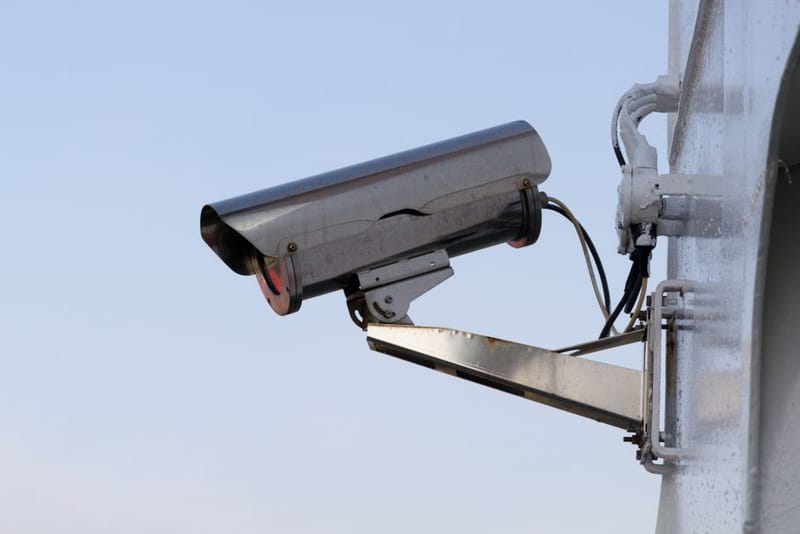

Frigate is the open-source NVR that turns Home Assistant into a credible surveillance platform. With a Coral USB TPU for the AI work, it detects people, vehicles, packages, and animals with low false-positive rates - meaningfully better than the commercial alternatives at the consumer price tier. This guide covers the practical 2026 install, hardware choices, and the HA automation patterns that make the setup actually useful.
What hardware do you need?
Four hardware components for a typical 4-camera Frigate setup:
- Host PC running Home Assistant OS or Docker: Mini PC with 16GB RAM and ~500GB SSD storage minimum. Intel N100 / N305 Mini PCs (£200-£400) handle 4-6 cameras comfortably. The official HA Yellow/Green also works for 1-2 cameras but starts to choke at 4+.
- Google Coral USB TPU: £60 from Mouser/RS Components UK. The dedicated AI chip that runs the object detection. Frigate works without it but performance drops hugely.
- RTSP/RTMP cameras: Any brand that exposes ONVIF-compliant streams. UK-popular options: Reolink RLC-820A (£60), Amcrest IP8M-2496 (£80), Hikvision DS-2CD2143G2-I (£80), Dahua IPC-HFW3849T1-AS-PV (£90). 4MP-8MP resolution is the practical sweet spot.
- Network infrastructure: PoE switch (8-port from £40) and Cat5e/6 cable runs from cameras to the switch. Wi-Fi cameras work but are less reliable; PoE is the standard.
Total cost for a 4-camera UK setup: ~£500-£800 depending on Mini PC and camera tier. Roughly half the price of an equivalent Unifi Protect setup with similar capability.
How do you install Frigate as a Home Assistant add-on?
Five-step install on Home Assistant OS:
- 1. Add the Frigate repository. Settings → Add-ons → Add-on Store → 3-dot menu → Repositories → add
https://github.com/blakeblackshear/frigate-hass-addons. - 2. Install Frigate add-on. Find "Frigate" in the add-on list and click Install. Wait 2-3 minutes for the container to download.
- 3. Configure Frigate. The add-on uses a single YAML configuration file. The minimum:
mqtt: enabled: false,detectors: coral: type: edgetpu, device: usb, plus one camera block per camera. - 4. Add the Frigate integration. Settings → Devices & Services → Add Integration → search "Frigate". Provides camera entities, motion sensors, and object-detection events as HA entities.
- 5. Install Frigate Lovelace card via HACS for the visual dashboard. Optional but useful.
For Docker (non-HA OS) installs, the same Frigate config works with the standard frigate/frigate Docker image. Documentation at frigate.video covers the Docker compose file structure.
How does Coral TPU AI detection actually work?
The Coral USB TPU is a dedicated AI inference chip that runs Google's TensorFlow Lite models with very low CPU overhead. For Frigate, it runs an object detection model (typically a MobileDet variant) that classifies pixels into ~90 object types - person, car, dog, cat, package, etc.
How it integrates with Frigate:
- Camera stream comes in via RTSP.
- Frigate samples frames at the configured detection rate (default 5 fps on motion).
- Each sampled frame is sent to the Coral for inference.
- Coral returns detected objects with bounding boxes and confidence scores.
- Frigate filters by configured object types (e.g. only fire events on "person") and confidence threshold.
- Detected objects become Home Assistant events.
Practical performance numbers: a single Coral USB handles 2-4 cameras of detection at 5fps comfortably. For 5-8 cameras, use the Coral M.2 variant (PCIe-based, faster) or add a second USB Coral.
What Home Assistant automations work well with Frigate?
Five practical automation patterns:
- Person detection notifications: when Frigate detects a person on the front-camera, send a phone notification with the cropped image. Trigger:
binary_sensor.front_camera_personturns on; action: notify with image from Frigate's snapshot endpoint. - Vehicle-on-driveway alert: Frigate detects a car arriving on the driveway camera; HA turns on outside lights, sends a notification, optionally announces via Sonos.
- Package delivery detection: Frigate detects "package" object near the front door; HA records the detection time and sends a notification.
- Pet-aware automations: distinguish dog/cat motion from human motion. Don't fire human-presence automations on the dog walking past the door.
- Privacy automations: turn off Frigate AI detection when phones in the geofence indicate everyone is home. Reduces unnecessary inference; protects privacy.
The combination that makes Frigate genuinely useful: motion detection without AI produces lots of false positives (cars on the street, trees in wind); AI detection filters down to events you actually care about. This is the single biggest reason to add the Coral TPU.
What storage do you need?
Frigate offers two storage modes:
- Continuous 24/7 recording: records every frame from every camera. Per camera at 1080p H.265, ~50-100 GB per day. For 4 cameras over 14 days of retention: ~2.5-5 TB.
- Event-only recording: only records segments around detected events (with configurable pre-buffer and post-buffer). For 4 cameras with typical traffic: ~5-15 GB per day. 14 days fits in ~200 GB.
Most UK home users land on event-only with a 2-4 week retention window. A 1-2 TB SSD or HDD in the HA host covers it comfortably.
What are the common Frigate gotchas?
Six issues users hit setting up Frigate in 2026:
- Camera streams that won't work. Frigate needs H.264 sub-streams for detection and H.265 main streams for recording. Some cameras default to H.265 on both - check your camera's config.
- Coral TPU not detected. USB enumeration sometimes needs a manual passthrough config in Home Assistant. Add the Coral's USB ID to the HA Configurator devices list.
- Too many false positives on cars/people. Tune the per-camera
min_scorethreshold up from the default 0.5 to 0.7-0.8 for cleaner alerts. Addmaskzones to exclude road/pavement areas. - Storage filling up faster than expected. Switch from continuous to event-only recording mode; reduce per-camera retention from 14 days to 7.
- Camera streams stalling or buffering. Verify network throughput - 4MP cameras at 30fps need 4-8 Mbps each. PoE switch bottlenecks are common with consumer 8-port switches.
- Frigate add-on consuming high CPU. Check Coral is being detected and used - if Coral isn't found, Frigate falls back to CPU detection which can saturate a Mini PC's CPU. Logs will say so.
How does Frigate compare to Unifi Protect or Synology?
Three-way comparison in our Frigate vs Unifi Protect vs Synology comparison. Headline takeaways:
- Frigate: best HA integration, lowest cost, best AI quality. Steeper setup curve.
- Unifi Protect: polished consumer UX, vendor lock-in, higher per-camera cost.
- Synology Surveillance Station: works on existing Synology NAS, weakest AI unless you spring for DVA-series NAS.
For Home-Assistant-first households, Frigate is the clear default in 2026. For Ubiquiti-ecosystem households, Unifi Protect is more polished but the AI gap shows up in daily use.
Frequently asked questions
Do I need a Coral TPU for Frigate to be useful?
What cameras work with Frigate?
Can I use Frigate without Home Assistant?
How long does the initial setup take?
What about cloud storage and remote access?
Will Frigate work with NVRs that already record to a Synology or Unifi?
The bottom line
For UK Home-Assistant users wanting AI-powered CCTV in 2026, Frigate plus a Coral USB TPU is the standard setup - £60 for the AI hardware on top of a Mini PC HA host and your choice of RTSP cameras. The detection quality is meaningfully better than the commercial NVR alternatives in the consumer price tier, and the HA integration unlocks automation patterns (person detection notifications, pet-aware logic, package delivery alerts) that you simply can't build on commercial vendor-locked systems.
For deeper comparison with Unifi Protect and Synology Surveillance Station, see our three-way NVR comparison. For Home Assistant context generally, see our Home Assistant Energy Dashboard guide. The official Frigate documentation is at frigate.video; Home Assistant docs at home-assistant.io.