Smart Home Energy Saving: Tactics That Actually Cut Bills
Smart home energy saving tactics that actually move the needle on your bill — what to buy first, what to skip, and how much each upgrade really saves.
Smart home energy saving works, but not in the way the marketing suggests. A wifi-connected gadget on its own does nothing. The savings come from changing the behaviour of the things in your home that use the most power — your heating, your hot water, and the appliances that quietly draw current when you're not paying attention.
This guide covers the four upgrades that consistently move a UK or US energy bill: smart thermostats, energy monitors, smart plugs, and automated schedules. For each, we'll be honest about what manufacturers claim, what independent studies have measured, and what each upgrade actually costs to install. By the end you'll know which one to start with and roughly when it pays for itself.
1. Smart thermostats — the biggest single lever
Where the money actually is, and how much it really saves
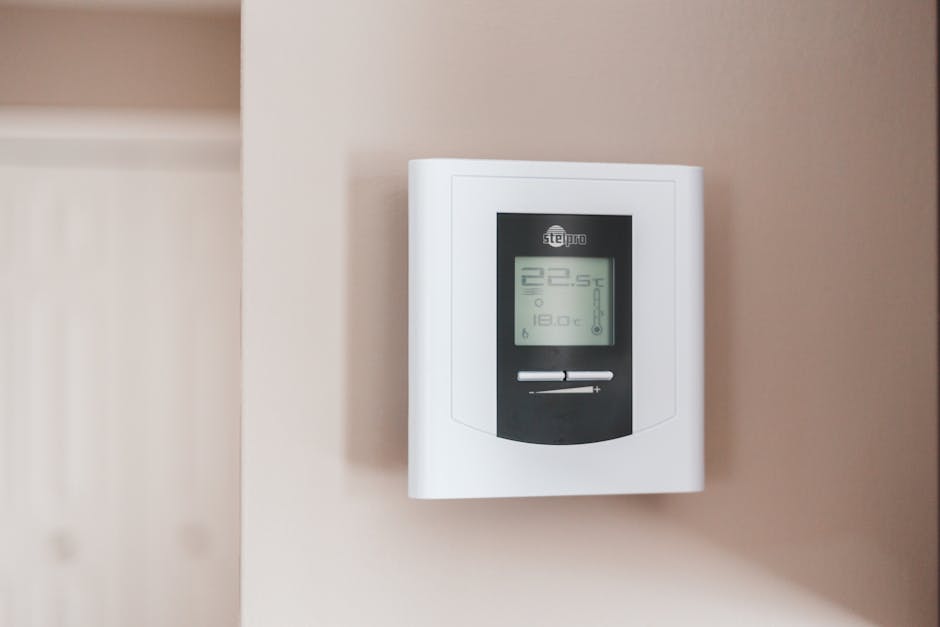
A smart thermostat learns your routine, knows when nobody's home, and stops your boiler running flat-out when the house is already warm. The savings come from three behaviours combined: setbacks when the house is empty, smarter pre-heating, and zone-aware control.
Manufacturers like to quote double-digit percentages — Nest's own figures put it at 10–12% on heating and around 15% on cooling. Independent field studies (the Energy Trust of Oregon's evaluation of Nest, for example) tend to find lower real-world savings, often closer to 10%. Tado runs UK trials that cite 22–28% on heating bills, but those usually compare against households that previously had no programmable thermostat at all — a fairly low bar.
A reasonable expectation for a UK household with a basic timer thermostat upgrading to a smart one: £100–£180 a year off your gas bill, more if your current schedule is poor or you regularly come home to an already-heated empty house.
Geofencing
Your phone tells the thermostat when the house is empty. The boiler stops trying to keep an empty house at 20°C — usually the single biggest source of waste.
Per-room control
Smart radiator valves let you heat only the rooms you're using. Bedrooms during the day, the home office in the evening — instead of every radiator at once.
Weather compensation
The thermostat checks the forecast and pre-heats less aggressively on a mild day. Modest savings on their own, but they add up over a winter.
The shortlist for most UK homes is Tado, Hive, Nest (3rd gen or Learning), or Drayton Wiser. All of them work with a standard combi or system boiler. If you want to add per-room control later — which is where the deeper savings sit — Tado and Drayton Wiser have the most mature radiator-valve ecosystems. Pick a system you can extend rather than the cheapest standalone unit.
For the integrated approach (where the thermostat talks to the rest of your smart home rather than living in its own app), see our guide to getting started with Home Assistant — it's the open-source platform that ties Tado, Hive, Nest and Drayton together so you can build automations across them.
2. Energy monitors — find the silent power drains
What actually uses your electricity, in real numbers
Most people massively misjudge what uses power in their house. The dishwasher feels expensive but actually only runs for an hour a day; the old chest freezer in the garage feels cheap but draws 24 hours a day at a price-per-kWh that hasn't been low since 2021.
A whole-house energy monitor clamps around the meter tails and reports total household draw to your phone in real time. The good ones can also identify individual appliances by their startup signature — so the dashboard shows you a fridge consuming £92/year, a tumble dryer at £140/year, and an old gaming PC quietly costing £60/year on standby.
The current US benchmark is the Emporia Vue 3 — it adds 16 individual circuit clamps, so instead of guessing what "appliance #4" is, you can wire it to the actual breaker for the kitchen sockets, the home office, the garage, etc. UK equivalent: Sense Energy Monitor (single-clamp, AI-based identification) or the Emporia Vue 2 (two-clamp, with optional circuit clamps).
Realistic savings from a monitor are entirely behavioural — the device doesn't reduce anything by itself. What it does is show you the £40 dishwasher rinse cycle that's running every night because someone set it wrong six months ago. Households that act on what a monitor shows them typically find £80–£200/year of waste in the first month, then plateau.
3. Smart plugs — kill the standby drain
The unsexy upgrade that pays back fastest
Standby power — devices drawing current while "off" — costs the average UK household around £55–£85 a year, according to Energy Saving Trust estimates. The biggest culprits are surprising: set-top boxes, games consoles, AV receivers, printers, and old desktop PCs. A modern TV in standby is fine. A 2015-era Sky+ HD box is not.
A smart plug (TP-Link Tapo P110, Kasa KP125, or any Matter-compatible plug) sits between the wall and the device and cuts power on a schedule. Most also report power draw, so you can see which devices are worth automating before you bother with the rest.
Audit before you automate
Plug suspects into a metered smart plug for a week. Anything drawing more than 3W in standby is a candidate. Anything under 1W, leave alone — automation isn't worth the hassle for pennies.
Group by routine, not by room
Office gear (monitor, printer, dock, lamp) on one schedule, AV setup on another. A single 'office off at 22:00' rule beats five separate plug timers.
Use 'no one home' triggers, not just clocks
Time-based schedules break the moment you work from home a different day. Geofencing or a presence sensor that switches plugs off when the house is empty is more robust.
Be careful with what you automate
Don't put a fridge, freezer, router, alarm, or anything safety-critical on a smart plug. Those need to stay on. Smart plugs are for AV gear, chargers, lamps, fans, and office equipment.
4. Schedules and occupancy — making it all work together
Where the real savings come from once the hardware is in
The pattern that delivers the biggest savings isn't any single device — it's the combined schedule that runs across all of them. The house warms up before you wake. Your office plugs power on at 8:30. The AV gear cuts off at 23:30. The thermostat drops 3°C the moment everyone's phone leaves the geofence. None of it requires you to remember anything.
To wire that together you need either (a) a single ecosystem like Hive or Tado where everything is in one app, or (b) a hub that ties multiple ecosystems together — Home Assistant, Apple Home, or SmartThings. The hub approach is more flexible and locks you out of fewer devices over time. We've covered the trade-offs in detail in our smart home platform guide.
A realistic budget — what to buy first
If you can only spend £150, here's the order
The order below assumes a typical UK household with a combi boiler, mains gas heating, and an unmodernised setup. Adjust for your situation: if you're all-electric, the energy monitor jumps to first place because heating is already on the same meter as everything else.
Stage 1 (£100–£250): A single smart thermostat
Tado X, Drayton Wiser Hub, or Hive. This is the fastest payback in the entire smart home category. Geofencing alone usually pays for the unit within the first heating season.
Stage 2 (£60–£120): 3–4 smart plugs for the worst standby offenders
AV setup, gaming console, home office. This is mostly behavioural — you'll save £40–£80 a year if you actually keep the schedules running. Skip plugs for things that don't draw standby.
Stage 3 (£150–£250): Whole-house energy monitor
Adds nothing to savings on its own — but reveals where the next £200 of waste is hiding. Fit it after the obvious wins are in, and act on what it tells you.
Stage 4 (£40 each): Smart radiator valves on the rooms you don't use much
Per-room control on guest bedrooms, dining rooms, and unused offices. This is where a smart heating system finally beats a boring time-based one.
What smart home tech won't fix
Where the marketing oversells
Smart home gadgets are amplifiers, not magic. They make a well-insulated home cheaper to run; they don't compensate for a poorly insulated one. If your heating bill is huge because the loft has 50mm of insulation and the back door has a half-inch gap underneath it, a smart thermostat saves you 10% of a number that's still too big.
The Energy Saving Trust's own ranking holds: insulation first, glazing second, controls third, smart third-and-a-bit. A smart thermostat on top of a properly insulated house is brilliant. A smart thermostat on top of an uninsulated 1930s semi is a sticking plaster.
The other thing smart tech won't fix is a poorly written tariff. If you're on a standard variable rate, switching to a time-of-use or off-peak tariff (Octopus Agile, EDF GoElectric, etc.) and shifting your dishwasher and washing machine into the cheap hours typically saves more than any device. Smart plugs make that easy — a tariff change makes the smart plugs worth more.
Frequently asked questions
How much does a smart home actually save on energy?
What's the single best smart home device for saving money?
Are smart plugs worth it for energy saving?
Do smart thermostats use more electricity than they save?
What about solar and battery storage?
The bottom line: smart home energy saving is real, but it's earned by automating boring things — heating setbacks, standby cuts, occupancy-aware schedules — not by adding wifi to lightbulbs. Spend the first £150 on a smart thermostat. Add plugs and a monitor as you go. Skip everything that doesn't connect to the four big buckets: heating, hot water, always-on devices, and tariff-shifting.
If you're not sure where to start, our smart home on a budget guide ranks the cheapest entry points by payback period, and your first smart devices covers the order to introduce them without overwhelming yourself.
New to all this?
If you're just starting out, our beginner's guide explains what a smart home actually is — without the marketing.