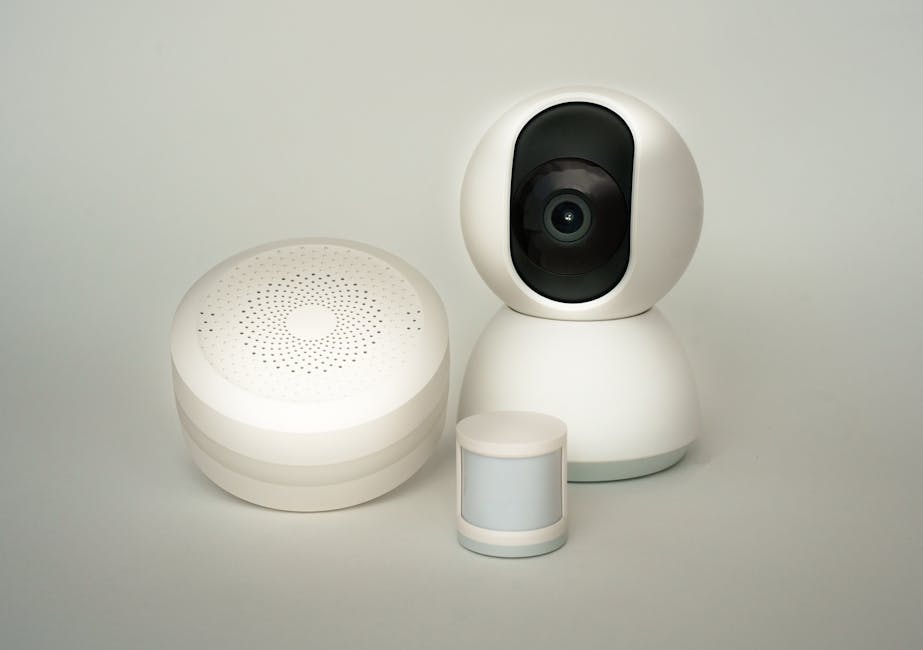
Smart Home Security: No Monthly Subscription Needed
Build a real smart home security system — cameras, sensors, smart locks and motion alerts — with zero monthly fees. Kit, costs and setup walkthrough.
Smart Home Security Without a Monthly Subscription
A complete security setup — cameras, smart locks, motion sensors and instant alerts — that you own outright. No cloud fees. No locked-out features.
Most smart home security in 2026 is sold as a subscription. Ring charges £3.49 a month per camera for cloud recording. Arlo has crept up to £4.49. Nest's plans start at £6 and quickly hit £12. Buy three cameras and a doorbell and the recurring fee can outpace what you originally paid for the kit within two years. Worse, several manufacturers (Eufy, Wyze, Arlo's older base stations) have repeatedly removed features from devices their customers already own — pushing more functionality behind paid plans.
The good news is that this is entirely avoidable. A subscription-free smart home security setup costs more upfront than the cheapest cloud kit, but it pays for itself within 12–18 months and stays paid for. You own the hardware, you own the recordings, and the system keeps working if the manufacturer goes out of business or sunsets your device.
This guide walks through the complete setup: what to buy, how to install it, and how to wire it into Home Assistant so everything works together — without sending a byte of footage to anyone's cloud.
What you actually need
Five components cover everything mainstream cloud kits offer, plus things they cannot do at all.
A complete subscription-free security setup has five parts. You can start with one or two and add the rest over time — there is no requirement to buy everything at once.
1. Local-recording cameras
The cornerstone. These are cameras that record to local storage (a microSD card, a network video recorder, or a NAS) instead of the manufacturer's cloud. Two brands dominate this space: Reolink and Amcrest. Both offer ONVIF and RTSP support, which means the cameras work natively with Home Assistant, Frigate, Synology Surveillance Station and Blue Iris.
Specific models worth knowing: the Reolink RLC-810A (4K, PoE, around £85) and Reolink Argus 3 Pro (battery-powered, around £100) cover the wired and wireless cases. Amcrest's IP4M-1041 series is a strong direct alternative.
2. A network video recorder (NVR) or Frigate server
Cameras handle the capture; the NVR handles the storage, motion detection, retention and review interface. Three sensible choices:
- Reolink/Amcrest NVR appliance (around £200) — turnkey, no software setup, locked to that brand's cameras.
- Synology Surveillance Station on a NAS — flexible, brand-agnostic, requires a free licence per camera (most NAS units come with two).
- Frigate on Home Assistant — open source, supports any RTSP camera, includes AI object detection. Requires a Pi 5 or a small mini-PC.
Frigate is the most powerful of the three and the only one that runs entirely free of brand lock-in.
3. A smart lock
The two subscription-free options that dominate UK installs are the Yale Linus L2 (replaces only the inside thurnknob, retains existing keys, works with Apple Home, Google Home and Home Assistant via Matter or HomeKit) and the Aqara U100 (full deadbolt replacement with built-in fingerprint reader). Neither has a mandatory subscription. Both work fully offline.
4. Door, window and motion sensors
Aqara's Zigbee sensor range is the value pick — door sensors at around £12, motion sensors at around £18, all running on coin-cell batteries that last 1–2 years. Pair them with a Zigbee coordinator (a USB stick on Home Assistant, or an Aqara hub if you prefer) and the sensors integrate with anything else on the system. SwitchBot is a Bluetooth-based alternative that works without a Zigbee setup.
5. Home Assistant for the glue
Home Assistant runs everything together. It triggers cameras to record when a door sensor fires. It sends a phone notification when motion is detected at the front door. It locks the doors when the last person leaves. The platform itself is free; running it costs the price of a Raspberry Pi 5 (around £80) or a mini-PC if you want to run Frigate alongside it. The Raspberry Pi setup guide walks through the installation.
Real costs compared
Subscription kits look cheaper at the till. They aren't, once you run the numbers over three years.
Two realistic three-camera setups, run over a 36-month horizon:
| Component | Cloud setup (Ring) | Subscription-free (Reolink + Frigate) |
|---|---|---|
| 3× cameras | 3× Ring Stick Up Cam (£100 ea) = £300 | 3× Reolink RLC-810A (£85 ea) = £255 |
| Doorbell | Ring Battery Doorbell Plus = £160 | Reolink Video Doorbell = £100 |
| Recording / hub | Cloud (Ring Protect Plus) = £8/mo | Raspberry Pi 5 + 256GB SSD = £180 (one-off) |
| 3-year recording fees | £8 × 36 = £288 | £0 |
| Smart lock (optional) | +£12/mo Ring Alarm Pro for monitored = £432 | Yale Linus L2 = £200 (one-off) |
| 3-year total (without lock) | £748 | £535 |
| 3-year total (with lock + alarm) | £1,180 | £735 |
The breakeven point is around month 14 — after that, the subscription-free system is pure savings. By year 5 you have saved roughly £700–£800 compared to a Ring/Arlo equivalent, while owning hardware that does not lose features behind paywalls.
Setup walkthrough
From boxes-on-the-table to a working subscription-free security system — about a Saturday afternoon.
Step 1 — Get Home Assistant running
Install Home Assistant OS on a Raspberry Pi 5 (or a mini PC if you plan to run Frigate locally). The Raspberry Pi guide covers the full installation. Allow 30 minutes for the first boot to complete.
Step 2 — Wire in the cameras
For wired cameras (RLC-810A and similar), use Power over Ethernet — one cable does both power and data. Plug each camera into a PoE switch (£40–£60 for an 8-port unit). Wireless cameras like the Argus 3 Pro connect over Wi-Fi after a one-time setup with the Reolink app.
Add the cameras to Home Assistant via the official Reolink integration (Settings → Devices → Add Integration → Reolink). The integration auto-discovers cameras on the local network and pulls in motion-detection states, two-way audio and PTZ controls.
Step 3 — Stand up Frigate (optional but recommended)
Frigate is the brain that processes camera feeds and decides whether motion is a person, a car, a parcel or a cat. Install it as a Home Assistant add-on. The first 24 hours of running Frigate involve tweaking detection zones and confidence thresholds — get this right and you eliminate 95% of false alerts.
If you want CPU-friendly object detection, add a £25 Coral USB accelerator. It cuts CPU usage on a Pi 5 from roughly 40% to under 5% per camera and detects objects in 6–10 milliseconds.
Step 4 — Add door, window and motion sensors
Plug a Zigbee coordinator USB stick (Sonoff ZBDongle-E is around £20) into the Pi. Pair the Aqara sensors via the Zigbee2MQTT add-on. Each sensor takes about 20 seconds to pair and immediately becomes available in Home Assistant.
Step 5 — Wire up the smart lock
The Yale Linus L2 fits over the existing thumbturn — no key changes, no cylinder replacement. Pair it via the Yale Access app, then expose it to Home Assistant via Matter (the easiest route in 2026) or via the Home Assistant Yale integration.
Step 6 — Build the automations
This is where the system stops being a collection of devices and starts being a security system. The starter automations to build:
- Front door triggers recording. When the front door sensor opens between 10 PM and 7 AM, start recording all outdoor cameras for two minutes and send a phone notification with a snapshot.
- Person at the door. When Frigate detects a person at the front camera and no household member is home, send a notification with a clip.
- Auto-lock when everyone leaves. When all phones (presence) have left a 100m radius, lock the front door and arm the system.
- Motion + dark = light. When the back garden motion sensor fires after sunset, turn on the patio lights for 90 seconds.
10 Home Assistant automations every beginner should try covers the YAML for these in detail.
What you give up vs cloud kits
Honesty matters. Subscription-free systems are clearly better in most ways but worse in two.
Professional monitoring. Ring Alarm Pro (£12/mo) and SimpliSafe (£24.99/mo) include 24/7 monitored response — when an alarm fires, a person at the monitoring centre calls you, then dispatches the police if needed. Self-hosted setups don't include this by default. Workarounds: route alerts through Pushover or Twilio and rely on neighbour or family escalation, or pair the system with a separate £8/mo monitoring contract from someone like RemoteAssist or Banham.
Internet-side push reliability. Cloud systems push notifications via the manufacturer's servers, which are slightly more reliable than Home Assistant's options. Home Assistant Cloud (£6.50/mo, optional) closes most of this gap and also gives you secure remote access — but it is the only ongoing cost most subscription-free setups have, and it covers the entire smart home rather than a single product.
What you do not give up: 4K recording, AI person/vehicle/parcel detection, two-way audio, smart-lock control, geofencing, motion-triggered automations, integration with anything else in the home. All of those are at least as good locally — usually better.
Privacy and reliability advantages
The subscription-free setup is also significantly more private and more reliable in practice. Local recording means footage never leaves your network. Object detection by Frigate happens on the Pi, not on a cloud server. If the internet is down, the system keeps working — the alerts route to LAN devices, the cameras keep recording, and the smart lock keeps locking and unlocking. Cloud systems lose most of these capabilities the moment a router reboots.
You also get full control over data retention. Set Frigate to keep 7 days of motion clips and 30 days of person-detected clips, and only those — no servers, no manufacturer policies, no surprise data harvesting. Securing the Wi-Fi network the system runs on matters more once you take this approach, because the network is the security boundary.
Frequently asked questions
Do I need to know networking or coding to set this up?
Will my insurance cover a self-hosted alarm system?
What happens if my Home Assistant Pi dies?
Do I need a NAS for camera recording?
Is this still cheaper if I only have one camera?
What about Apple Home Secure Video?
What to do next
The cheapest place to start is one Reolink camera plus a Raspberry Pi running Home Assistant — that's about £165 of kit and it gets you the bulk of the benefit. Once that's working, sensors and smart locks add quickly and cheaply. If you're brand new to all of this, start with Smart Home 101 Part 1 for the conceptual grounding, then Part 2 on choosing a platform before buying anything.
Need a starter kit recommendation?
If you're building a smart home from scratch, our budget guide picks every component for under £150.