Unifi for Smart Homes: Why Network Quality Matters
How a quality network like Unifi keeps Matter, Thread, and Zigbee devices stable - AP placement, VLANs for IoT, and the multicast settings that matter.
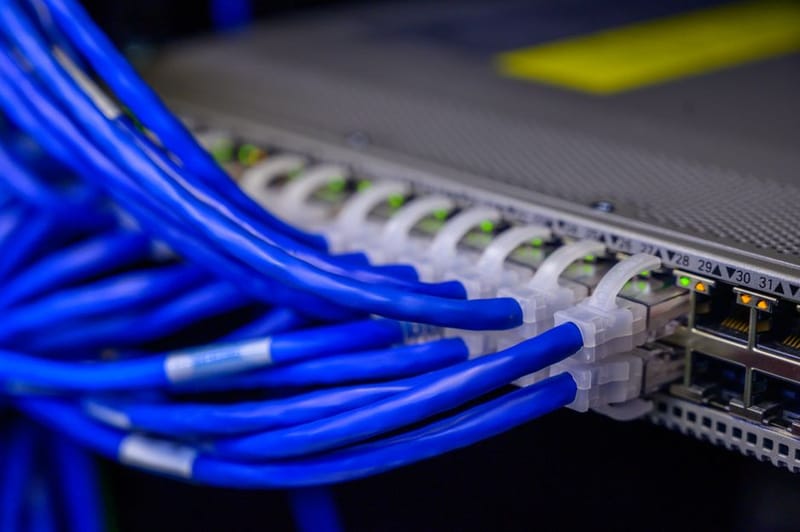

A Matter bulb that randomly drops offline. A Thread border router that loses its mesh after a router reboot. A Zigbee hub that needs unplugging once a week. None of these are smart-home problems in the way most guides describe them - they are network problems wearing smart-home costumes. This guide explains why the network underneath a smart home matters more than the gear sitting on top of it, and how a system like Unifi addresses the specific failure modes that bite Matter, Thread, and Zigbee setups.
Why are smart-home protocols so network-sensitive?
A laptop streaming Netflix is a generous network citizen. It opens a single TCP connection, tolerates short stalls, and retries cleanly. Smart-home devices are the opposite. A Matter bulb wakes up briefly to flash a multicast discovery packet, expects an answer within milliseconds, and falls off the controller's list if it does not get one. A Thread sensor sleeps for hours, then needs the mesh routing tables to be correct the instant it transmits a value. A Zigbee device sees the world through a tiny 2.4 GHz radio that overlaps directly with the channel your phone is sitting on.
This means the failure modes are completely different from what a typical home router is designed to handle. "Fast enough for 4K" tells you nothing about whether your devices will stay paired. The three protocols each lean on the network in their own way:
- Matter over Wi-Fi relies on mDNS - multicast announcements on UDP port 5353 - to find devices on the local network. If multicast packets are dropped, throttled, or filtered between the controller and the device, pairing fails and devices show as offline even when they are perfectly healthy.
- Thread is a separate 802.15.4 mesh, but it still needs a border router on your network to bridge it to your phone or to the Matter fabric. The border router itself has to be reliably reachable; if it disappears every time your Wi-Fi roams or your router reboots, the Thread mesh might survive but your access to it does not.
- Zigbee rides its own 2.4 GHz radio that lives next door to Wi-Fi. Channel overlap, AP power levels, and access-point density all change how reliable Zigbee mesh routing ends up being - even though Zigbee technically is not on your Wi-Fi at all.
None of these failures will show up on a speed test. That is why the network problem hides for so long.
What does 'network quality' actually mean here?
For smart-home use, four traits matter more than raw throughput:
- Stable roaming. When you walk through the house, your phone needs to hand off between access points cleanly. If the same physical Wi-Fi network is served by separate routers that argue over the same client, devices stick to weak signals or drop their controller connection every time you cross a room boundary.
- Predictable multicast. mDNS, SSDP, and Matter discovery all depend on multicast packets travelling between devices on the same subnet. Cheap routers either flood multicast everywhere (wasting battery on every device) or drop it silently (breaking pairing). Neither is acceptable for a Matter setup.
- Honest VLAN support. Once you have more than a handful of IoT devices, isolating them onto their own VLAN is genuinely useful for security and broadcast hygiene. Most consumer routers either pretend to support this or hide it behind a feature labelled "guest network" that does not actually do what is needed.
- Stable IP and DHCP. Reservations that survive a reboot. A DNS resolver that you can point at Pi-hole or AdGuard Home without breaking captive portals on TVs. Subnet sizes you choose, not ones your ISP decides for you.
Plenty of mesh systems can do one or two of these. Unifi's value is doing all four under one controller, without requiring command-line work to enable any of them.
Why are stable APs the biggest cause of 'offline' devices?
If you have ever rebooted a router and watched twelve Matter devices vanish at the same time, you have hit the most common smart-home network failure: an unstable access-point environment dressed up as a device problem.
The fix is usually not more bandwidth. It is fewer access points doing more careful work. Three Unifi U6 Lite APs covering the same area as one ISP router and two range extenders will outperform the noisier setup not because the radios are stronger but because they are coordinated. A single controller (whether a Cloud Key, a Dream Router, or self-hosted on a Raspberry Pi) decides which AP a client should be on, what channels each AP transmits on, and what the minimum signal threshold is before a client gets kicked off and forced to roam.
For smart-home devices this is critical, because they almost always have the worst radios in the house. A Matter bulb has a tiny antenna stamped into a corner of its circuit board. It will cheerfully glue itself to the strongest AP it once saw and then refuse to move, even after that AP has been turned off. The setting that solves this on Unifi is in Settings → WiFi → Advanced → Minimum RSSI: typically -75 dBm forces sticky clients to roam to a better AP rather than sitting on a -85 dBm connection that no longer works.
Why does Matter go silent without IGMP snooping?
Matter over Wi-Fi uses mDNS announcements - small multicast packets on UDP port 5353 - to advertise that a device exists and what services it supports. Your iPhone, Apple TV, Google Home hub, or SmartThings controller listens for these announcements, and then opens an encrypted unicast channel to the device once it has been seen.
The problem: multicast on Wi-Fi is expensive. Every device on the same subnet has to wake up its radio briefly to inspect every multicast frame. On a network with twenty IoT devices and a flood of announcements, this absolutely murders battery-powered sensors. To stop the flood, most modern access points implement IGMP snooping: the AP learns which clients have asked for which multicast groups and only forwards relevant traffic to them. Done well, this is invisible. Done badly, it filters out the very packets Matter needs to function.
On Unifi, the relevant controls live under Settings → Networks → (your LAN) → IGMP Snooping. The behaviour you want for a Matter network is straightforward:
- IGMP snooping enabled on the IoT network - quietens the multicast storm.
- Multicast DNS / mDNS reflector enabled if your Matter controllers live on a different VLAN from the devices themselves (more on this in the VLAN section).
- The IoT VLAN's wireless network configured with Multicast Enhancement (IGMPv3) turned on, so multicast frames are sent as efficient unicast where possible.
If you have ever paired a Matter device, watched it work for ten minutes, and then watched it disappear forever - and rebooting it never helps - there is a roughly 80% chance this is the underlying cause. The device is alive; its announcements just are not reaching the controller.
Where should you place a Thread Border Router?
Thread is a low-power mesh radio for battery-operated devices, separate from Wi-Fi. It does not show up on your phone's Wi-Fi list and you cannot connect to it from a laptop. The only way it talks to the rest of your house is through a Thread Border Router - typically an Apple TV 4K, HomePod Mini, Google Nest Hub (2nd gen), Amazon Echo (4th gen onwards), or a dedicated SkyConnect-style USB stick on a Home Assistant, the open-source smart home automation platform, box.
That border router does three jobs at once: it speaks Thread to your sensors, it speaks Wi-Fi (or ethernet) to your network, and it advertises itself over mDNS so your Matter controller can find it. All three of those need to work reliably. Practical placement rules on a Unifi network:
- Connect the border router to a stable AP - not a range extender or a powerline adapter. Mesh through Wi-Fi is fine on Unifi, but a wired uplink is better.
- Reserve a static IP for it in the controller. If the border router's IP changes after a power cut, your Matter fabric will see it briefly as a different device, and pairing can get confused.
- If you have multiple border routers (an Apple TV upstairs and a HomePod Mini downstairs, for example), put them on the same VLAN as your Matter devices, not isolated on a guest network. They form a single Thread mesh, but only if they can hear each other's announcements over Wi-Fi.
This last point catches a lot of people out: isolating IoT devices is good, but isolating border routers from the devices they bridge is what causes "Thread is set up but nothing is connecting" symptoms. Border routers belong with the things they serve, not in the highest-security part of your network.
What's the 'guest hallway for gadgets' VLAN pattern?
An IoT VLAN is just a separate network for your smart-home devices, sharing the same internet connection but logically isolated from your laptops, phones, and file servers. The mental model that helps: think of it as a guest hallway with its own door, where the devices can talk to each other and reach the internet, but cannot wander into your office.
The benefits are concrete:
- Security. If a cheap IoT camera gets compromised, the attacker cannot pivot to your work laptop because they cannot see it on the network at all.
- Hygiene. All the discovery traffic from Sonos, Chromecast, AirPlay, and Matter stays on the IoT VLAN instead of waking your laptop's Wi-Fi every few seconds.
- Failure isolation. A misbehaving Matter device that floods the network cannot take down your video call.
On Unifi, the minimum useful setup is two networks: your main LAN and an IoT VLAN with internet access but no inter-VLAN routing. Create the network under Settings → Networks → Create new network, assign it a VLAN ID (50 is a common convention), and create a matching wireless SSID bound to that network. New devices connect to the IoT SSID, the dedicated WiFi network name for Internet of Things devices,; everything else stays on the main one.
The catch: your phone (running the controller) lives on your main LAN, and your Matter bulbs live on the IoT VLAN. For them to talk to each other, the controller and the devices need a path through. On Unifi, this is handled by enabling the mDNS reflector under Settings → Networks and a firewall rule allowing established connections from the main LAN to the IoT VLAN. This is documented but not enabled by default - it is the single most common reason a new Unifi VLAN setup feels like it has "broken" Matter.
How do Zigbee, 2.4 GHz and channel planning interact?
Zigbee does not touch your Wi-Fi network - it is a separate 802.15.4 radio living between your hub and your devices. But it shares the same 2.4 GHz spectrum, so the channels your Unifi APs pick directly determine how well your Zigbee mesh holds up.
The practical rules:
- Use Zigbee channels 15, 20, or 25. These three sit in the gaps between Wi-Fi channels 1, 6, and 11. Most Zigbee hubs let you pick the channel during setup. Aqara, Hue, and SmartThings all default to channels that collide with common Wi-Fi assignments.
- Lock your Unifi 2.4 GHz channels manually. Auto channel selection drifts. If you set Unifi APs to channel 1 and 11 (and disable 2.4 GHz entirely on a third AP if you have one), you give Zigbee a clean lane on channel 20 or 25.
- Reduce 2.4 GHz transmit power. Counterintuitive, but stronger 2.4 GHz from your APs creates more interference for low-power Zigbee radios sitting nearby. Setting 2.4 GHz to medium or low transmit power often makes a wobbly Zigbee mesh stable overnight.
Thread also lives in the 2.4 GHz band and follows the same rules - though Thread mesh routing is more aggressive than Zigbee's, so it tolerates more interference before you notice.
What's the minimum useful UniFi-for-smart-home setup?
You do not need a full rack to get the benefits described above. A practical first build looks like this:
- One Unifi gateway. A Dream Router (the cheapest gateway with a built-in controller) or a UDR-7 / UDM-SE if you want more headroom. Either runs the controller for you, no separate Cloud Key needed.
- One or two U6 Lite APs. Wall- or ceiling-mounted on each floor, wired back to the gateway with Ethernet. Range extenders are not part of the plan.
- A single IoT VLAN with a dedicated SSID, IGMP snooping enabled, mDNS reflector turned on.
- One Thread Border Router (Apple TV 4K is the easiest), connected to the same SSID as your Matter devices.
- Zigbee hub on Ethernet (a Conbee II on a Raspberry Pi, an Aqara M3, or a SkyConnect on Home Assistant - all wired to the gateway, not over Wi-Fi).
Total spend in the UK lands around £400-£600 depending on coverage, which is more than a £150 mesh router but considerably less than the consequences of a year of debugging mystery Matter dropouts. Our Unifi starter-kit guide covers the exact SKU recommendations, and our setup walkthrough takes you through the controller setup without touching a command line.
When is UniFi overkill for a smart home?
Unifi solves real problems, but those problems only show up at a certain scale. If you have:
- Five or fewer smart-home devices,
- A flat or small house where one router covers the whole area, and
- No interest in VLANs, mDNS reflectors, or channel planning,
...then a good mesh router (eero 6+, TP-Link Deco X55, or your ISP's current-generation router) will hold together fine. Matter over Wi-Fi works on default settings; Thread border routers work on flat networks; Zigbee channel collisions are rare with only a couple of devices in the house. The benefits in this guide kick in once your device count crosses about fifteen and your patience for ten-minute pairing dances starts to wear thin. Our Is Unifi worth it? piece is a more general decision aid.
What catches people out the most?
A short list of the failure modes I see most often when readers describe their smart-home Unifi setups:
- Band-steering left on with Matter devices. Some older Matter devices only support 2.4 GHz Wi-Fi and refuse to pair if the SSID is dual-band with band-steering enabled. The fix: create a 2.4-GHz-only SSID on the IoT VLAN for these stragglers.
- WPA3 enabled on the IoT SSID. A handful of Matter and Zigbee bridges (and many older Wi-Fi smart plugs) only support WPA2. WPA2/WPA3 mixed mode helps but is not always reliable; a WPA2-only SSID on the IoT VLAN avoids it entirely.
- Client device isolation enabled. Sometimes called "AP isolation" or "client isolation" - it stops devices on the same SSID talking to each other, which breaks Chromecast, AirPlay, and any Matter device that uses local discovery. Disable it on the IoT SSID.
- DNS over HTTPS hijacking. If you run Pi-hole or AdGuard Home, devices that try to use DNS-over-HTTPS will bypass it. A firewall rule blocking port 853 outbound from the IoT VLAN solves this without breaking anything important.
How do you decide if UniFi is right for you?
If you are weighing whether to invest in Unifi specifically for smart-home reliability, four questions sort the answer:
- Do you already feel like you spend more than an hour a month rebooting smart-home gear? If yes, your network is the most likely culprit and a stable AP set is the highest-leverage fix.
- Do you plan to run more than twenty smart devices across multiple rooms? If yes, VLAN isolation moves from "nice to have" to "saves your sanity."
- Are you happy to spend an evening configuring a controller once and rarely touch it again? Unifi rewards setup time with predictable behaviour. If you want to never see an admin UI, a good mesh router is a better fit.
- Is your house large enough that one access point will not cover it? If yes, the per-AP cost of Unifi becomes much more competitive with mesh systems, especially over a multi-year horizon.
Three out of four "yes" answers is a strong case for Unifi as the network backbone for a smart home. Fewer than two, and a mesh system is the more proportionate choice.
Frequently asked questions
Does Matter actually need a special network?
Will an IoT VLAN break my smart home?
Can I run Home Assistant on the same Unifi network?
Do I need a Cloud Key if I have a Dream Router?
How disruptive is moving to Unifi from an ISP router?
What Is Matter and Why It Changes Smart Homes Forever
Matter vs Zigbee vs Z-Wave vs Thread: Smart Home Protocols
Is Unifi Worth It for Home? A Plain-English 2026 Guide
Unifi Setup for Beginners: A No-CLI 2026 Walkthrough
Picking the right Unifi gear
Specific SKU recommendations and current UK pricing for a single-router build, a two-AP build, and a full-house setup.