UniFi Dream Router Review: Easy UniFi for Small Homes

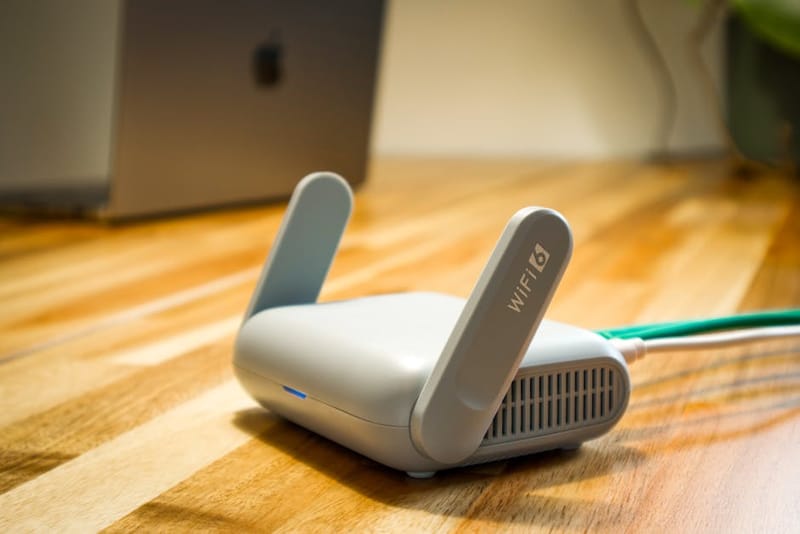
The UniFi Dream Router (UDR) is Ubiquiti's all-in-one console for small UK homes - a gateway, single Wi-Fi 6 access point, four-port switch and UniFi Protect NVR squeezed into a fanless box you can stand next to your TV. This UniFi Dream Router review unpacks what the £299 hardware actually does well, where it falls short, and which alternative makes more sense once your home - or your ambitions - outgrow a single radio.
Who is the Dream Router for?
The Dream Router is designed for a specific person: someone who wants the UniFi ecosystem - clean dashboards, proper traffic visibility, decent guest networks, real-time topology - without buying a gateway, a Cloud Key, an access point and an NVR separately. Ubiquiti's pitch is that one box covers all four roles for a flat, a one or two-bed house, or a small office.
That promise holds up well if the floor area is roughly under 80 square metres on one floor, you don't need 24/7 camera recording, and you're happy paying a premium for the integration. Outside those constraints the maths shifts. Our broader Is UniFi worth it for home? guide walks through the decision in detail.
What hardware and what's in the box?
The UDR is fanless, mains-powered, and small enough to sit openly on a shelf. Around the front and back you get one gigabit WAN port, four gigabit LAN ports - one of which is PoE+ with a 26W budget - a USB-A port, and a microSD card slot for camera storage. The 1.3-inch colour touchscreen on the front face surfaces system status, throughput, the onboarding QR code and a few diagnostic shortcuts.
Inside, the device runs UniFi OS with the Network and Protect applications pre-installed. There's no separate Cloud Key to provision, no Docker container to babysit, no Raspberry Pi serving the controller - the same software that runs on Ubiquiti's prosumer hardware ships with the dashboard already configured for you.
What are the Dream Router's specs?
UniFi Dream Router at a glance
- Wi-Fi
- Wi-Fi 6 (802.11ax), dual-band 2.4 + 5 GHz, single AP
- Ethernet
- 1× WAN gigabit, 4× LAN gigabit (1× PoE+)
- PoE budget
- 26 W
- Routing throughput
- Up to 1.7 Gbps, around 700 Mbps with full IDS/IPS
- Camera storage
- microSD card slot, up to 256 GB
- Display
- 1.3-inch colour touchscreen
- Built-in apps
- UniFi Network, UniFi Protect
- Power
- Mains, internal PSU, fanless
- Dimensions
- 110 × 110 × 184.2 mm, 950 g
- Released
- October 2022
How is Wi-Fi coverage and routing performance?
The Wi-Fi 6 radio in the Dream Router is a single dual-band AP. In open-plan flats and small two-bed semis it covers the floor competently - published throughput peaks around 1 Gbps at close range over 5 GHz, dropping the further from the unit you sit. The single-AP form factor is the headline limitation: walls, multiple floors and L-shaped layouts will produce dead spots that no amount of touchscreen reconfiguration can fix.
Routing throughput sits at around 1.7 Gbps on Ubiquiti's published figures with deep packet inspection off, falling to roughly 700 Mbps with full IDS/IPS enabled. For UK gigabit FTTP services that's plenty of headroom. On a 2 Gbps line you'll see the IDS/IPS cap before you see the line cap - turning on the firewall's most paranoid mode forces the trade-off explicitly.
For homes where one AP genuinely isn't enough, the fix is to use the UDR as the gateway and add a separate UniFi access point on the PoE+ port (or via a small switch). At that point the comparison with a mesh system like Eero or Deco becomes worth running carefully - the linked guide breaks it down.
What does built-in UniFi Protect give you?
Where the UDR earns its premium over a vanilla Cloud Gateway is Protect. The NVR role is built into the OS, and a microSD card up to 256 GB acts as the storage tier. Connect a UniFi camera - a G3 Instant, a G4 Doorbell, a G5 Bullet - to the same network and footage flows into the local dashboard with no subscription, no cloud account, and no ongoing fee. Apple Home Secure Video, Ring Protect and Nest Aware all charge monthly for equivalent functionality.
The limit is storage. 256 GB holds a few weeks of motion-clip footage from one or two cameras, but it will not hold 24/7 continuous recording for any meaningful period. Households with three or more cameras quickly outgrow the slot and end up reaching for a UniFi Cloud Key Gen2 Plus or a UNAS Pro instead. For one doorbell and one driveway camera, the built-in slot is genuinely enough.
What's the day-2 experience like?
Once the UDR is on the wall, the Network app behaves the same way it does on every other UniFi gateway - clear traffic graphs, granular guest network controls, deep-link visibility into which device is hammering the upstream pipe, and updates that download in the background and apply on a schedule you control. The touchscreen mostly stays out of the way; it earns its keep on first set-up, where scanning a QR code and confirming a controller PIN beats fumbling with a serial cable.
A recurring concern is firmware update cadence. UniFi OS pushes regular updates and a small fraction introduce regressions - a hung Protect app, a dropped WireGuard tunnel - that get patched within a release or two. The Cloud Console rollout, which landed for UDR owners in 2025, lets you manage the device remotely from Ubiquiti's hosted dashboard without exposing the gateway directly to the internet.
Where does the Dream Router fall short?
Two patterns recur in honest assessments of the Dream Router. The first is the single-AP ceiling: every owner who eventually adds a second access point also confronts the fact that they paid for one inside the gateway they no longer need. There's no path to disable just the radio and keep the routing; you replace the whole console or you live with an unused integrated AP. The same constraint applies to the NVR - outgrowing 256 GB pushes you towards external UniFi storage hardware that the UDR was sold to avoid.
The second issue is generational. The Dream Router shipped in late 2022 with Wi-Fi 6. By 2026 the consumer-router market has moved through Wi-Fi 6E and into Wi-Fi 7. The UDR's radio is still entirely competent for normal household traffic, but the device is dating in a way that Ubiquiti's 2024-generation Cloud Gateway Ultra, the mid-tier Unifi router with rack-mount form factor, and U7 access points are not. Buying one new in 2026 is a value calculation, not a future-proofing one. Ubiquiti has since released the Wi-Fi 7 Dream Router 7 (UDR7), selling for around £237 in the UK (July 2026) - a newer model at a lower price than the UDR, which makes that calculation harder still.
Which alternatives should you consider?
The two natural competitors inside the UniFi line are the Cloud Gateway Ultra and the Dream Machine SE - our UDR vs UDM vs Cloud Gateway Ultra comparison walks through the three-way decision in detail. The Cloud Gateway Ultra (around £165) is a routing-only console with no Wi-Fi and no Protect storage - pair it with a U6 Mesh access point (around £100) and you've built a faster, cheaper, more upgradeable equivalent of the UDR. The compromise is that you're now managing two devices and your camera storage has to live on a Cloud Key or a UNAS Pro elsewhere.
The Dream Machine SE sits at the top end - a 1U rackmount unit with PoE+ across eight ports, built-in NVR, and a proper 3.5-inch drive bay. It is more than most flats need, but for a small business or a media-heavy household it solves the storage problem the UDR cannot. For non-UniFi alternatives, our mesh Wi-Fi buyer's guide and our UK UniFi starter kit guide cover the wider field.
What does it cost and where do you buy?
The UDR sells for around £299 in the UK at Ubiquiti's own store, Box.co.uk, Linitx and Broadband Buyer. Pricing has been stable since launch; it occasionally drops £20 to £30 in promotional periods but Ubiquiti does not run aggressive discounts on its own kit. UK stock has stabilised in 2026 after the supply squeeze that followed launch. The Wi-Fi 7 UDR7 now sells for around £237, undercutting the UDR - check both prices before committing.
Frequently asked questions
Is the UniFi Dream Router good for a 3-bedroom house?
Does the UDR work if the internet drops?
Can the UDR record from non-UniFi cameras?
What's the difference between the UDR and the original Dream Machine (UDM)?
Is Wi-Fi 6 still enough in 2026?
Check current price
Pricing varies by retailer. Check the latest UK price on Ubiquiti's store before buying.