Best NAS for Home 2026 (UK): Synology vs UGREEN vs DIY
Pick the right home NAS in 2026 (UK): Synology DSM polish, UGREEN's 10GbE hardware-per-pound, or a Jonsbo DIY TrueNAS build. Pros, cons, prices.
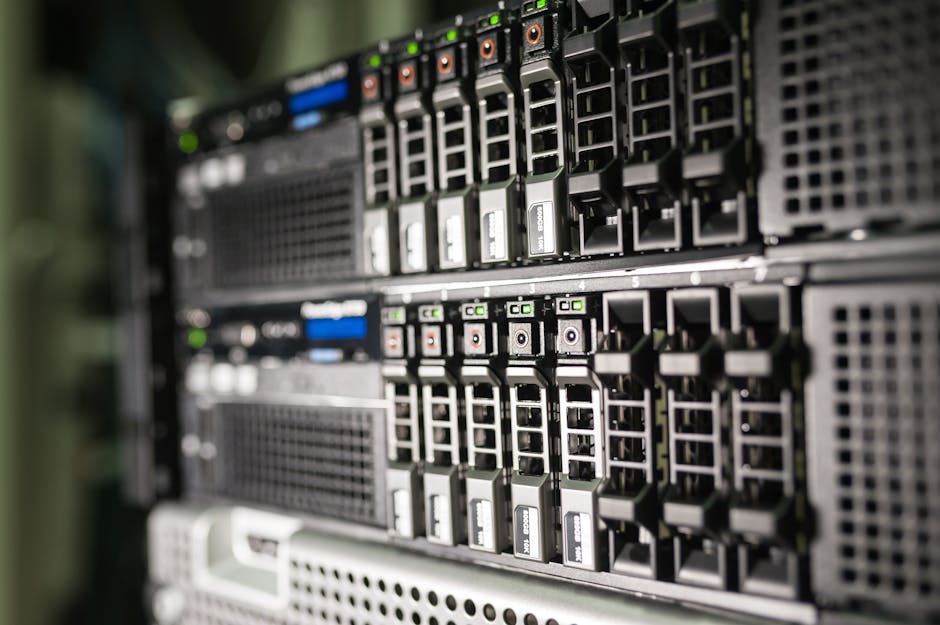

The best NAS for home in 2026 (UK) isn't a single box anymore. Synology owns the software-polish lane, UGREEN has quietly taken the hardware-per-pound lane, and a small-form-factor DIY TrueNAS build still beats both on pure flexibility - even after this year's DDR5 and SSD price spike narrowed the gap.
This guide picks the right NAS for three honest scenarios - "I just want my photos to back up reliably", "I want to run Plex in 4K for my house", and "I want a homelab" - and gives you the 2026 UK reality on price, hardware, and the Synology drive-lock fallout that's reshaped the market.
TL;DR - which NAS should you buy in 2026?
You want photos, documents, and a phone-backup target. Buy the Synology BeeStation (~£200, 4TB, one-cable setup). Skip the rest of this guide.
BeeStation isn't a "real" NAS - but if all you wanted was iCloud you control, it nails it.
You want Plex in 4K, Time Machine, and a few Docker containers. The UGREEN DXP4800 Plus (~£699) gives you a Pentium Gold, 10GbE, four bays and two NVMe slots. The equivalent Synology costs ~£100 more for 1GbE.
If 10GbE matters to you, this is the obvious 2026 pick.
You want DSM polish above all else and run a small business backup. The Synology DS224+ (~£359-485 ex-VAT) is still the safest "set it and forget it" choice. Hardware is dated but DSM is unmatched.
Just accept the third-party drive "Unverified" tag if you're buying your own HDDs.
You want a homelab and you're willing to learn. A Jonsbo N3 / N4 chassis with a CWWK Intel N305 board, 32 GB DDR5 ECC, and TrueNAS SCALE runs about £540-640 diskless - close to pre-built money, but you keep complete control over the OS and drives.
The price-gap argument is weaker than it was in 2024. The learning-and-flexibility argument is the same.
What "home NAS" actually means in 2026
Three job descriptions, three different boxes
The phrase "home NAS" has stretched to cover three very different jobs, and the wrong pick for your job is how most home buyers waste £400.
Job 1 - backup target. A box that holds copies of photos, documents, and a phone backup. Plus maybe Time Machine. This needs reliability and a friendly app, not horsepower. Synology's BeeStation is purpose-built for this and undercuts every "real" NAS for the use case.
Job 2 - media + light apps. Plex / Jellyfin running 4K transcodes for the household, plus a few Docker containers - Pi-hole, Home Assistant, a Vaultwarden instance, an Immich photo server. This is where 2.5GbE-or-better networking starts to matter, where transcode-capable CPUs earn their keep, and where the UGREEN-vs-Synology fight gets interesting.
Job 3 - homelab platform. ZFS for bit-rot protection, ECC RAM, virtual machines, maybe a 10GbE backbone, the ability to swap any part. This is TrueNAS / Proxmox / Unraid territory, and it is genuinely incompatible with the pre-built NAS world's "trust our OS" promise.
Pick the job before you pick the box. A Job-1 buyer will hate themselves for spending £700 on Job-2 hardware that's overkill. A Job-3 buyer will hate themselves for spending £500 on Job-2 hardware that can't run a VM.
Synology in 2026 - software still wins, hardware lags
DSM is the best NAS OS ever made. The boxes underneath haven't kept up.
Synology's DiskStation Manager (DSM) is now in its 24th year of refinement and remains the most polished NAS OS on the market - every reviewer in 2026 agrees on this. Hyper Backup, Snapshot Replication, Synology Photos, Active Backup for Business, Surveillance Station, Synology Drive - these ship in the box and just work. The app catalogue runs to 200+ first-party entries. For a non-technical buyer, DSM is still the closest thing to "iCloud you control".
The hardware story is less flattering. The 2-bay entry-level DS224+ still ships with a 2019-vintage Intel Celeron J4125, 2 GB DDR4 (upgradeable to 6 GB), and two 1GbE ports - at £359-485 ex-VAT in the UK depending on retailer. The competitively-priced UGREEN DXP2800 (~£297) ships with a far newer Intel N100, 8 GB DDR5, and 2.5GbE. On paper, you're paying a 20-30% premium for older silicon and slower networking.
The 2025 drive-lock controversy compounded this. Synology shipped DSM updates in mid-2025 that refused to accept non-Synology-branded drives in the 2025 "Plus" line. After community backlash (including class-action threats), DSM 7.3 in October 2025 partially reversed the policy - third-party WD Red Plus and Seagate IronWolf drives work again, but log as "Unverified" in the system and lose some health-analytics features. It's no longer a dealbreaker, but it's a useful lens for understanding the gap that opened up for UGREEN.
UGREEN in 2026 - the new value champion
10GbE for £100 less than Synology's 1GbE. The question is whether UGOS Pro is ready.
UGREEN entered the NAS market in 2024 and spent 2025 quietly out-specifying Synology at every price point. By 2026, the gap is uncomfortable to ignore. The UGREEN NASync DXP4800 Plus packs an Intel Pentium Gold 8505 (Alder Lake hybrid, one performance core plus four efficiency cores), 8 GB DDR5 upgradeable to 64 GB, four SATA bays + two M.2 NVMe slots, and a 10GbE + 2.5GbE dual-network setup - for around £699 in the UK. The closest-equivalent Synology DS923+ runs ~£100 more and ships 1GbE-only.
The catch is UGOS Pro, the operating system. UGREEN launched it in 2024 and it's still in rapid-iteration phase. The first-party app catalogue is around 25 apps - versus Synology's 200+. Hyper Backup equivalent, Synology-Drive equivalent, Active-Backup equivalent - none of them exist as polished first-party apps in UGOS Pro yet. Most power users fall back on Docker for those workloads, which works fine if you're comfortable with Docker Compose, and is a non-starter if you're not.
At CES 2026 UGREEN announced the next-generation NASync iDX series, with a built-in Neural Processing Unit (NPU) rated at 96 TOPS for on-device AI workloads - local LLMs, photo recognition, transcoding. This is the first consumer NAS with serious AI acceleration on the device itself, and it signals UGREEN's intent to compete as a premium AI-NAS brand, not as the budget option.
| Synology BeeStation | Synology DS224+ | UGREEN DXP2800 | UGREEN DXP4800 Plus | |
|---|---|---|---|---|
| CPU | Realtek RTD1619B (4-core) | Intel Celeron J4125 (4-core, 2019) | Intel N100 (4-core, 2023) | Intel Pentium Gold 8505 (5-core hybrid) |
| RAM | 1 GB DDR4 (fixed) | 2 GB DDR4 (max 6 GB) | 8 GB DDR5 (max 16 GB) | 8 GB DDR5 (max 64 GB) |
| Bays | 1 (fixed 4 TB) | 2 × 3.5" SATA | 2 × SATA + 2 × M.2 NVMe | 4 × SATA + 2 × M.2 NVMe |
| Network | 1 × 1GbE | 2 × 1GbE | 1 × 2.5GbE | 1 × 10GbE + 1 × 2.5GbE |
| OS | BeeStation OS | DSM 7.x | UGOS Pro | UGOS Pro |
DIY in 2026 - TrueNAS SCALE on small-form-factor hardware
Still the most flexible answer. The price story is weaker than it was.
DIY NAS has always offered three things pre-built can't: ZFS bit-rot protection, ECC RAM (where the motherboard supports it), and complete freedom over drives, OS, and apps. In 2024 it also offered a meaningful price advantage. In 2026 it doesn't - at least not for the small-form-factor builds most home users want.
The 2026 build everyone benchmarks is a Jonsbo N3 or N4 chassis with a CWWK Intel N305 ITX board, 32 GB DDR5, and TrueNAS SCALE. Diskless, this runs roughly $650-770 (~£540-640 inc VAT). That's within £100 of a pre-built UGREEN DXP4800 Plus that ships with a warranty and a vendor to phone when something dies.
The reason: DDR5 prices are up 3-4× year-over-year and consumer SSD prices are up ~2×, both driven by AI-server DRAM/NAND demand. The component-cost arbitrage that historically made DIY a no-brainer has been crushed. If you're building specifically to learn - or because you want 8+ bays, 10GbE built into the motherboard, or PCIe slots for an HBA - the case is still strong. If you're building purely to save money, it's barely a saving in 2026.
Drives - the part everyone gets wrong
Whichever box you buy, the drives matter more than the chassis. Consumer desktop drives are not designed for 24/7 operation in a multi-bay enclosure. The vibration profile is different, the firmware doesn't handle RAID timeouts properly, and the lifetime workload ratings are too low for NAS duty.
For 2026, the two safe choices are Western Digital Red Plus (2-14 TB, CMR, 3-year warranty) and Seagate IronWolf (2-20 TB, CMR, 3-year warranty, IHM health monitoring). Both publish workload ratings (typically 180 TB/year for Red Plus, 180-300 TB/year for IronWolf) - well above any normal home use case.
Two drive-buying traps to avoid. First, SMR (shingled magnetic recording) drives - they're cheaper per TB but rebuild times are catastrophic in a degraded array. Always confirm the drive is CMR before buying. Second, WD Red (no "Plus") was quietly switched to SMR in 2020; you want the Red Plus, which is CMR.
What you actually run on it - beyond "file storage"
The thing nobody tells you when you buy your first NAS: file storage is the boring part. The interesting workloads are the apps.
The 2026 home-NAS app stack everyone ends up with: Immich for self-hosted Google Photos (with AI face/object recognition), Jellyfin or Plex for media, Pi-hole or AdGuard Home for network-wide ad blocking, Vaultwarden for self-hosted Bitwarden, Home Assistant for smart-home, and Frigate for AI-powered security camera NVR. Almost all of these run as Docker containers regardless of which NAS you buy.
If you're already comfortable on a Raspberry Pi running Docker - and especially if you've followed our weekend Raspberry Pi home server build guide - you'll feel at home on UGOS Pro or TrueNAS SCALE. If you're not, Synology DSM gives you most of those apps as one-click installs without ever touching a docker-compose file.
What to buy for each scenario
Photos + phone backup only
Buy the Synology BeeStation (~£200, 4 TB included, zero networking config). It's a sealed appliance, not a real NAS - but if your goal is "iCloud I own", nothing else comes close to the price-to-friction ratio.
Plex + Time Machine for the household
Buy the UGREEN DXP4800 Plus (~£699). 10GbE, four bays, dual NVMe cache, Pentium Gold 8505. The equivalent Synology DS923+ costs £100 more for 1GbE-only. UGOS Pro is good enough for media + Docker; the hardware is unmatched at the price.
Small business / family who never wants to think about it
Buy the Synology DS224+ (~£359-485 ex-VAT). Older silicon, slower networking, but DSM is still the most polished NAS OS in existence. Active Backup for Business + Hyper Backup are the moat. Pair with WD Red Plus or Seagate IronWolf drives.
Homelab + learning + ZFS
Build it. Jonsbo N3 chassis + CWWK Intel N305 ITX board + 32 GB DDR5 ECC + TrueNAS SCALE - ~£540-640 diskless. The price advantage is weaker than it was in 2024, but flexibility, ECC, and ZFS are arguments DIY still wins.
Frequently asked questions
Q01Is Synology still worth buying in 2026?
Q02Did Synology really lock NAS to Synology-branded drives?
Q03Is UGOS Pro ready for non-technical users?
Q04Should I buy SSDs or HDDs for a home NAS?
Q05What size NAS do I need?
Q06Is DIY NAS still cheaper than a pre-built in 2026?
Q07Do I need ECC RAM?
Bottom line
The 2026 NAS market has split cleanly. Synology kept the software crown but let UGREEN run ahead on hardware. UGREEN's hardware-per-pound is uncomfortable to ignore at every price point above £400, but UGOS Pro still has a long road to match DSM's 24-year app catalogue. DIY is still the most flexible answer but the price advantage that made it a default recommendation in 2024 is mostly gone.
Three sane purchase paths: buy the BeeStation for backup-only, buy the UGREEN DXP4800 Plus for media + Docker, or buy the Synology DS224+ if you genuinely want a NAS you'll never tinker with. Build DIY only if you want to learn TrueNAS or ZFS - not because it's cheaper.
And whatever you buy, spend the extra £30-50 per drive on WD Red Plus or Seagate IronWolf. The drives outlive the chassis.
Raspberry Pi Home Server: Weekend Build Guide
Synology BeeStation Review (UK)