Best Smart Plugs UK 2026: Matter, Energy Monitoring
Best UK smart plugs for 2026: Matter-compatible 3-pin picks, honest energy-monitoring accuracy notes, and which plug fits each household use case.
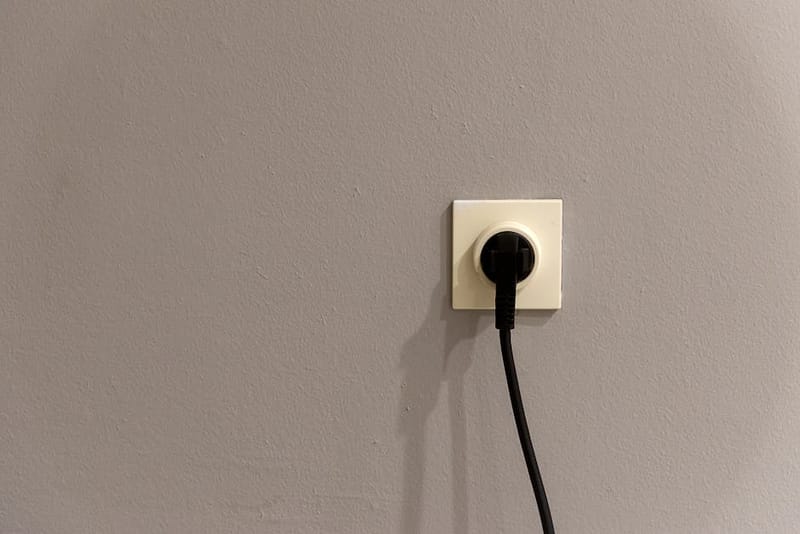

Smart plugs are the easiest, cheapest smart-home upgrade - and in 2026 the category is finally interesting again. Matter compatibility is mainstream, real energy monitoring is built in to mid-priced models, and you can replace a £25 plug from an unknown brand with a £20 plug that works across every ecosystem. This UK-focused guide picks the best 3-pin smart plugs for five different households, with honest notes on where each one falls short.
Why smart plugs are worth caring about again
The smart plug market spent most of 2018–2023 dominated by cheap cloud-only kit from a rotating cast of unknown brands. They worked until the manufacturer's servers went down, the companion app got abandoned, or the brand quietly disappeared. Picking one was a gamble on whether it would still be useful in two years.
Matter - the cross-ecosystem standard that hit usable maturity through 2024 - changed the maths. A Matter-certified smart plug is controllable by Apple Home, Apple's smart home ecosystem accessed via the iOS Home app,, Google Home, Google's smart home ecosystem and companion app for Nest devices,, Amazon Alexa, Samsung SmartThings, and Home Assistant, the open-source smart home automation platform, from day one, with no cloud account required for local control. If you're new to the standard, our explainer on what Matter is and why it changes smart homes forever covers the background.
The second 2024–2025 shift was the arrival of accurate, cheap energy monitoring. Mid-range plugs now read watts to within a couple of percent, which is enough to actually answer the question "how much is this thing costing me to run?" without estimation. With UK electricity sitting around 25p per kWh under the Energy Price Cap, knowing which appliances are quietly burning money has stopped being a curiosity and become a household-budgeting tool.
What to look for in a UK smart plug
Before the picks, here's the four-axis decision framework. Anything that doesn't tick the relevant boxes for your use case is either over-priced or unsuitable.
Matter support. Non-negotiable in 2026 unless you're committed to one ecosystem and one app. Matter-over-Wi-Fi is more common; Matter-over-Thread (Eve, Aqara) is rarer but more energy-efficient and resilient to Wi-Fi load.
Energy monitoring accuracy. Cheap plugs often estimate; mid-priced ones meter properly. Look for ±2% tolerance or better if you intend to actually use the readings for cost calculations.
Maximum load (UK). A 13A plug should support 3,000W safely. Many sub-£10 imports rate themselves to 10A or 2,300W - fine for a lamp, not fine for a kettle or a 2kW oil-filled radiator. Always check the appliance wattage.
Physical size. A bulky plug blocks the second outlet on a double socket. Compact bodies (Tapo P110M, Eve Energy 2024) leave the second outlet usable; older designs do not.
Local control. Matter delivers this - local control means the plug still works when your internet drops. Cloud-only plugs become inert paperweights during ISP outages.
Best overall: TP-Link Tapo P110M
The Tapo P110M is the safest recommendation for almost any UK household. It's around £15 from Amazon or Argos, supports Matter-over-Wi-Fi, has accurate built-in energy monitoring (the M suffix indicates Matter; the P110 without it is the older Wi-Fi-only variant), and is compact enough to leave the partner socket on a double outlet usable.
It works simultaneously with Apple Home, Google Home, Amazon Alexa, Samsung SmartThings, and Home Assistant - pair once via the Tapo app, then enrol in Matter via the same app's "Share to other platforms" option. Local control means commands work even if the Tapo cloud is unreachable, which has happened more than once with TP-Link's services over the past two years.
The honest weakness: TP-Link's app remains pushy about creating a cloud account even though Matter pairing doesn't need one. The plug is fine; the onboarding experience is mildly annoying.
Best for Apple-only homes: Eve Energy (Matter)
If your home is fully invested in Apple Home and you use a HomePod or Apple TV as a Thread border router, the Eve Energy (2024 Matter) at around £40 is the choice. It runs Matter-over-Thread rather than Wi-Fi, which means it draws negligible power, doesn't add load to your router's Wi-Fi clients, and reconnects faster after a power cut.
The accurate energy monitoring integrates cleanly with the Eve app for historical graphs (Apple Home only shows live wattage), and the build quality is genuinely better than anything else at the under-£50 tier. It's expensive - three times the Tapo's price - but for Apple households the polish and Thread support justify the premium.
If you're not an Apple-Home household, the Eve premium is hard to justify versus the Tapo or Aqara options.
Cheapest Matter pick: Meross MSS315
The Meross MSS315, the Meross UK-style WiFi smart plug supporting HomeKit and Alexa, (Matter) at around £12 is the budget Matter plug. No energy monitoring, no Thread, but it does the core job - Matter-over-Wi-Fi, works across all major ecosystems, compact body. Useful when you need three or four plugs for the same use case (Christmas lights, a fan, a lamp) and don't need granular energy data.
Build quality is acceptable, not premium. The plug pins feel slightly looser than a Tapo or Eve, and the LED is brighter than ideal for a bedroom. Treat it as the workhorse plug for areas where you'd otherwise spend more than you need to.
For energy-monitoring geeks: Aqara Smart Plug T1
The Aqara T1, the Aqara entry-level Zigbee smart plug for smart-home automation, (around £25) is the choice if you genuinely care about energy data - it reads voltage, current, real power, apparent power, and power factor, exposes all of it locally, and integrates beautifully with Home Assistant's Energy dashboard. Matter-over-Thread means it joins a Thread network rather than your Wi-Fi.
The catch: it requires an Aqara Hub M2 or M3 (around £55) to bridge into Matter on most setups. If you already have a Thread border router from a HomePod, Apple TV, Google Nest Hub (2nd gen), or Echo 4th gen, the hub requirement disappears - the plug joins Thread directly. Otherwise, factor the hub into the cost.
It's the geek's choice. For most households, the Tapo gives 80% of the value at 60% of the price. For homelab and Home Assistant Energy-dashboard users, it's the right purchase.
Outdoor: TP-Link Tapo P400M
For Christmas lights, garden pumps, or any outdoor application, the Tapo P400M (Matter, IP44) at around £22 is the only mainstream Matter-certified outdoor plug worth buying in the UK. It has a weather-rated housing, two outlets, schedule-based control, and the same Matter pairing flow as the indoor Tapo range.
IP44 means "splash-resistant" - fine for typical UK garden weather, but don't immerse it. Power monitoring is per-outlet, accurate to the same standard as the indoor models. The body is bulky, but it's outside, so the second-socket-blocking concern doesn't apply.
How the picks compare
| Plug | UK price | Matter | Energy monitoring | Max load | Notes |
|---|---|---|---|---|---|
| TP-Link Tapo P110M | ~£15 | Wi-Fi | Yes, ±2% | 13A / 3000W | The default recommendation |
| Eve Energy (2024 Matter) | ~£40 | Thread | Yes, ±1% | 13A / 3000W | Best for Apple Home |
| Meross MSS315 | ~£12 | Wi-Fi | No | 13A / 3000W | Budget workhorse |
| Aqara T1 | ~£25 + hub | Thread | Yes, ±0.5% | 13A / 3000W | For HA Energy users |
| TP-Link Tapo P400M (outdoor) | ~£22 | Wi-Fi | Yes, ±2% | 13A / 3000W per outlet | The IP44 outdoor pick |
Setting up a Matter smart plug
Plug it in and wait
The plug needs to be in pairing mode - usually indicated by a slowly blinking LED. Most fresh-from-box plugs default to this state on first power-on. Hold the physical button for 5–10 seconds if it doesn't.
Open your ecosystem's app
Apple Home, Google Home, Amazon Alexa, Samsung SmartThings, or Home Assistant - all of them include a "Add device" flow that scans Matter QR codes. The QR code is on the plug itself or in the printed manual. Save the printed manual until you've paired successfully - the code is the only way to add the device.
Scan the QR code
The app handles the rest - credentials exchange, Thread/Wi-Fi network selection, room assignment, naming. Pairing typically takes 30–60 seconds.
Share to other ecosystems (optional)
Matter's killer feature: pair once, share with everyone. From within the first ecosystem's app, generate a setup code (Apple Home → Accessory Settings → Turn On Pairing Mode), then add the device to the second ecosystem using that code. The plug now answers to commands from both apps simultaneously.
Set up automations
Schedule, geofence, energy-threshold triggers - handled in each ecosystem's app. For multi-ecosystem households, pick the one app where you do the most automation work and treat the others as voice-control endpoints. Trying to maintain parallel automations in two apps gets messy fast.
Using energy monitoring to actually save money
Buying an energy-monitoring plug is the easy bit. Using it well to lower bills takes a couple of weekends of measurement.
The pattern that delivers real savings: rotate a single energy-monitoring plug through every always-on or frequently-used appliance in your house for a week each. After eight weeks you'll have actual monthly cost figures for your fridge, freezer, router, TV, games console, microwave, kettle, and any always-on lamps. Most households find one or two surprises worth acting on - a games console pulling 30W in rest mode (≈£5.40/month at 25p/kWh), an old tumble dryer drinking 3kW per cycle, or a fridge running at twice the expected wattage because of failing seals.
Once you know the numbers, the response is usually obvious: disable rest-mode wake on the console, run the dishwasher overnight on a low tariff if you have one, or replace the appliance that's costing you a quiet £80 a year. Our wider guide to smart-home tactics that actually cut bills covers the broader playbook.
Where a smart plug is the wrong answer
Smart plugs are versatile but not universal. The common mistakes:
- Anything with a physical on/off switch that needs to be remembered. A lamp with a rocker switch defeats the plug if anyone in the house turns the lamp off the old way - the plug now powers a lamp that doesn't respond. Use a smart bulb instead, or replace the lamp with one that defaults to on.
- High-draw appliances rated above 3,000W. Electric showers, large electric ovens, and immersion heaters are usually directly wired and not behind a plug at all; the question shouldn't arise. If it does, the answer is no.
- Appliances with their own scheduling. Modern dishwashers, washing machines, and tumble dryers have delayed-start built in. Putting them behind a smart plug to add scheduling is redundant and risks the plug cutting power mid-cycle.
- Devices that need careful shutdown. Don't smart-plug a computer or NAS unless you specifically want to force-cut power. Sudden power loss can corrupt filesystems on devices not designed for it.
For everything else - lamps, fans, decorations, kettles, slow cookers, space heaters, TVs that don't have decent standby behaviour - a smart plug is the right tool.
Frequently asked questions
Do I need a Matter hub to use a Matter smart plug?
Are smart plug energy readings accurate enough to trust for cost calculations?
Can I use a US or EU smart plug in the UK?
Will smart plugs work during an internet outage?
How many smart plugs can I run on one network?
Do smart plugs draw power themselves?
Smart Home Energy Saving: Tactics That Actually Cut Bills
What Is Matter? The Smart-Home Standard Explained

Smart Home on a Budget: Everything for Under £150
Want the full Matter picture?
Smart plugs are one piece. Our Matter explainer covers what's in the standard, what's still missing, and which devices are worth waiting for.