Do You Need a Smart Home Hub? A Plain-English Guide
Do you actually need a smart home hub in 2026? A plain-English guide to who needs one, who doesn't, and the cheapest hub that quietly works.
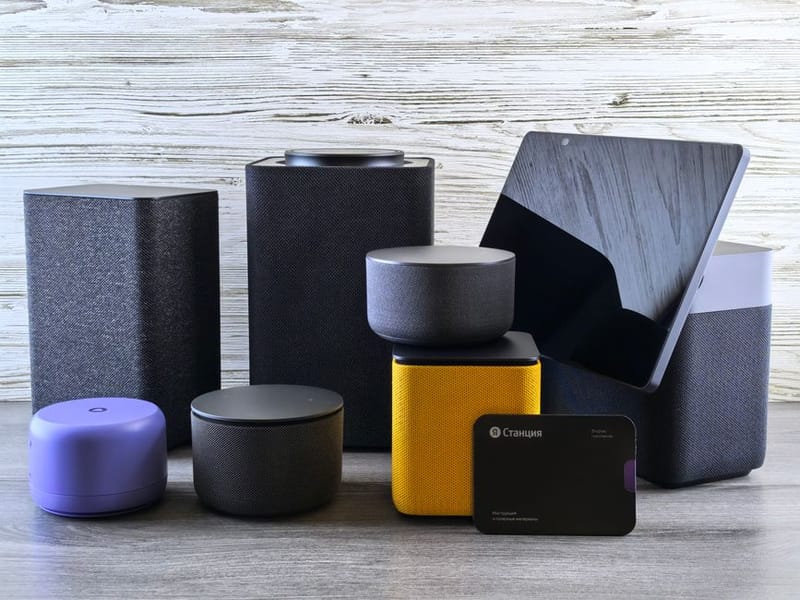

A smart home hub is the box that lets your devices talk to each other and to you. Whether you need one depends entirely on which devices you want to use. The honest answer for most people in 2026 is: you probably don't need a dedicated hub anymore - but it depends on three specific factors. This guide walks through them so you can decide in five minutes instead of getting lost in product reviews.
What a smart home hub actually does
The hub question is downstream of the platform question - if you’re torn between the two big consumer platforms, our Apple HomeKit vs Google Home comparison covers the decision factors that actually matter (privacy, third-party device range, voice quality).
A hub does three jobs: it speaks the wireless protocols your devices use (Zigbee, Z-Wave, Thread), it provides a single place to control everything, and it lets devices trigger each other ("when the door opens, turn on the hall light") without going via the cloud. If your devices use Wi-Fi or Bluetooth and you only want to control them from your phone, you don't need a hub - your phone and router are already doing that job. The need for a hub appears the moment you reach for any device that uses Zigbee, Z-Wave, or Thread, because those protocols cannot reach a phone or router on their own.
For a deeper introduction to how the underlying protocols differ, see our explainer on Matter vs Zigbee vs Z-Wave vs Thread.
When you don't need a hub at all
If your entire smart home setup is Wi-Fi devices - Hue bulbs (with a Hue bridge), Ring or Nest cameras, smart plugs from Amazon or TP-Link, robot vacuums, smart TVs - then a smart home hub is unnecessary overhead. Each device's own app, plus a voice assistant if you want one, is already the full stack.
This is the route most people start with, and for many it's the route they stick with. It is genuinely fine. The compromises are: every brand has its own app, automations across brands are limited or cloud-dependent, and adding non-Wi-Fi devices later means buying a hub anyway. But if you want three smart plugs and a video doorbell and that is the entirety of your ambition, no hub is the right answer.
Three situations push you into hub territory:
1. You want Zigbee or Z-Wave devices. These protocols are popular for a reason - battery-powered sensors last years on a coin cell, mesh networking covers a whole house cheaply, and the device range is enormous. None of it works without a Zigbee or Z-Wave radio in your house. That radio lives in a hub.
2. You want offline-first reliability. Many Wi-Fi smart devices route every command through the manufacturer's cloud. When the cloud goes down - as Belkin, Insteon and several others have demonstrated by simply switching their servers off - those devices are bricked. A local hub keeps your home running when the internet doesn't.
3. You want serious automations. The kind of automation that knows when you're driving home and pre-warms the house, or that distinguishes between you and your housemate based on which phone is connected to Wi-Fi, requires a logic engine that lives somewhere. The cheap automations in Alexa or Google Home are limited; the powerful ones live on a hub.
What Matter changes (and what it doesn't)
Matter is the cross-vendor smart-home standard launched in late 2022 and now reaching critical mass. It does two important things: it lets a single device be controlled by multiple platforms simultaneously (so your Apple Home, Alexa, and Google Home can all see the same light bulb without setup gymnastics), and it includes Thread, a low-power mesh protocol that competes with Zigbee.
What Matter doesn't do is eliminate the need for a hub. Thread devices need a Thread Border Router (which is a kind of hub). Matter-over-Wi-Fi devices need a Matter controller (which is a kind of hub - though the new Echo, HomePod, and Apple TV, Apple's media streaming box that doubles as a HomeKit smart-home hub, all double as one).
The real shift is that the hub increasingly comes for free with hardware you would buy anyway. We covered the protocol details in our What Is Matter explainer.
Option 1: Echo / HomePod / Apple TV (the free hubs)
If you already own a recent Echo (4th-gen Echo, Echo Show 8/10/15, Echo Hub), a HomePod (any current model) or an Apple TV 4K (3rd gen), you already own a smart home hub - they include built-in Zigbee and/or Thread radios and act as Matter controllers. For a household that wants to add a few sensors and bulbs without buying extra hardware, this is by far the easiest start.
The trade-off is platform lock-in. Routines and automations live inside Alexa or Apple Home. They are improving rapidly but still less powerful than a dedicated hub, and your devices stop working as a unit if you ever switch ecosystems. Our Alexa vs Google vs HomeKit vs Home Assistant comparison walks through the differences in detail.
Option 2: SmartThings, Hubitat (purpose-built consumer hubs)
SmartThings (Samsung) and Hubitat are the two best-known purpose-built smart-home hubs. Both speak Zigbee, Z-Wave, Wi-Fi and Matter. Both have polished apps and large user communities. The differentiator is local versus cloud:
SmartThings runs many automations in Samsung's cloud, with a much-improved local engine in the latest hubs. It is the more polished consumer experience.
Hubitat runs everything locally by default. The interface is uglier; the reliability when your internet is down is unmatched.
Either is the right choice for someone who wants meaningful automation without committing to building their own server. Expect to pay £80-130 for the hub.
Option 3: Home Assistant (the power-user route)
Home Assistant is the open-source, self-hosted smart home platform that runs on a Raspberry Pi (or any always-on computer). Adding a Zigbee or Z-Wave USB stick turns it into a hub for those protocols too. It is by a wide margin the most powerful option - over 2,000 integrations, fully local control, and a community that solves problems faster than any commercial vendor's support team.
The trade-off is the up-front time cost. Setting it up takes an evening (we walk through it in our Home Assistant on a Raspberry Pi guide), and getting the most out of it takes longer. For someone who enjoys the tinkering, it is unbeatable. For someone who just wants the lights to come on at sunset, it is overkill.
A simple decision tree
If you want fewer than 5 smart devices and they're all Wi-Fi: no hub. Use the manufacturer apps and a voice assistant.
If you already own a recent Echo or HomePod or Apple TV 4K: use it as your hub. Buy Matter and Thread devices. Skip the dedicated-hub purchase entirely.
If you want serious automation and don't want to tinker: SmartThings or Hubitat. SmartThings if you value polish; Hubitat if you value local control.
If you want maximum control, privacy, and you enjoy the tinkering: Home Assistant on a Raspberry Pi.
If you have legacy Z-Wave devices already: Hubitat or Home Assistant - both Z-Wave first-class. SmartThings supports Z-Wave but with a smaller device library.
What about hub-and-hub setups?
Plenty of households end up running two hubs - usually a voice-assistant hub for convenience (Echo) plus a serious automation hub for the heavy lifting (Hubitat or Home Assistant). This is genuinely fine. Matter makes the dual-hub setup a lot easier than it used to be: the same Matter device shows up in both, controllable from either. Many people stay with their original Echo or Google Home for voice control and routines like timers and music, then run a separate hub for everything that involves logic, sensors, or off-the-shelf automations breaking when the internet is down.
Frequently asked questions
Will I outgrow a smart speaker as a hub?
Do I need to replace my hub when Matter ships new versions?
Can I use my router as a smart home hub?
What happens to my smart home if my hub dies?
Is a hub worth it just for one Zigbee bulb?
Where to go from here
If you're at the very start of your smart home journey, our Smart Home 101 series covers the landscape end-to-end. If you've decided what platform fits you, the platform-choice guide walks through the four main ecosystems. And if you're leaning toward the power-user route, the Home Assistant getting-started guide takes you from zero to running.