What Is a VPN (and Do You Actually Need One?)
VPN ads make wild claims - most are nonsense. An honest guide to what a VPN actually does, who genuinely needs one, and the best UK picks for 2026.
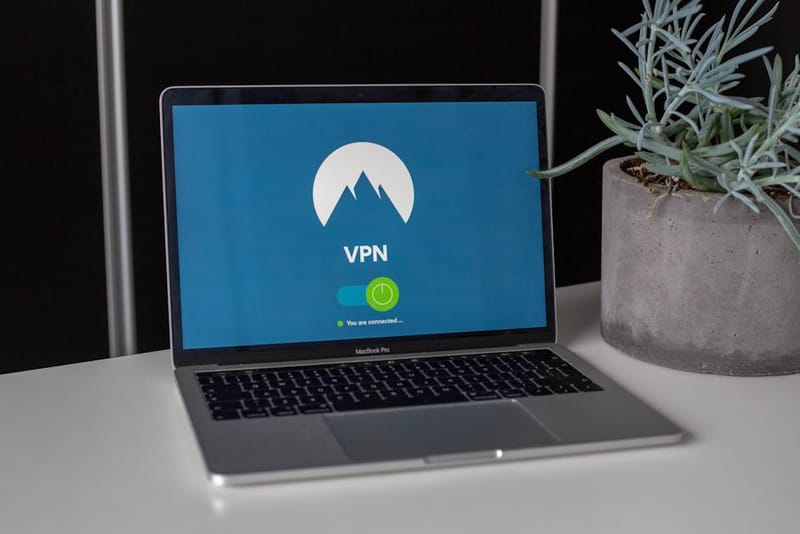

If you have spent five minutes on YouTube this year, a VPN ad has probably told you that the internet is a hostile minefield and only a £2.99-a-month subscription stands between you and total ruin. Most of it is nonsense. A VPN is a useful, narrow tool - and for plenty of people, it is also a complete waste of money. This guide explains, plainly, what a VPN does, who genuinely needs one, and which UK picks are worth considering in 2026.
What a VPN actually does
Strip away the marketing - it is one specific thing
A VPN - Virtual Private Network - is a tunnel between your device and a server run by the VPN provider. Your traffic goes into the tunnel encrypted, comes out at the provider's server, and from there reaches the wider internet. Two things change about how you appear online.
Your IP address is replaced. Websites, apps, and trackers see the VPN server's address instead of the one your internet provider gave you. That is how a VPN lets you appear to be in a different country, and it is the basis of most legitimate use cases.
Your local network can no longer read your traffic. The encrypted tunnel hides the websites you visit from your home router, your office network, the café Wi-Fi, or - depending on jurisdiction - your internet provider. The VPN provider, however, sees everything you do. You are not removing a watcher; you are choosing a different one.
Everything else a VPN ad mentions is either a bonus feature bolted onto the app (a kill switch, a malware filter, an ad blocker) or marketing that does not survive scrutiny.
Who genuinely needs a VPN
There are real use cases - they are narrower than the ads suggest
A VPN is the right tool for a small set of specific problems. If one of these is yours, it is money well spent.
You travel and want services that block foreign IPs
BBC iPlayer outside the UK is the obvious one. Streaming a Premier League match from a holiday rental, accessing UK banking that throws up extra friction abroad, watching ITVX or Channel 4 on a layover - all of these get easier with a VPN that has UK servers. Note that streaming services actively block known VPN ranges, so the cheapest option is rarely the best one for this.
You want your internet provider out of your browsing history
UK ISPs are required under the Investigatory Powers Act to retain a year of communications data, including the websites you visit. The data is logged at provider level, accessible to a long list of agencies under warrant, and historically has been queried hundreds of thousands of times a year. A VPN moves the logging point from your ISP to your VPN provider. Pick one with a clear no-logs policy and an independent audit and you have meaningfully reduced who can build a long-term profile of your browsing.
You use a lot of public Wi-Fi
This is the use case ads lean on hardest, and it has shrunk dramatically over the last decade because almost every site now uses HTTPS. The actual remaining risk on a hotel or café network is not someone reading your bank traffic - it is someone seeing which websites you connect to (the domain names, not the contents), or a hostile network operator redirecting unencrypted requests. If you genuinely use untrusted Wi-Fi often, a VPN closes that gap cleanly.
You want to stop your ISP throttling specific traffic
Some UK providers throttle peer-to-peer or video-streaming traffic at peak times. Because a VPN encrypts the type of traffic, the ISP cannot tell what kind of data is moving and cannot apply rules to it.
You live or work somewhere with content blocks you have a legal right to bypass
Hotel networks, university networks, and corporate guest Wi-Fi often block legitimate things. A personal VPN routes around them.
Who probably does not need a VPN
If your reason is on this list, save the £60 a year
Most home internet users do not get meaningful benefit from a VPN. If any of these is your only reason for considering one, you almost certainly do not need it.
- You think it will hide you from hackers. Real attacks on consumers come through phishing emails, malicious downloads, weak passwords, and unpatched software. A VPN does nothing about any of those. A good password manager and two-factor authentication will protect you far more than a VPN ever will.
- You want to block ads and trackers. The right tools for that job are a content blocker in your browser (uBlock Origin) or, if you want network-wide blocking, a self-hosted DNS filter - see our Pi-hole vs AdGuard Home comparison.
- You think it will stop your accounts being tracked. Once you log in to Google, Facebook, Amazon, or any site with an account, that company knows it is you regardless of your IP address. Cookies, fingerprinting, and the account itself identify you.
- You read that you should have one. If you cannot finish the sentence after "I need a VPN because…", you do not need one yet.
Why most free VPNs are a trap
If you are not paying, the data is the product
Running a VPN service is expensive. Servers, bandwidth, security audits, and 24/7 staff cost real money. A free VPN has to fund itself somehow, and the usual answer is your data - selling browsing logs to advertisers, injecting tracking, or harvesting the device for botnet use have all been documented in security research over the past decade.
Add to that the practical issues - slow speeds, tiny data caps, fewer server locations, weaker encryption defaults - and most free VPNs end up worse than no VPN at all. You have introduced a new party who can see your traffic, and that party has a strong financial reason to monetise it.
The exception worth knowing: Proton VPN's free tier. It is run by the same Swiss company that runs Proton Mail, has been independently audited, has no data caps on its free plan, and does not show ads or sell logs. Speeds are limited and only three countries are available, but as a way to try a real VPN before paying, it is the only free option this guide endorses.
Three paid VPNs worth considering in 2026
If you have decided you need one, start here
The VPN market is enormous and most providers are nearly identical to each other. After cutting away the also-rans, three names consistently come out on top across independent reviews, audit history, and feature depth. All three offer UK servers, all three publish the results of independent security audits, and all three have refund windows long enough to test them properly.
| NordVPN | Surfshark | Proton VPN | |
|---|---|---|---|
| Term | 2-year prepaid | 2-year prepaid | 2-year prepaid |
| Jurisdiction | Panama | Netherlands | Switzerland |
| Audited no-logs | Yes | Yes | Yes |
| Devices | 10 | Unlimited | 10 |
| Kill switch | Yes | Yes | Yes |
| Best for | Speed & streaming | Households | Privacy purists |
NordVPN - best all-rounder
NordVPN is the easy default if you mostly want a VPN that just works. It has the largest server network of the three, consistently posts the fastest independent speed tests, and unblocks the major streaming catalogues reliably. The kill switch and split tunnelling are well-implemented, the apps are polished on every platform, and the no-logs policy has been audited by Deloitte. It is rarely the cheapest, but for most people it will be the one they get to keep using without thinking about it.
Surfshark - best value for households
Surfshark's headline feature is unlimited simultaneous connections, which makes it the obvious pick if you have a partner, kids, and a stack of devices that all want covering. Speeds are slightly behind NordVPN on long-haul routes but more than fast enough for streaming and video calls. The Netherlands jurisdiction is fine for most threat models, the apps are well-designed, and on a two-year plan it routinely lands at half the price of its competitors.
Proton VPN - best for privacy
Proton VPN is the choice if your reason for using a VPN is privacy first and convenience second. The company is Swiss, the apps are open-source, the no-logs policy has been audited multiple times, and the underlying infrastructure is the same one that runs Proton Mail. Secure Core routes traffic through hardened servers in privacy-friendly jurisdictions, and the Tor-over-VPN option is a genuine differentiator for higher-risk users. Slightly more expensive than the other two and slightly slower on average, but the privacy posture is unmatched at this price point.
How to pick the right one for you
Match the tool to the job
If your priority is streaming UK or US TV abroad, NordVPN's combination of speed and reliable unblocking is the easiest answer. If your household has more than five devices, Surfshark's unlimited connections will save you money on every renewal. If your reason for using a VPN is genuine privacy - protecting journalism, activism, or simply not wanting your ISP building a profile - Proton VPN's Swiss jurisdiction, open-source apps, and audit history make it the clear pick.
If you cannot decide, NordVPN is the safe default and Proton VPN's free tier is the safe way to try the concept first.
Five setup tips that actually matter
Skip these and the VPN does not protect you
Turn the kill switch on.
If the VPN drops, the kill switch blocks traffic until the tunnel is back. Without it, your real IP leaks the moment the connection wobbles.
Pick a nearby server unless you have a reason not to.
Speed degrades with distance. For UK use, connect to a UK server unless you specifically need a different country.
Test for DNS and IPv6 leaks.
Once connected, visit a leak-test site (search 'dns leak test'). If you see your real ISP or a non-VPN address, the leak protection in the app is not enabled.
Disable auto-renewal.
Renewal prices are usually two to three times the initial deal. Cancel auto-renew, then re-buy a fresh promo when the term ends - the savings are not small.
Do not use a VPN for online banking unless you know what you are doing.
Banks treat foreign IP addresses as fraud signals. You will end up locked out faster than the VPN saves you.
Frequently asked questions
Is using a VPN legal in the UK?
Will a VPN slow down my internet?
Can I use a VPN with Netflix or BBC iPlayer?
Should I use a VPN on my phone?
Do I need a VPN at home if my router has WPA3?
A VPN is one tool in a privacy toolkit, not a magic solution. If yours is the use case the marketing actually fits - travel, ISP-level privacy, throttling, public Wi-Fi - pick one of the three above and move on. If it is not, your money is better spent on a password manager, two-factor authentication, and a router that is not five years old.
Locking down the basics first
A VPN sits on top of a secure home network - not in place of one. Get the network right with our 10-minute home Wi-Fi security guide.