Pi-hole vs AdGuard Home: Which Should You Run in 2026?
Pi-hole vs AdGuard Home compared on setup, blocklists, UI, performance and hardware. A plain-English guide to picking the right DNS-level ad blocker.
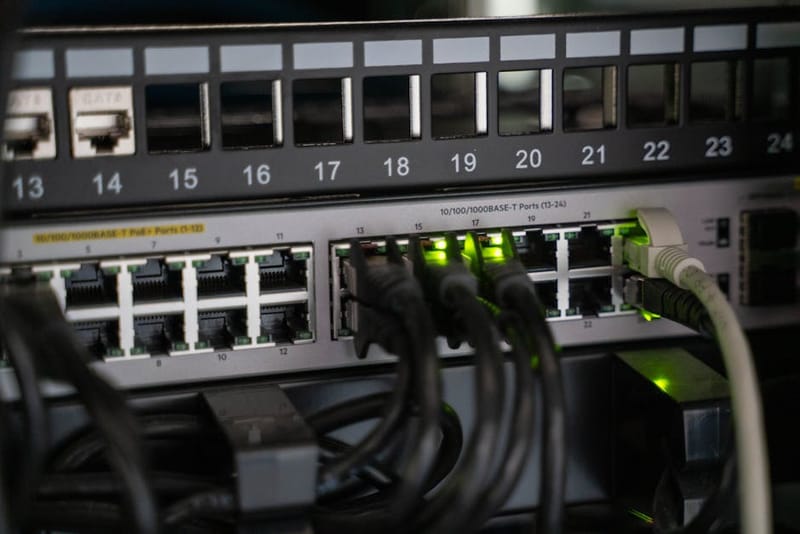

Pi-hole and AdGuard Home both block ads and trackers for every device on your home network - they pick the same fight, just with different opinions about how to win it. Pi-hole is the older, lighter, more modular project beloved by tinkerers; AdGuard Home is the newer, batteries-included tool with encrypted DNS and parental controls baked in.
What They Are (and What They're Not)
Two different teams solving the same DNS problem
Both projects are DNS sinkholes. They sit between every device on your network and the wider internet, intercepting the requests your devices make to resolve domain names. When a device asks for doubleclick.net or googlesyndication.com, the sinkhole returns a fake address that goes nowhere - the ad never loads, the tracker never sees you. Anything else gets forwarded to a real upstream DNS server (Cloudflare, Quad9, or whoever you choose) and works normally.
Pi-hole has been around since 2015. It's an open-source project written largely in C and PHP, originally designed to run on a Raspberry Pi, a popular low-cost single-board computer often used as a network appliance,. It's the more conservative of the two - does one thing, leans on companion projects (Unbound for recursive DNS, Gravity-Sync for high availability) when you need more, and has a vast community and ten years of accumulated wisdom. The official source is at github.com/pi-hole/pi-hole.
AdGuard Home is the open-source, self-hosted sibling of the AdGuard browser extension and apps, first released in 2018. It's written in Go, ships as a single binary, and bundles features that are bolt-on extras for Pi-hole - encrypted DNS protocols, per-client filtering rules, a parental-controls module with safe-search enforcement, and a built-in DHCP server. The source is at github.com/AdguardTeam/AdGuardHome.
Setup Difficulty
How long until you're blocking ads?
Pi-hole uses an interactive shell installer kicked off with a single curl command (curl -sSL https://install.pi-hole.net | bash). The installer asks about a dozen questions - network interface, upstream DNS provider, blocklists, whether to install the web UI, log behaviour, privacy mode. The defaults are sensible, and once it's done it prints the dashboard URL and a randomly-generated admin password. Network reconfiguration (pointing your router's DNS at the Pi-hole) is a separate, manual step you do in your router's admin panel.
AdGuard Home also installs with a one-liner (the official method is curl -s -S -L https://raw.githubusercontent.com/AdguardTeam/AdGuardHome/master/scripts/install.sh | sh -s -- -v), but the configuration happens in the web UI rather than the shell. You point a browser at port 3000, click through a setup wizard for upstream DNS, the admin account, and which interface to listen on, and you're done. For people who prefer GUIs over shell prompts, this feels noticeably friendlier.
| Pi-hole | AdGuard Home | |
|---|---|---|
| Install command | Single curl + interactive shell | Single curl + web wizard |
| Time to first block | ~20 min | ~15 min |
| Configuration UX | Shell prompts, then web UI | Web UI throughout |
| Encrypted DNS | Bolt-on (Unbound or cloudflared) | Built in (DoH/DoT/DoQ/DNSCrypt) |
| DHCP server | Optional | Optional, built in |
| Docker option | Yes (official image) | Yes (official image) |
Verdict on setup: AdGuard Home is slightly easier for beginners because the configuration happens in a familiar browser UI, and encrypted DNS works out of the box. Pi-hole is well within reach for anyone comfortable answering a dozen yes/no shell prompts, and the documentation is exceptional. Neither is meaningfully hard.
Blocklist Quality
Are you actually blocking different things?
Pi-hole's default is StevenBlack's Unified Hosts, an aggregator that combines several upstream lists into about 130,000 ad and tracker domains. It's well-tuned, low on false positives, and updated daily. The full list is published openly at github.com/StevenBlack/hosts.
AdGuard Home's defaults are AdGuard's own DNS filter (50,000 rules), the AdAway list (12,000 rules), and a few smaller lists. The total is a similar order of magnitude to Pi-hole's default. AdGuard's curated list leans slightly more aggressive on tracker domains and slightly less aggressive on edge-case ad CDNs - in practice you'll see a percentage point or two of difference in block rate, not a meaningful gap.
The crucial point: both projects can use the same blocklists. The hosts files maintained by Steven Black, OISD, hagezi, and the rest of the community work in either tool. If you want to run identical blocklists on both, you can - and for many users, the right answer is to add OISD's list (oisd.nl) to whichever tool they pick, because it's the most thoughtfully curated single source.
Default block coverage is similar
Both ship with around 100k–150k rules out of the box. Real-world block rates typically land between 10% and 30% of all DNS queries on a busy household network.
Both support the same community lists
OISD, hagezi, StevenBlack, EasyList, EasyPrivacy - paste a URL into the admin UI and refresh. Same outcome on either platform.
AdGuard supports more rule formats
AdGuard understands its own extended syntax (cosmetic rules, regex, domain-modifiers) on top of the standard hosts format. Pi-hole only does hosts and a basic regex syntax - fine for most users, but worth knowing if you have niche filtering needs.
Allowlisting is similar
Both have a one-click allowlist in the dashboard. AdGuard's UI exposes per-client allowlists more directly; in Pi-hole you'd typically pair it with a separate group-management feature.
Verdict on blocklists: functionally a draw. Both block what you want them to block; the differences are in rule-syntax breadth, not in the size or quality of the default coverage. If you swap from one to the other after a year, you almost certainly won't notice your ad-block experience changing.
The Admin UI
Where you'll spend all your time
Pi-hole's dashboard is the older of the two, and it shows. The layout is a classic admin-panel grid: total queries today, total blocked, percentage blocked, top domains, top clients, query log. It's information-dense and a touch dated visually, but every piece of data you'd want is one or two clicks from the front page. The query log is particularly good - filtering by client, domain, or status (blocked/allowed/forwarded) is fast and intuitive.
AdGuard Home's dashboard is more modern: more whitespace, larger charts, a cleaner mobile experience, and prominent toggles for parental controls and safe-search settings. The query log filters are a touch less granular than Pi-hole's, but the per-client view is better - at a glance you can see exactly which device is hammering which domains, and edit that device's blocklist or schedule from the same screen.
bar-chart
Pi-hole: dense and powerful
More raw data on screen at once. The query log is exceptional for forensic-level investigation of what your devices are doing. Slight learning curve for newcomers.
smartphone
AdGuard Home: cleaner and friendlier
Easier to navigate on a phone. Per-client management and parental controls feel native rather than bolted on. Slightly less granular for power users.
users
Per-client controls
Both let you apply different rules to different devices. AdGuard exposes this more prominently in the UI; Pi-hole hides it inside a Group Management section.
shield
Parental controls
AdGuard ships with built-in safe-search enforcement (Google, Bing, YouTube) and an adult-content filter category. Pi-hole achieves the same with extra blocklists, but it's a manual step.
Verdict on UI: AdGuard Home's UI is the better-looking of the two and easier on a phone. Pi-hole's UI is more powerful for forensic query investigation. Most people will prefer AdGuard's; users who spend a lot of time digging into device-level network behaviour will prefer Pi-hole's.
Performance and Resource Use
What it actually costs to run
Pi-hole, written largely in C, has an extremely small memory footprint - typically 50–80MB of RAM when idle, climbing to maybe 150MB under load. A Raspberry Pi Zero 2 W (£18) is enough hardware for a household, and a Pi 4 (2GB) is overkill. CPU usage barely registers on the dashboard.
AdGuard Home, written in Go, has a slightly heavier resting footprint - typically 80–150MB of RAM, climbing to 250–400MB on busy networks with verbose query logging. That's still tiny by any modern standard. CPU usage is also minimal, though Go's garbage collector means you'll see slightly more frequent micro-spikes on a graph than you would with Pi-hole.
~60MB
Pi-hole RAM (idle)
~120MB
AdGuard RAM (idle)
<1ms (both)
Per-query latency
~£4
Yearly electricity (Pi 4)
Verdict on performance: Pi-hole is the lighter project by a small margin. AdGuard Home is still extremely cheap to run. Neither will stress hardware that costs less than £50.
Hardware Requirements
What you actually need to buy
If you already have something always-on - a NAS, an Unraid box, a Mini PC running Proxmox, even an old laptop with a dead battery plugged in permanently - installing either project in Docker is the simplest path. Five-line docker run command, mount a config volume, point your router at the host IP, done. The official Docker images are kept current.
Minimum and recommended hardware
- Pi-hole minimum
- Raspberry Pi Zero 2 W, 512MB RAM, 8GB SD
- Pi-hole recommended
- Raspberry Pi 4 (2GB), 32GB SD, Ethernet
- AdGuard Home minimum
- Pi Zero 2 W, 512MB RAM, 8GB SD (works, slightly more constrained)
- AdGuard Home recommended
- Raspberry Pi 4 (2GB), 32GB SD, Ethernet
- Either, on existing NAS
- Docker image, 256MB RAM allocation
- Power consumption (Pi 4)
- 2-4W (~£4 / year electricity)
Verdict on hardware: identical for practical purposes. If you can run one, you can run the other on the same Pi. If you've already built a Raspberry Pi home server for other purposes, either project is a five-minute add-on.
Encrypted DNS, DHCP, and Other Extras
Where AdGuard Home pulls noticeably ahead
Encrypted DNS is the headline difference. AdGuard Home supports DNS-over-HTTPS (DoH), DNS-over-TLS (DoT), DNS-over-QUIC (DoQ), and DNSCrypt as both an inbound listener (devices can connect to it over encrypted DNS from outside your house) and as upstream resolution (it can talk to Cloudflare's 1.1.1.1 over DoH instead of plain DNS). Pi-hole does not support encrypted DNS natively - you achieve the same outcome by running cloudflared or unbound-with-DoT as a separate companion service. It works, but it's an extra moving part.
DHCP is another area where AdGuard Home edges ahead. Both can act as your network's DHCP server (replacing your router), but AdGuard's implementation is configured entirely in the web UI, while Pi-hole's is functional but a touch more technical to enable. Most people leave DHCP to the router and just point its DNS field at the ad-blocker, which works equally well on either.
Parental controls and safe search are first-class citizens in AdGuard Home - toggle a switch and Google, Bing and YouTube are forced into safe-search mode for whichever clients you select. Pi-hole achieves the same outcome by adding category blocklists (OISD has good ones), but it's a manual rather than a bundled feature.
Encrypted DNS (DoH / DoT / DoQ): AdGuard built in, Pi-hole bolt-on
AdGuard wins clearly here. Run a single binary; encrypted DNS Just Works.
DHCP server: AdGuard slightly easier
Both can do it. AdGuard's UI for DHCP is nicer. Most people skip it and let the router handle DHCP.
Parental controls: AdGuard built in
Per-client safe-search and content categories are a single switch. Pi-hole reaches the same result with extra blocklists.
High availability (two ad-blockers): Pi-hole has Gravity-Sync
Pi-hole has a mature ecosystem for keeping two instances in sync. AdGuard's HA story is improving but less established.
API and integrations: Pi-hole has more third-party support
Ten years of community plugins. Home Assistant integrations, Grafana dashboards, custom dashboards - Pi-hole's ecosystem is broader.
Which Should You Pick?
Five honest recommendations
First-time DNS-blocker installer
You already have a Raspberry Pi running other stuff
You want encrypted DNS with no extra services
You want forensic-level visibility into device behaviour
You have kids and want safe search
You want the largest community to ask for help
Can You Run Both?
The case for layering
Pattern 1: Pi-hole behind AdGuard Home (or vice-versa). AdGuard Home handles encrypted DNS to the upstream, hands queries to Pi-hole, which does the blocking and forwards anything legitimate. You get encrypted DNS and Pi-hole's query log. The downside is two services to maintain and a slightly more confusing query log when you're debugging what blocked what.
Pattern 2: Two ad-blockers in parallel for redundancy. Run a Pi-hole and an AdGuard Home as primary and secondary DNS in your router. If one dies, DNS keeps working. The downside, repeated from earlier: most consumer routers don't actually fail over cleanly between primary and secondary DNS - they often randomise - so you'll see different blocking behaviour on different queries. Better is to run two of the same project (two Pi-holes synchronised with Gravity-Sync, or two AdGuard Homes).
Frequently Asked Questions
What people ask after the setup is done
Is AdGuard Home a paid product?
Can I migrate from Pi-hole to AdGuard Home (or back) without re-setting up everything?
Will my devices need to be reconfigured if I switch?
Which one updates more often?
Does either block Smart TV ads?
Will my ISP know I'm running an ad-blocker?
If you use plain DNS upstream (the default), your ISP can see the domains your ad-blocker is querying on your behalf - same as if your devices queried directly. To hide that, set the upstream to a DoH/DoT provider (https://1.1.1.1/dns-query for Cloudflare, for example). AdGuard Home does this in the setup wizard. Pi-hole needs cloudflared or Unbound alongside.
Can I run AdGuard Home in Home Assistant OS as an add-on?
The Bottom Line
Pick one, install it on Saturday, browse ad-free by lunch
If we had to give a one-line answer: for most people in 2026, AdGuard Home is the slightly better choice for a first DNS-level ad-blocker - encrypted DNS comes free, the UI is gentler, and per-client controls are first-class. But the gap is small, and for tinkerers, Home Assistant, the open-source smart home automation platform, users, or anyone who already has a Raspberry Pi running, Pi-hole's lighter footprint and broader ecosystem still make it a fantastic pick.
Ready to install one?
Our complete Pi-hole guide walks through hardware, OS install, and network configuration step by step - and the same hardware runs AdGuard Home equally well.