Smart Home Mistakes Beginners Make (And How to Avoid Them)
Nine smart home mistakes new owners make - incompatible devices, weak Wi-Fi, app graveyards and subscription traps - and how to avoid each one.
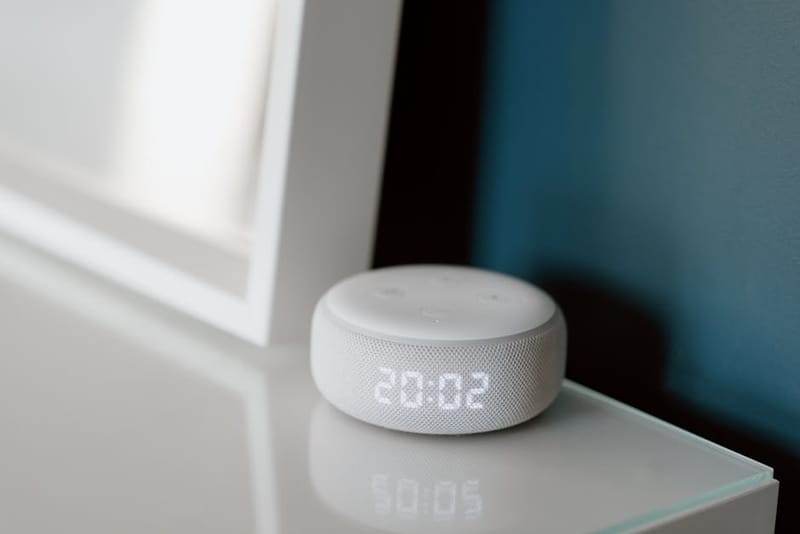

Most smart-home regret is set in the first three months. You buy a couple of plugs, a bulb, maybe a doorbell, and the system feels magical for a fortnight. Then the bulb stops responding, an app update breaks an automation, the second cousin's voice keeps tripping the wrong scene, and you start asking whether any of this was a good idea. The good news is that almost every common smart-home failure traces back to a small set of mistakes - most of them avoidable for free, and most of them invisible until you have already made them.
Below are the nine smart-home mistakes that hit beginners hardest, why each one happens, and the cheapest way to avoid or unwind each. They are listed roughly in order of pain caused.
Why do smart devices sometimes fail to talk to each other?
The number-one smart-home mistake is collecting devices on impulse and discovering, six months in, that half of them sit on incompatible protocols. The Hue bulbs work over Zigbee, the Govee strip is on Wi-Fi, the door sensor is Z-Wave, the thermostat needs its own hub, and the only place they all show up is a rotation of four apps that don't share state.
The fix is to choose a protocol stack first, products second. The current default is Matter - every major platform supports it and most new devices ship with it. Matter vs Zigbee vs Z-Wave vs Thread covers when each protocol is the right pick, but for a brand-new setup in 2026 the honest answer is: prefer Matter-over-Thread for sensors and small devices, Matter-over-Wi-Fi for plugs and bulbs, and treat anything cloud-only as last-resort.
2. Underestimating your Wi-Fi
A typical smart home goes from 5 connected devices to 25 within a year. Most consumer routers issued by ISPs in the UK comfortably handle 10–15 simultaneous devices and start dropping connections beyond that. The smart bulb that "randomly" goes offline at 9pm is usually a Wi-Fi capacity issue, not a bulb fault.
The fix has two halves. First, count what you actually have - phones, laptops, TVs, the Alexa, every plug, every bulb, every camera, every robot vacuum. If the number is over 20, the ISP-supplied router is probably the bottleneck. Second, move to a mesh system designed for IoT density. Our mesh Wi-Fi guide for smart homes explains the device-count thresholds and what to upgrade when.
3. Letting an app graveyard form on your phone
Most beginners end up with a screen full of single-purpose apps - one for the bulbs, one for the sensors, one for the camera, one for the thermostat, one for the vacuum. None of them talk to each other. Each pushes a notification of its own. None of them survive switching phones cleanly.
The fix is to pick one hub app and force everything into it. The viable options are Apple Home, Google Home, Amazon Alexa and Home Assistant. Our Alexa vs Google vs HomeKit vs Home Assistant comparison walks through which to choose given how technical you are. Whichever you pick, the rule is: if a new device cannot be added to your hub app, it does not come into the house. The temporary inconvenience of returning the wrong product is dwarfed by years of using a fragmented system.
4. Buying first, automating second
The healthiest smart homes start with a list of routines, not a list of devices. "I want the porch light to come on when it gets dark and turn off at 11pm" is a routine; the bulb and the dusk sensor are the implementation detail.
Beginners almost always do this in reverse - buy the kit, then go hunting for things to automate. The result is a drawer of unused dimmers and motion sensors and an app full of one-off scenes. The fix is a 10-minute exercise on paper before any purchase: list the five routines you would actually use, daily or weekly. Buy the minimum hardware that delivers those routines. 10 Home Assistant Automations Every Beginner Should Try is a useful starting list if you are short on inspiration.
5. Skipping security and privacy settings
Most consumer smart-home cameras and doorbells ship with weak default security: predictable admin accounts, two-factor authentication off, video stream stored unencrypted on a third-party cloud. Beginners almost never change the defaults, and the few who do usually skip the privacy permissions entirely. Hijacked baby monitors and cameras with public-internet feeds are not hypothetical - they make the news several times a year.
The fix is two evenings of work, once. Walk through every device and (a) change the default password, (b) turn on two-factor authentication, (c) review what data the device is sending to the cloud. Pair that with hardening the router itself - our 10-minute home Wi-Fi security checklist covers the bare-minimum router settings that most people skip. If you are running Home Assistant, Pi-hole blocks a meaningful share of telemetry calls at the network level.
6. Trusting battery and range claims uncritically
Battery life on box: "up to 2 years". Real-world battery life: about 6 months for the busiest sensors, 9–14 months for the rest. Range on box: "up to 30 metres". Real-world range, through one plasterboard wall: about 8 metres. The marketing numbers assume an empty Faraday cage with no other Bluetooth or Zigbee traffic; nobody lives in one.
The fix is to plan for half the advertised battery life and one-third the advertised range. That changes which device you buy and where you put it. A door sensor at the limit of its range will work flawlessly the day you install it and start dropping events three months later when the battery dips below full. Plan for it.
7. Building everything around a single ecosystem
It is tempting to go all-in on whichever ecosystem you started with - usually Alexa or Google - and buy only devices that match. That works for two years. Then your favourite brand pivots, the cloud service shuts down, the platform changes its terms, and a chunk of your house turns into expensive paperweights overnight. (Smart-home graveyards are full of platforms that were dominant five years ago: Wink, Insteon, Iris by Lowe's, Revolv.)
The fix is to keep at least two paths to control for any device that matters. Matter is the easy version of this - a Matter-compatible device is portable across Apple Home, Google Home, Alexa and Home Assistant. The harder version is Home Assistant, which can talk to almost any protocol and is not owned by a vendor that can take your data away. Our Home Assistant beginner's guide walks through what an installation looks like.
8. Paying monthly for things that should be one-off
Subscription creep is the silent budget killer of smart homes. Cameras want £8/month for cloud video. Smart locks want £4/month for guest codes. Vacuums want £5/month for room maps. The garage door opener wants £3/month for an app that used to be free. Five subscriptions of £5 each is £300 a year for features that hardware from five years ago did locally and free.
The fix is to filter on "works fully without a subscription" before buying. Several categories now have strong no-subscription options - our smart home security guide without monthly fees covers the camera-and-doorbell space, and our smart-locks buyer's guide notes which models do guest codes locally. The same logic applies to vacuums, thermostats and garage door openers.
9. Treating voice control as the only interface
Voice is great when it works. It works about 90% of the time, which sounds high until you remember you are using it five times a day, every day, for years. The 10% that fails - wrong room, wrong device name, wrong language model update - happens in front of guests, when your hands are full, or when the Wi-Fi is patchy. Beginners who design their entire system around "just ask Alexa" end up living with that failure rate.
The fix is redundancy. Every routine that matters should have at least two ways to fire: voice and a wall switch, or voice and a phone widget, or voice and a schedule. Smart switches that retain physical-press behaviour are the cheapest version of this. The dashboard apps from Apple Home, Google Home and Home Assistant give you the digital version. Both are worth setting up; voice alone is not enough.
What these mistakes have in common
Most of the failures above share the same root cause: the smart-home industry sells discrete devices, but a smart home is a system. Devices are easy to think about - you can compare them on a spec sheet, return them, replace them. Systems are harder. They emerge from how the devices interact with each other, your network, your daily routine and the cloud services behind them.
The cheap insurance against most of these mistakes is to spend two weekends at the start: one planning the system, one hardening the security. After that, devices become interchangeable and the system stays robust. Beginners who skip those two weekends almost always end up redoing the work later, with more devices and more apps to migrate.
Frequently asked questions
What is the single biggest beginner mistake in smart homes?
Is Matter actually the answer to compatibility?
Do I need Home Assistant to do this properly?
How much should a beginner expect to spend on a sensible first setup?
What's the worst trap to fall into?
What do I do if I've already made several of these mistakes?
Build a smart home that lasts
Our Smart Home 101 series walks through what a smart home is, how to choose a platform, and which devices to buy first.